A unit of measure (UoM) is the unit a quantity is expressed in: a piece, a kilogram, a litre, a metre. In product data it answers a practical question for every number in the record: 330 what? Price, stock, net content, order quantity and pack size all need a unit, and they do not have to share the same one.
Most catalogs need four unit concepts: the base unit (the smallest thing you count, one can), the sales unit (what the customer puts in the cart, a 6-pack), the order unit (what you buy from the supplier, a tray of 24) and the net content with its unit (330 ml per can). Get those right and unit prices, feeds and B2B order rules follow. This guide shows the fields, the EU and Google unit pricing rules, the standard codes and a worked example for cleaning up supplier units such as 500gr, 0,5 kg and 500 g.
Base unit, sales unit and order unit on one can of sparkling water
Take sparkling water in 330 ml cans. The supplier ships trays of 24 cans and pallets of 84 trays. Your webshop sells single cans to office customers and 6-packs to consumers. One product, five quantity levels:
Unit levels for one product: 330 ml sparkling water
| Base unit | 1 can | 1 | H87 (piece) | Stock counting, unit price |
|---|---|---|---|---|
| Net content | 330 ml per can | n/a | MLT (millilitre) | Label, unit price, feeds |
| Sales unit (consumer) | 6-pack | 6 | XPK (package) | Webshop price and cart |
| Order unit | Tray of 24 | 24 | XPK (package) | Purchasing, B2B order rules |
| Logistics unit | Pallet of 84 trays | 2,016 | Package code agreed with the carrier | Warehouse and transport |
The trouble starts when a price or stock figure loses its level. A supplier price of EUR 7.20 is per tray of 24, so EUR 0.30 per can. Import it into a field the webshop reads as per 6-pack and you sell at a loss. Stock of 10 can mean 10 cans or 10 trays (240 cans), and a stock figure in the wrong unit also throws off backorder caps and feed availability. The fix is boring and effective: store the level next to every quantity.
Pack size, net content and conversion factors as fields
A minimal unit model fits in a handful of attributes. Use the same codes across the catalog and keep the number and the unit in separate fields, so systems can calculate with the number.
- net_content_value and net_content_unit: 330 and ml. The quantity of product in one base unit, as on the label.
- sales_unit and units_per_sales_unit: package and 6. What one cart line of quantity 1 contains.
- order_unit and units_per_order_unit: package and 24. What one supplier order line of quantity 1 contains, which is also where a minimum order quantity and order multiples belong.
- price_quantity: 1 by default; 100 if the supplier quotes per 100 pieces, common for screws and fasteners.
- net_weight and gross_weight with their unit: for shipping rules and customs, not for the unit price.
- unit_pricing_measure and unit_pricing_base_measure: only where a unit price must be shown (see below).
B2B catalog formats use the same idea. BMEcat, for example, describes an article with an ORDER_UNIT, a CONTENT_UNIT, the number of content units per order unit (NO_CU_PER_OU) and a PRICE_QUANTITY, so a box of 100 screws priced per box is unambiguous to the buyer's system.
EU unit pricing under the Price Indication Directive
In the EU, products offered to consumers must show a unit price next to the selling price. Directive 98/6/EC defines the unit price as the final price, including VAT and other taxes, for one kilogram, one litre, one metre, one square metre or one cubic metre, or another single unit that is widely used in the member state for that product. For products sold in bulk, only the unit price is required, and an advertisement that mentions the selling price must also give the unit price.
The directive leaves room for national rules. Member states may waive the unit price where it would not be useful or would confuse, and for non-food products they may limit the duty to a list of product categories. Check the national implementation for each market you sell in. The arithmetic itself is simple, and the unit price calculator does it per product:
- Coffee beans, 500 g at EUR 7.49: 7.49 / 0.5 = EUR 14.98 per kg.
- Olive oil, 750 ml at EUR 8.95: 8.95 / 0.75 = EUR 11.93 per litre.
- Sparkling water, 6 x 330 ml at EUR 5.40: 6 x 0.33 = 1.98 l, so 5.40 / 1.98 = EUR 2.73 per litre.
None of these numbers can be calculated if the net content is missing, sits inside the product title as text, or uses a unit the shop does not recognize. Unit pricing is a product data problem first.
Google Merchant Center unit_pricing_measure and unit_pricing_base_measure
Google Shopping shows unit prices from two attributes. unit_pricing_measure is the quantity of the product as sold, for example 750ml; it is required for products advertised in the EU, EFTA countries, the UK, Australia and New Zealand where local rules require a unit price, and optional elsewhere. unit_pricing_base_measure is the denominator, for example 1l or 100ml.
- Supported units: weight oz, lb, mg, g, kg; volume floz, pt, qt, gal, ml, cl, l, cbm; length in, ft, yd, cm, m; area sqft, sqm; per unit ct (sheet and item only in Australia and New Zealand).
- Base measure values: the whole numbers 1, 10, 100, 2, 4 and 8 plus a unit, and the metric combinations 75cl, 750ml, 50kg and 1000kg.
- Decimals: at most two digits after the decimal point; Google rounds the rest.
- Conflict: if a product also has energy_efficiency_class, Google shows the energy class, not the unit price.
For the three examples above that means 500g with base 1kg, 750ml with base 1l, and 1980ml with base 1l for the 6-pack. Note that the feed uses lowercase symbols such as ml and sqm, not the UN/CEFACT codes your ERP may export. More on feed attributes is in the Google Merchant Center guide.
Standard unit codes: UN/CEFACT Recommendation 20 and ETIM
Systems exchanging orders and invoices do not write kg or Stück; they use codes. The common list is UN/ECE Recommendation 20, with packaging codes from Recommendation 21 prefixed with X. The Peppol code list for Recommendation 20, used for European e-invoicing, is an easy place to look them up.
One unit, three spellings: label, UN/CEFACT and Google
| Kilogram | KGM | kg | kg |
|---|---|---|---|
| Gram | GRM | g | g |
| Litre | LTR | l | l |
| Millilitre | MLT | ml | ml |
| Centilitre | CLT | cl | cl |
| Metre | MTR | m | m |
| Centimetre | CMT | cm | cm |
| Square metre | MTK | sqm | m² |
| Cubic metre | MTQ | cbm | m³ |
| Piece | H87 or C62 (one) | ct | pc |
| Package | XPK | n/a | pack |
H87 (piece) and C62 (one, also used as unit) both count single items; trading partners usually agree on one. Technical wholesale adds another layer: in ETIM, numeric features such as length or power come with a standardized unit, so a cable length must be converted to the unit the ETIM feature expects before it is exchanged.
Normalizing messy supplier units: a worked example
Supplier files rarely agree on units. One sends 500gr, another 0,5 kg, a third 500 g in the title only. Here is how ten raw values from three supplier files normalize into a value, a unit code and a value in the base unit of the attribute.
Ten supplier values, normalized
| 500gr | 500 | GRM | 0.5 kg | gr is an alias for g |
|---|---|---|---|---|
| 0,5 kg | 0.5 | KGM | 0.5 kg | Decimal comma, not a thousands separator |
| 500 g | 500 | GRM | 0.5 kg | Already clean |
| 1/2 kilo | 0.5 | KGM | 0.5 kg | Fraction and alias |
| 1.000 g | 1000 | GRM | 1 kg | Dot as thousands separator (Dutch and German files) |
| 1,5L | 1.5 | LTR | 1.5 l | Uppercase L, decimal comma |
| 75cl | 75 | CLT | 0.75 l | Keep cl if the label says cl |
| 750 ML | 750 | MLT | 0.75 l | Case only |
| 6 x 330 ml | 330 | MLT | 0.33 l per can | Multipack: units_per_sales_unit = 6 |
| 25 stuks | 25 | H87 | 25 pieces | Count, goes to pack size |
The rules behind the table are the same for any attribute:
- Keep the raw value in its own column so you can audit every conversion later.
- Resolve the number format per source. 1.000 from a German supplier is a thousand; 1.000 from a US supplier is one. Decide per file, never per value.
- Split the number from the unit and map unit aliases (gr, grams, gram, G) to one code.
- Pick one base unit per attribute (kg for weight, l for volume, mm or cm for dimensions) and convert with a fixed factor.
- Separate multipacks into content per unit and units per pack, so the unit price and the pack size are both correct.
- Store the result in numeric fields and generate display text such as 500 g from them, not the other way round.
The approach is the same one behind attribute standardization in general: agree on the allowed values first, then fix the data in bulk, then block new deviations at the door.
Stored units vs displayed units in each market
Normalizing does not mean every market sees the same text. Store one value in one base unit, then format it per locale and channel at output time. A 0.5 kg bag reads 0.5 kg on a US English page, 0,5 kg on a Dutch or German page, and 500g in a Google feed.
- Number format: the decimal separator and thousands separator follow the locale of the page, never the supplier file.
- Unit label: piece is pc in English, st. in Dutch and Stk. in German; the stored code (H87) stays the same.
- Metric and imperial: if you sell in the US, convert 500 g to 17.6 oz at output for display, but keep grams as the stored value so the EU unit price stays exact. The UK feed must use metric values.
- Rounding: round only the displayed value. Rounding the stored value on each conversion drifts: 17.6 oz converted back is 498.95 g.
This split also keeps translations simple. A translator never touches 500 g; the template that renders the label does.
Seven unit errors that break unit prices and feeds
- The unit lives in the value. 500g in a text field cannot be sorted, filtered or divided. Split it.
- Decimal comma read as a thousands separator. 0,5 kg becomes 5 kg, and the unit price drops by a factor of ten.
- Pack price compared with a single-unit price. The 6-pack and the single can show unit prices calculated on different quantities.
- Gross weight used as net content. Packaging is included, so the unit price is too low.
- Drained weight ignored. For products in liquid, such as olives in brine, the directive allows the unit price on the drained net weight where that weight must be declared.
- Fluid ounces confused with ounces. floz is volume and oz is weight; Google treats them as different units.
- Labels that only relabel. Changing cm to mm without multiplying the value by 10 turns a 30 cm shelf into a 30 mm one.
Unit code sets, conversions and checks in WISEPIM
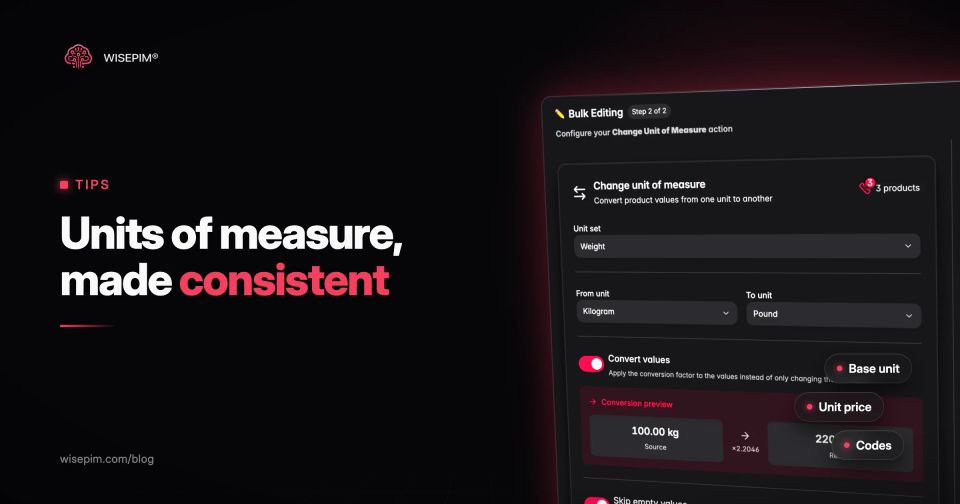
WISEPIM handles units as data, not text. With the Classification workspace feature switched on, UOM code sets group related units (weight, length, volume and others) with a code, a symbol, localized names and a conversion factor to the set's base unit, plus display and export settings. The Change Unit of Measure action in bulk edits and in automations converts values across a selection, or only changes the label when values were labeled wrongly.
Around that, several existing features help with messy units. The attribute values page (for text and select attributes) groups values that differ only in capitals, spaces or punctuation, such as 500gr, 500 GR and 500 gr, or 1,5 ml and 1.5 ml, and lets you merge each group into one value in one step, with undo (see attribute value normalization). It does not treat gr and g as the same unit or convert grams to kilograms, so 500 g and 0,5 kg stay separate values until you convert them. When the CSV import creates attributes from supplier columns, it can append a supplier's unit column to the value, keep it in a separate _uom attribute or drop it. AI enrichment can extract net content from descriptions into attributes. Quality Guard rules can warn about or block products whose unit field is empty or does not match a pattern. Feed Hub's BMEcat export writes ORDER_UNIT, CONTENT_UNIT, NO_CU_PER_OU and PRICE_QUANTITY from attributes such as order_unit and pack_size, translating values like stuks or pcs into UN/CEFACT codes. WISEPIM does not calculate unit prices, and its Google Shopping feed template and Merchant Center connection do not send unit_pricing_measure or unit_pricing_base_measure. What it does is keep net content, pack size and unit consistent, so your shop or the tool that builds those feed fields has clean input.
