PIM for building materials, tools and hardware
Home Projects Need Precision. Deliver Perfect Instructions.
For wholesalers, suppliers and webshops selling tools, building materials and hardware. WISEPIM turns bulk supplier files into complete specs, dimensions and standards for your shop and your dealers.
- ETIM and GS1 GPC
- 12 unit categories
- 70+ languages

Key features
Specs with units
Dimensions, weights and materials as typed attributes with unit of measure codes.
Installation documents
Manuals, safety data sheets and declarations as file attributes on each product.
ETIM and GS1 GPC
Classify installation and sanitary ranges in ETIM, or adopt GS1 GPC bricks as categories.
Who it's for
Built for building and DIY catalogs
WISEPIM fits teams that sell or supply tools, building materials, sanitary and hardware with many specs per item.
Built for you if
- You supply dealers or installers from 5,000 SKUs or more, or run a webshop with 2,000 or more.
- Your products carry dimensions, materials, standards and safety data that buyers filter on.
- Suppliers deliver bulk files with their own columns, codes and abbreviations.
- Installation and sanitary customers ask you for ETIM classes.
- You sell in 3 or more countries or languages, or plan to within a year.
- You run Magento 2, Shopify, WooCommerce, Lightspeed, CCV Shop or Akeneo.
Probably not yet if
- You sell a few hundred products with little spec data. Start on the free plan.
- You have over 250,000 SKUs and no PIM yet. Talk to us about an Enterprise project first.
- You only need a one-off cleanup of a single file. WISEPIM is a subscription, not a project.
Not sure? Book a demo and we check the fit on one of your own product files.
Why building and DIY teams look for a PIM
Where building and DIY data breaks
Bulk supplier files and mixed units meet buyers who need to know exactly what fits and what is safe.

Installation documents go missing
Manuals, mounting instructions and safety data sheets sit in supplier PDFs. Installers and DIY shoppers cannot find them on the product page.
Specs in mixed units
One supplier writes 1200 mm, the next 1.2 m, a third leaves the unit out. Filters on length, diameter or load stop working.
What fits with what
Pipe diameter, thread size and fixing type decide whether two products work together. In free text, nobody can filter on them.
Standards and safety data
Fire class, IP rating, CE marking and declarations of performance have to be complete and correct on every item.
Bulk SKUs from suppliers
A new supplier range means thousands of rows full of codes and abbreviations. Typing them into the shop takes weeks.
Pros and DIYers read differently
An installer wants the specs table. A DIY shopper wants to know what the job needs. Both land on the same product page.
Home Improvement Product Content: Before & After AI
See how WISEPIM's AI transforms home improvement product descriptions, titles, and specifications.
Show before or after
Drag the handle or use the arrow keys to compare
| What changed | Before | After |
|---|---|---|
| Words in description | 20 | 168 |
| Filled attributes | 0 | 24 |
| Sections | 0 | 12 |
Impact
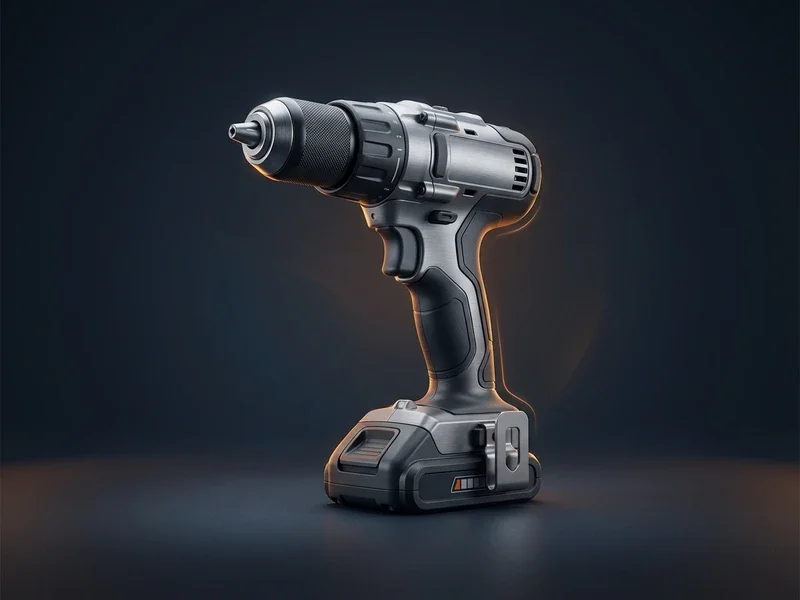
- Added brand, brushless, torque (dual units), speed, chuck, battery count, platform fit, ratingSpec-Complete Title
- Scannable sections, battery-platform note, torque explained, kit contents, verified quoteDIY-Focused Copy
- Added GTIN, battery-platform, dual-unit dimensions, safety/compliance marks, warrantyComplete Tool Specs
Setup path
From supplier file to complete range
Most teams start with one range, such as fixings or sanitary, then widen the scope.
Import a supplier range
First day
Upload CSV, Excel, XML or BMEcat. AI proposes the column mapping and detects units, you confirm it and save it for the next delivery.
Structure one range
First week
Set up a family with its required specs and units, or turn ETIM classes into families. Decode supplier codes into brand, size and material with your own glossary.
Publish to your shop and dealers
First weeks
Push the range to your shop, or build a BMEcat feed or brand portal for dealers. Supplier stock and price files can come in by upload, link, FTP, SFTP or email.
Proof
A hardware webshop in German
Tackerplein, an industrial and hardware webshop, used WISEPIM to translate its range into German.
- accuracy on AI translation and AI category classification
- 95%+
- WISEPIM
How WISEPIM solves it
What a building and DIY PIM does
Six jobs WISEPIM takes off your product team, each backed by a feature you can open today.
Bulk supplier files, decoded
Saved import profiles map each supplier's columns once. Supplier code decoding with your own glossary turns terse codes and abbreviations into brand, material and size.
A new supplier range lands complete, not as raw rows.
Dimensions and units you can filter
Typed attributes with unit of measure code sets, value merging and synonyms. Bulk editing converts units and numbers across a whole range in one run.
Length, diameter and weight filters work across suppliers.
ETIM for installation and sanitary
Turn ETIM classes into families and attributes, let AI map products and fill features, and export BMEcat with ETIM to installation wholesalers. GS1 GPC bricks can become your category tree.
Wholesaler requirements become fields, not a project.
Specs Checked Before They Go Live
Quality Guard rules check required specs, safety data and documents, and hold back products that fail before export. The fill gaps job fills missing attributes from photos and the web, within your allowed values.
Incomplete items stay out of your shop and feeds.
Copy for pros and DIYers
AI writes descriptions from your specs in the brand voice you set in the Knowledge Library, and translates them into 70+ languages. Save one prompt for installers and one for DIY shoppers.
Both audiences find what they need on the same page.
Stock and prices from suppliers
Supplier sources collect stock and price files by upload, link, FTP, SFTP or email, log every delivery and update your products.
Your stock and prices follow the supplier's latest file.
Integrations
Connects to the shops you run
Shop connections import your range and push changes back. Dealers get BMEcat, a feed or a brand portal from the same data.
- Magento 2Import products and push prices, stock, images and SEO to a B2B or consumer store.
- ShopifyImport products and push titles, prices, stock, images and translations back.
- WooCommerceImport and export products with images, categories, attributes and variations.
- LightspeedImport and export products for Lightspeed eCom (C-Series).
- CCV ShopInstall the app, import your products and push enriched content back.
- ShopwareImport your Shopware catalog to enrich and translate it. Import only.
- AkeneoAlready on Akeneo? Import products, enrich them and push the updates back.
- KauflandPush titles, descriptions, brand, images, price and stock to the marketplace.
- MiraklExport enriched products to marketplaces that run on Mirakl. Export only.
In the product
Your range, scored product by product
The product table shows each item's supplier text next to the enriched version, with a quality score that tells you what to fix first.
Home Improvement Market Intelligence
Home Improvement Industry Insights & Market Trends
Home improvement retailers with detailed installation guides and compatibility information help customers complete projects successfully. Explore market analysis, competitive benchmarks, and growth opportunities in contractor vs. DIY customer segments and seasonal project cycles.
Home Improvement Benchmarks
Key performance indicators for your industry
DIY Market Growth
Market opportunities
Home Improvement Categorization Guide
Master Home Improvement Product Categorization
Explore the full category structure, classification rules, and attribute requirements to categorize your home improvement products correctly every time.
- Categories
- 300+
- Depth Levels
- 4levels
- Classification Rules
- 10
- Attribute Mappings
- 6
Category Hierarchy
Preview of your industry taxonomy
Building Materials
Lumber & Sheet Goods
- Plywood
- MDF
- OSB
- Dimensional Lumber
Drywall & Plaster
Insulation
- +2
- Plumbing4
- Electrical6
- Flooring7
- +4
Free Excel template
XLSX · 3 sheetsSee which of your 20 best sellers are incomplete
An Excel check with the columns home improvement products need. In about 15 minutes you know how many of your 20 are complete, and the one fix that helps the most rows.
How it works
- Paste 20 best sellers from your shop export into Products.
- Fill in what you know. The last column says what each row is missing.
- Read your result on Start here: how many are complete, and the fix that helps most rows.
One email, once, with the XLSX attached and as a download link. Nothing else unless you tick the box.
FAQ
Building and DIY PIM questions
What wholesalers and DIY webshops ask before they move their range.
Still have questions?
Can't find the answer you're looking for? Please get in touch with our team.
Contact SupportGet every range online complete.
Start free with one supplier file, or book a demo and we go through it with you.
 Maintained byDiego NijboerCo-Founder & CTO