AI tools for ecommerce fall into six jobs: writing and enriching product content, editing product images, on-site search, customer support, ads and email, and analytics. The right pick in each category depends less on the model behind it than on what it connects to: your store platform, your helpdesk, your ad accounts and, above all, your product data.
Below are 14 real tools sorted by job, each with a one-line note on who it fits, based on the vendors' own documentation at the time of writing. There are no star ratings or uplift percentages here, because those figures are vendor-reported and rarely comparable. After the list come the parts most roundups skip: what each category reads from your catalog, the ways AI gets product data wrong, a two-week pilot plan and the pricing models you will meet.
The six store tasks AI tools handle well
- Product content: descriptions, attributes, translations and categories, from one product to a whole catalog.
- Product images: background removal, cleanup, resizing and generated lifestyle scenes.
- Search and discovery: understanding natural-language queries and typos, and ranking results.
- Customer support: answering order, shipping and product questions in chat or email.
- Ads and email: building ad variations from feeds, segmenting customers and predicting churn.
- Analytics: forecasting purchases and answering questions about your store data in plain language.
Most stores need two or three of these, not all six. Start with the job that costs your team the most hours each week.
AI tools for product descriptions, attributes and translation
This category splits in two. Writing assistants work one product or one prompt at a time. Catalog tools work on thousands of products and write into fields, not only into a description box.
- Shopify Sidekick: Shopify's AI assistant in the admin can generate product descriptions and images and edit products, and it presents changes for your review before applying them (Shopify Help Center). Fits Shopify merchants rewriting a handful of products at a time.
- ChatGPT and other general assistants: good for drafting, changing tone and testing angles. Fits small catalogs and one-off copy; at scale you are copying and pasting, and the assistant sees only the attributes you paste in.
- Jasper: an AI writing workspace for marketing teams that stores brand voice and style guidance for reuse. Fits marketing teams producing campaigns, emails and ads next to product copy.
- DeepL: machine translation with glossaries and a formal or informal tone setting. Fits translating text you already trust; our DeepL vs Google Translate comparison tests both on product content.
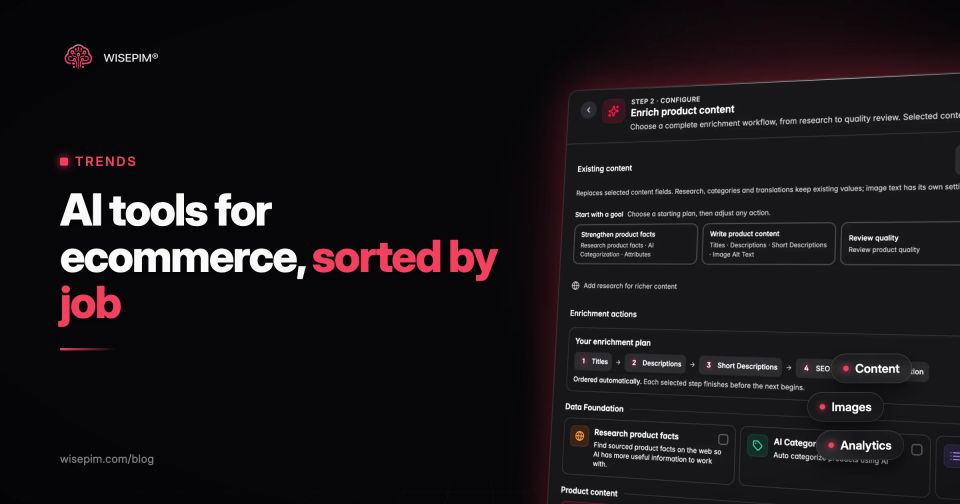
- WISEPIM: an AI-first PIM that fills and fixes product data across a catalog: descriptions, attributes extracted from supplier text, translations and category assignment, with a review step before anything is published. AI translation and AI category classification are 95%+ accurate. Fits teams with hundreds to tens of thousands of products across several channels or languages.
The difference shows at catalog scale. A writing assistant produces text. A catalog tool fills fields such as material, size and compatibility, which filters, feeds, search and support tools then reuse.
AI tools for product photos and visuals
- Photoroom: background removal and image editing in an app or through an API, billed per image processed; the Image Editing API cleans backgrounds, fixes lighting and crops in one batch (Photoroom). Fits marketplace sellers and brands that need consistent packshots in volume.
- Google Product Studio: free AI image tools inside Merchant Center to generate scenes, change or remove backgrounds and increase resolution, available to all Merchant Center users except those based in Russia and France (Google Merchant Center Help). Fits merchants who mainly need better images for Shopping ads.
One caution applies to every image tool: a generated scene must not change what the shopper receives. A different color, an extra accessory or a wrong scale in a lifestyle shot turns into a return. Our guide to product image quality covers resolution, angles and alt text.
AI site search and product discovery tools
- Algolia NeuralSearch: Algolia's AI search combines keyword and vector matching, so exact SKU lookups and conversational queries both return results. Fits mid-size and large stores with developer capacity.
- Doofinder: AI search, recommendations and merchandising sold as a plug-in for common store platforms such as Shopify, WooCommerce and PrestaShop. Fits small and mid-size European stores that want better search without a development project.
Both depend on your attributes. Semantic search can match "waterproof hiking boot for wide feet" only if waterproofing and width exist somewhere in the product record. Our post on ecommerce site search covers zero-result queries, synonyms and facets.
AI customer support agents for online stores
- Gorgias AI Agent: an AI agent for support and sales inside the Gorgias helpdesk, which is built for ecommerce stores. Fits Shopify brands that already run their inbox in Gorgias.
- Tidio Lyro: an AI support agent inside the Tidio chat platform, priced by the number of AI conversations, with the first 50 conversations free (Tidio pricing). Fits small stores testing AI support on a budget.
Support agents answer product questions from the same data your product pages show. "Is this jacket machine washable?" gets a correct answer only if care instructions are filled in. Before a pilot, export the twenty most common pre-sale questions from your inbox and check whether your product data answers them.
AI for ads, feeds and email marketing
- Google Performance Max: a goal-based campaign type that reaches all Google Ads inventory from one campaign, built from inputs such as images, data feeds and bidding goals (Google Ads Help). Fits retailers running Shopping ads from a Merchant Center feed.
- Klaviyo: email and SMS marketing with predictive analytics such as predicted customer lifetime value and churn risk, plus AI help for segments and email copy. Fits direct-to-consumer brands where email drives a large share of revenue.
For ads, the feed is the creative brief. Performance Max assembles ads from your titles, images and attributes, so a title like "Jacket 1234 blue" limits what the system can match to a search. Our product feed optimization guide covers titles and attributes per channel.
AI features inside ecommerce analytics
- GA4 predictive metrics: purchase probability, churn probability and predicted revenue, available once at least 1,000 returning users meet the predictive condition, and 1,000 do not, within a seven-day period (Google Analytics Help). Fits stores with steady traffic and purchase events that include value and currency.
- Shopify Sidekick for reporting: the same assistant answers questions about your store data in plain language inside the admin. Fits owners who want an answer without building a report.
For profit and attribution tools such as Triple Whale and Polar Analytics, see our comparison of ecommerce analytics tools.
What each tool category reads from your catalog
Every tool above reads product data, and the quality of its output tracks the quality of that input. This is the list to check before you buy:
What each AI tool category reads from your catalog
| Content tools | Product name, brand, category, existing attributes and supplier text. Thin input produces generic copy or invented details. |
|---|---|
| Image tools | One clean source photo per variant. A generated scene inherits any wrong color from the source. |
| Search tools | Titles, attributes, category paths, synonyms and stock status. |
| Support agents | Descriptions, specifications, care and size information, shipping and return policies. |
| Ad tools | Feed titles, GTINs, product type, images, price and availability. |
| Analytics tools | Product IDs that match across store, feed and GA4, plus category and brand for grouping. |
One product record feeds all six. That is why a single fix, such as filling the material field, often improves several AI tools at once, and why one gap shows up in several places.
Five ways AI tools get product data wrong
- Invented specifications. Asked for a description of a cordless drill with no specs, a model writes a plausible battery voltage. Supply the fields, or instruct it to leave out what it does not know.
- Unit and size slips. A 1/4 inch bit becomes 6 mm in one language and 0.6 cm in another, or an EU shoe size 43 is converted into a US size nobody asked for.
- Translated brand and product names. A product line called "Comfort Fit" comes back as a literal translation in German.
- Plausible but wrong categories. A bike phone holder lands in phone accessories instead of bicycle accessories. Both look reasonable, only one matches how shoppers browse.
- Variant mix-ups. Alt text or a description mentions blue on the red variant, because the tool read the parent product.
Each of these is cheap to catch before publishing with rules such as allowed values, unit checks and a list of brand names that must not be translated, and expensive to catch after a customer does.
Which AI tools to start with, by store type
Five common starting points, based on catalog size and where the store sells:
- A Shopify store with under 500 products: start with the built-in Sidekick features for copy and images, and Google Product Studio if you run Shopping ads. Add a support agent such as Tidio Lyro or Gorgias once repetitive tickets take more than a few hours a week.
- A store with 500 to 10,000 products on several channels: fix product content first, with a catalog tool that fills attributes and categories in bulk, because search, ads and support all read those fields. Then add an AI search tool.
- A marketplace seller: images and attributes come first, since marketplaces reject or bury listings with missing required fields. An image API and attribute enrichment do more here than a chatbot.
- A multilingual store: translation with a glossary and a review step, before any language-specific ads or support. Untranslated attributes break filters and feeds in every market you add.
- A B2B or technical catalog: attribute extraction from supplier data sheets and correct units matter more than marketing copy. Keep a person in the loop for safety-relevant values.
Running a two-week pilot before you commit to an AI tool
Two-week AI tool pilot
Pricing models for AI ecommerce tools
How AI ecommerce tools charge
| Built into accounts you already have | Shopify Sidekick in the admin, Google Product Studio in Merchant Center | Part of the account; Google describes Product Studio as free |
|---|---|---|
| Per user | Writing workspaces for marketing teams | Each seat |
| Per conversation | Support agents such as Tidio Lyro | The number of AI conversations |
| Per image | Image APIs such as Photoroom's | Each successful call |
| Per credit | Catalog tools such as WISEPIM | One credit per translation into one language; EUR 0.15 to EUR 0.06 per credit depending on the pack |
| Your ad budget | Performance Max | The budget you set; no separate subscription for its automation |
Compare tools on the cost per finished output (a published description, a resolved ticket, a usable image) rather than on the list price.
Product content at catalog scale with WISEPIM
If product content is the job at the top of your list, WISEPIM imports your catalog from Shopify, WooCommerce, Magento 2, Lightspeed, CCV Shop and other platforms, fills descriptions, attributes, translations and categories with AI, checks the results against Quality Guard rules and pushes them back to your stores and feeds. See AI product data enrichment for the workflow and AI product translation for languages and glossaries. The free plan covers 100 products, which is enough to run the pilot above on your own data.
