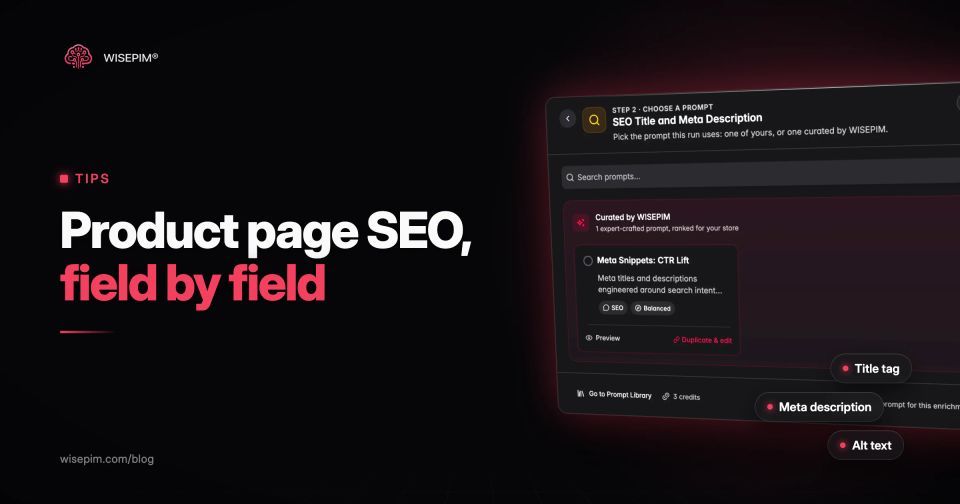
Product page SEO is the work of getting each product detail page to rank for the searches that name that product: the brand, the model, the variant and the attributes a buyer types when they are ready to buy. In practice it comes down to a handful of fields per product: the title tag, the H1, the URL, the meta description, a unique description, a spec list, image file names and alt text, structured data, and the links that point to the page.
The short version: write a distinct title and H1 from the product's own attributes, replace supplier copy with a description that states real specs, name and describe every image, mark up price and availability with Product structured data, give each variant a clear canonical, and keep sold-out pages useful. The rest of this guide walks through each field with a worked example and the mistakes that show up most often in real catalogs.
Why product pages are hard to rank
Most product pages start from the same supplier feed that dozens of other stores import. The name is an internal code, the description is the manufacturer's paragraph, the main image is called IMG_4471.jpg and there is no spec list at all. Search engines see a thin page that looks like every other copy of it. Product page SEO mostly means fixing that data, then letting templates turn it into the fields search engines read.
A 3-pack of merino socks, from supplier feed to search-ready
Take a 3-pack of merino wool crew socks, sold in two sizes and two colors. Here is how it often arrives from the supplier, next to the same product after a pass through the fields in this guide.
Merino sock 3-pack: supplier feed vs search-ready
| Product name and H1 | Merino socks 3pk | Merino Wool Crew Socks (3-Pack) |
|---|---|---|
| Title tag | Merino socks 3pk | Store name | Merino Wool Crew Socks, 3-Pack, EU 43–46, Charcoal | Store name |
| URL | /products/sock-mer-3pk-4346 | /products/merino-wool-crew-socks-3-pack |
| Meta description | Not in the feed | Three pairs of cushioned merino crew socks, 70% merino wool. EU sizes 39–42 and 43–46 in charcoal or navy. Machine washable at 30°C. |
| Attributes | None | Material 70% merino wool, 27% polyamide, 3% elastane; pack size 3; size EU 43–46; color charcoal; care machine wash 30°C; GTIN on every variant |
| Description | 18 words of manufacturer copy about comfort and quality | About 150 words on fit, cushioning, warmth and washing, quoting the attributes rather than adjectives |
| Main image | IMG_4471.jpg, empty alt attribute | merino-wool-crew-socks-3-pack-charcoal.jpg, alt text "Three charcoal merino wool crew socks laid flat, showing the cushioned heel" |
| Structured data | Whatever the theme outputs, usually name and price only | Product with name, image, brand, gtin13, size, color, material and an Offer with price, priceCurrency and availability |
Nothing in the search-ready column needs creative writing. Every field is built from attributes. That is why product page SEO scales once the data is there, and why it stalls when it is not.
Step 1: choose the query each product page should own
A product page should target the most specific query that describes it: brand plus product type plus the attribute that splits it from its siblings. "Merino wool crew socks 3 pack" belongs to the product page. "Merino socks" belongs to the category page. If both compete for the broad term, Google has to pick one and often picks neither.
Look at three sources before you write anything. Search Console shows which queries the page already gets impressions for. Autocomplete and the product's own attributes show the modifiers people add (size, color, pack size, model number). Marketplace listings for the same product show the words buyers use. A long-tail product page usually wins on those modifiers, not on the head term.
Step 2: build the title tag and H1 from attributes
Write the title tag as a pattern: brand or product type first, then the attributes that matter for this category, then the store name. Google's title link documentation asks for titles that are descriptive, concise and distinct from page to page, and it sets no character limit; it truncates long titles to fit the screen. Most teams aim for roughly 50 to 60 characters so the attributes that matter are visible.
Good patterns differ by category:
- Apparel: Product type, material, pack size, size range, color
- Electronics: Brand, model number, key spec (capacity, wattage), color
- Spare parts: Part name, compatible model, OEM number
- Furniture: Product type, material, dimensions, color
The H1 can be shorter than the title tag, but it should describe the same product. Google uses the H1 and other prominent text when it rewrites a title it does not trust, so a vague H1 weakens a good title tag. For a deeper treatment of title formulas per channel, see our product title optimization guide.
Step 3: write meta descriptions from product facts
Google's snippet guidelines say a meta description should be unique per page and summarize the page, and they mention price and key product attributes as useful details. The same page says programmatic descriptions are fine for large, database-driven sites, as long as they read as human sentences and vary from page to page. Google does not always show your meta description and sets no length limit, but around 150 characters keeps the key facts out of the truncation zone.
A template such as "{pack size} pairs of {material} {product type}. Sizes {size range} in {colors}. {care line}." produces a different, accurate description for every product, provided those attributes are filled. Our free meta description generator does the same for one product at a time if you want to test a pattern.
Step 4: replace supplier copy with a description that states specs
If 40 other stores use the manufacturer's paragraph, your page adds nothing new for a search engine to rank. Rewrite it, and use the rewrite to answer the questions a buyer has at this point: what it is made of, how it fits or which models it works with, what is in the box, and how to care for it.
Lead with the facts, then the benefit. "70% merino wool, cushioned under the heel and ball of the foot" says more than "luxuriously soft for all-day comfort". Keep paragraphs short and add a bulleted spec list below the copy, built from attributes, so both shoppers and crawlers can scan it. Material, dimensions, compatibility and certifications belong in that list, not only in the prose.
Step 5: name and describe every image
Images are the first thing many shoppers look at: in Baymard Institute testing, 56% of users began their exploration of a product page with the images. For search, the file name and the alt attribute are how a crawler knows what the image shows.
- File name: describe the product and variant, with hyphens: merino-wool-crew-socks-3-pack-charcoal.jpg, not IMG_4471.jpg.
- Alt text: one plain sentence about what is visible, including the product name and variant. No keyword lists.
- One image per variant: the navy variant needs its own navy image, so the variant URL and its markup point to the right picture.
- Size and format: compress, serve modern formats, and size images for the slot they fill, so the page stays fast on mobile.
For a large catalog, alt text is the field most often left empty. Our image alt text generator writes a first draft from the image if you want to see what a good description looks like.
Step 6: add Product structured data that matches the page
Structured data tells Google the price, availability and identifiers without it having to parse your layout. For pages where shoppers can buy, Google's merchant listing documentation lists three required Product properties: name, image and offers, with price and priceCurrency on the Offer. It recommends many more, including brand, gtin, sku, color, size, material, availability, shippingDetails and hasMerchantReturnPolicy.
Two rules prevent most problems. First, every value in the markup must match what the page shows; Google may check merchant listing data against the page before showing it, and a markup price that differs from the visible price is how Merchant Center price mismatches start. Second, the markup should come from the same product record as the page, so it updates when the price or stock changes. Hand-written JSON-LD in a theme file goes stale.
Use our product schema generator to see what complete Product markup for one item looks like, then check that your platform or theme outputs the same fields from product data.
Step 7: handle variants with clear URLs and canonicals
Variants cause more duplicate pages than anything else on a product site. Google's ecommerce URL structure guidance asks that each variant can be identified by its own URL, either a path (/socks/navy) or a query parameter (?color=navy). A URL fragment (#navy) does not count, because Google does not use fragments in indexing. If you use optional query parameters to identify variants, Google recommends the URL without the parameter as the canonical.
Decide per category which model fits:
- One page, variants as options: right when variants differ only in size or color and nobody searches for one variant by name. Canonical to the parent URL.
- One page per variant: right when people search for the variant itself (a phone in 256 GB, a paint color by name). Each page gets its own title, images and self-referencing canonical.
Since February 2024, Google has supported ProductGroup markup with hasVariant, variesBy and productGroupID, so it can tell which products are versions of the same parent. That only works if your catalog stores variants as a real parent and children, with size and color as attributes. Our variant management guide covers how to model them.
Step 8: protect rankings when a product sells out or retires
A product that goes out of stock does not have to disappear from search. In a 2022 Search Central office-hours session, reported by Search Engine Journal, Google's John Mueller said that an unavailable product could, in theory, lose visibility: Google may treat the page more like a soft 404 and drop it. He added that a page with a lot of useful information about the product can still be relevant for people searching for it. The rules below are common practice built on that, not a Google policy:
- Temporarily out of stock: keep the page live with a 200 status, set availability to OutOfStock in the markup, show a restock date or a notify-me option, and link to close alternatives.
- Discontinued with a clear successor: 301 redirect to the successor or the closest category.
- Discontinued with no successor and no links or traffic: return a 404 or 410 so it drops out cleanly.
- Seasonal products that come back: keep the URL. Changing it every year throws away the links and history it has built.
Step 9: link to the product from the right places
A product page that only appears in a paginated category listing gets little internal link value and can end up orphaned when filters change. Give every product at least these links:
- Breadcrumbs from the home page through its primary category, marked up with BreadcrumbList.
- Attribute links from the spec list: the brand, the series or the material can link to the matching category or brand page.
- Related products that are true alternatives or accessories, not a random carousel.
- Guides and blog posts that mention the product by name.
If a product sits in several categories, pick one primary category for the breadcrumb and keep a single product URL, rather than one URL per category path.
Step 10: add reviews and answers to real questions
Reviews add fresh, unique text in the words customers use, and review markup can make a page eligible for star ratings. Show them on the product page itself rather than behind a tab that loads on click. A short Q&A block that answers what support hears most ("Do these run small?", "Can I tumble dry them?") does the same and cuts returns.
Catalog patterns that sink product pages
- One title pattern for every category. "{Name} | Store" looks fine on a page with a good name and fails on every page where the name is a supplier code.
- Variants that all claim to be the canonical. Each color page canonicals to itself, all with the same description, so Google picks one at random.
- Markup that disagrees with the page. The schema says in stock while the page says sold out, or the schema shows the price without VAT and the page with it.
- Alt text stuffed with keywords. "merino socks wool socks best socks hiking socks" helps nobody and reads as spam.
- Empty attributes. No material, no dimensions, no GTIN. Templates that depend on them print blanks.
- Redirecting every sold-out product to the home page. Shoppers land somewhere unrelated, and the page loses the relevance it had built for that product.
- Rewriting copy one product at a time. It never reaches the long tail where most product pages live.
Start with high-impression, low-click product pages
Do not start alphabetically. In Search Console, filter the Pages report to product URLs and sort by impressions. The pages with many impressions and a low click-through rate are seen but skipped, so better titles and descriptions pay off there first. Next come pages that rank on page two for a specific product query. Pages with no impressions at all usually have a data or indexing problem, not a copy problem.
Work in batches by category, because a title or description pattern is category-specific. Fix the attributes for the batch, apply the pattern, review a sample by hand, then move on.
Eleven product page SEO checks before you publish
Product page SEO pre-publish checks
Every step above depends on complete attributes, and that is where WISEPIM works. It fills missing attributes and descriptions with AI, generates SEO titles, meta descriptions and image alt text in bulk from the product record, and Quality Guard checks character limits and required fields before anything syncs to Shopify, WooCommerce or Magento. With Search Console connected, you can sort products by impressions and clicks to decide which ones to fix first. See how it works on the SEO optimization page.
