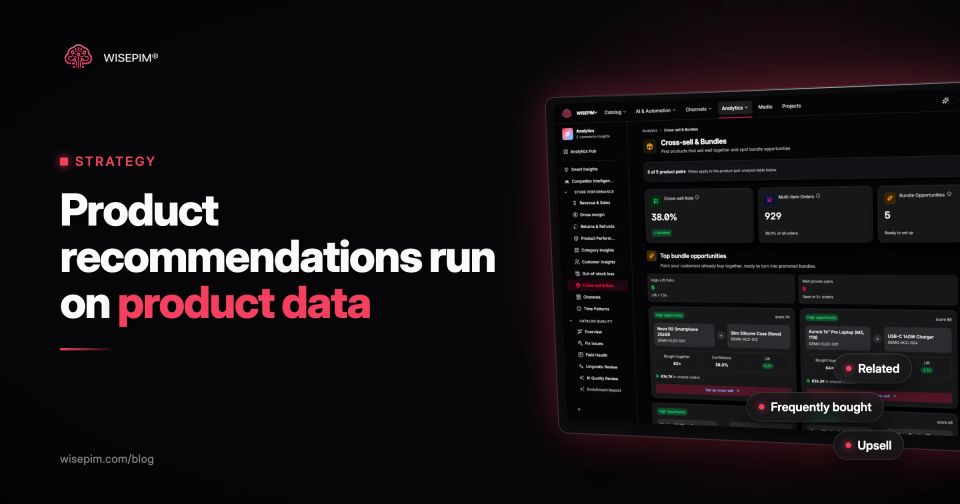
Product recommendations are the product suggestions a store shows a shopper based on what they are looking at, what is in their cart, what they bought before or what other shoppers bought. The common types are similar products, frequently bought together, upsells, personalized picks, bestsellers and recently viewed. They sit on product pages, in the cart, on category and search pages and in email.
Every recommendation is picked by one of three methods: a merchant sets it by hand, a rule matches products on their data (same category, same brand, compatible model), or an algorithm learns from behavior (views and orders). All three depend on clean product data. A rule cannot match on a category the product is not in, and an algorithm cannot recommend a new product nobody has bought yet without attributes to compare. This guide covers the types, where to place them, what your platform already does, and how to prepare the catalog so the suggestions make sense.
The six types of product recommendations
Each type answers a different shopper question. Put the wrong one in a spot and shoppers scroll past it.
Six recommendation types and where each one belongs
| Similar products (alternatives) | Show me other options like this one. | Shoppers who are still comparing | Product pages, out-of-stock pages |
|---|---|---|---|
| Frequently bought together (complements) | What else do I need with this? | A tent with pegs and a groundsheet, a camera with a memory card | Product pages, cart |
| Upsells | Is there a better version? | The 4-person tent instead of the 2-person one, the 256 GB model instead of 128 GB | Product pages, before the shopper commits |
| Personalized recommendations | What fits me? | Based on the shopper's own browsing and purchase history | Home page, account pages, email |
| Bestsellers and trending | What do other people buy? | New visitors with no history | Home page, category pages |
| Recently viewed | Where was that product I saw? | A navigation aid more than a sales tool, but shoppers use it | Wherever shoppers return to a product |
A good product page usually needs two of these, not five. Complements and alternatives answer different questions, so label them clearly (Complete the look, Similar styles) instead of stacking four carousels titled You may also like.
Manual, rule-based, content-based or collaborative: the five methods
Behind every widget is one of these methods, or a mix:
Five ways a widget picks its products
| Manual selection | You pick the related products per item | Precise | Does not scale past a few hundred products and goes stale when stock changes |
|---|---|---|---|
| Rule-based | Products match on shared data: category, brand, color or a compatibility attribute | Predictable and works from day one | Only as good as the fields it reads |
| Content-based filtering | An algorithm compares product attributes and descriptions | Can recommend brand-new products, because it needs no sales history | Needs attributes and descriptions to compare |
| Collaborative filtering | An algorithm finds patterns in behavior: shoppers who bought A also bought B | Strong for complements | Blind to new products and slow-moving items (the cold start problem) |
| Hybrid | Combines collaborative signals with product data | Used by most commercial engines | Falls back on rules when there is not enough behavior |
Notice that three of the five methods read product data directly, and the fourth needs it as a fallback. More on our dictionary entry for a product recommendation engine.
Built-in recommendations in Shopify, WooCommerce and Magento
Before you buy a recommendation app, check what your platform does out of the box. The built-in logic tells you exactly which product fields matter.
Shopify
Shopify offers two recommendation intents: related products (similar items, such as a You might also like section) and complementary products (such as a Pair it with section), as described in its developer documentation. According to the Shopify Help Center, automatic related recommendations are based on purchase history (products commonly bought together, which requires previous sales), on similar product descriptions (only for stores with an English storefront), and fall back on related collections. Complementary products are not generated automatically: you set them in the Search & Discovery app, up to 10 per product, and you can also set up to 10 custom related products.
So on Shopify, a new product with a two-line description that sits in no collection gets weak recommendations until it has sales.
WooCommerce
WooCommerce has three types, explained in its documentation on related products, up-sells and cross-sells. Up-sells show on the product page and cross-sells show in the cart; you add both by hand in each product's Linked Products tab. Related products are generated automatically from shared categories and tags. The only way to influence them is to categorize and tag products well.
Magento and Adobe Commerce
Magento has related products (at the bottom of the product page), up-sells (on the product page, under a heading such as You may also be interested in the following products) and cross-sells (in the shopping cart), set per product in the admin, as the Adobe Commerce documentation explains. Adobe Commerce adds rule-based related product rules and an AI-driven Product Recommendations extension.
Where to place product recommendations
Match the type to the moment in the journey:
- Product page, above or near the add-to-cart area: upsells, while the shopper is still deciding.
- Product page, below the description: frequently bought together and similar products, clearly labeled.
- Add-to-cart confirmation and cart: complements and accessories that need the product just added (batteries, cables, refills, care products).
- Out-of-stock product page: similar products in the same size and price band, so the visit is not a dead end.
- Zero-results search page: bestsellers in the closest category instead of an empty page.
- Home page and account pages: personalized picks for returning visitors, bestsellers for new ones.
- Post-purchase email: complements and consumables tied to what was bought, sent when they are actually needed.
The cart deserves extra care. Baymard Institute found that 52% of benchmarked desktop sites show cart cross-sells that are either irrelevant or based only on what other customers bought. Its advice includes labeling the context clearly, prioritizing products of the same use case or theme, and giving precedence to items that depend on compatibility, such as the right charger for a specific camera.
The product data behind good recommendations
Recommendation logic can only be as specific as your fields. These are the attributes that do most of the work:
- Category, on the right level: Trail running shoes, not Shoes. Rules and fallbacks group on it.
- Product type: separates a tent from a tent footprint inside the same category.
- Brand and product line: for upsells within a range and for brand-loyal shoppers.
- Compatibility: fits model, connector type, filter size, refill type. Essential for accessories.
- Color, material, size and fit: for similar products and complete-the-look sets.
- Gender, age group and use case: stops a men's trail shoe from recommending kids' sandals.
- Price: for upsells in a sensible band (one step up, not five).
- Stock status: never recommend what cannot be bought.
- A real description: content-based engines and Shopify's description matching compare text.
Most catalogs are not there yet when they arrive in a PIM: products parked in a catch-all category, attributes filled on a fraction of the range, descriptions of one or two lines. Every one of those gaps weakens rule-based and content-based recommendations, and forces an engine back onto bestsellers. Our guide to data completeness shows how to measure the gaps per field before you fix them.
A men's trail shoe with thin vs complete data
Take a men's trail running shoe, size 42, EUR 129. With only a title, a price and the category Shoes, a rule or a description-based engine can match it to anything in Shoes, so it might suggest a children's sandal or a leather boot. With complete data, the same engine can do much better:
- Category: Sports > Running > Trail running shoes
- Gender: Men
- Use case: Trail, technical terrain
- Drop: 6 mm
- Waterproof: Yes (membrane)
- Price band: EUR 100 to 150
- Complements (by product type): trail running socks, gaiters, a running vest, waterproofing spray
- Alternatives: other men's trail shoes in size 42, EUR 100 to 150, in stock
- Upsell: the same line's model with a carbon plate, EUR 169
None of this needs AI. It needs the fields to exist and to use the same values across the catalog. Our guide to attribute standardization covers how to get there, and WISEPIM can fill missing categories and attributes with AI enrichment and flag gaps through its quality scores.
Find real pairs in your order data with market basket analysis
Frequently-bought-together suggestions should come from your orders, not from instinct. Market basket analysis uses three numbers per product pair:
- Support: the share of all orders that contain both products.
- Confidence: of the orders that contain product A, the share that also contain product B.
- Lift: confidence divided by how often B is bought anyway. A lift above 1 means the pair is bought together more often than chance would explain.
Here is why lift matters, using illustrative numbers for a store with 10,000 orders. 800 orders contain the trail shoe. 120 of those also contain gaiters, and gaiters appear in 400 orders in total. 200 of the shoe orders also contain socks, which appear in 2,000 orders in total.
Confidence against how often each item sells anyway
Illustrative example| Category | Confidence with the trail shoe | Share of all orders |
|---|---|---|
| Gaiters | 15% | 4% |
| Socks | 25% | 20% |
Socks look like the stronger pair on confidence alone, because many shoppers buy socks with everything. Gaiters are the real complement: shoe buyers are almost four times as likely to buy them as an average shopper. A widget built on lift shows gaiters with the shoe, and keeps socks for the cart, where they fit almost any order.
WISEPIM's cross-sell analytics does this calculation on the order history it imports from Shopify, WooCommerce, Magento 2, CCV Shop and Lightspeed, and ranks product pairs by confidence and lift. WISEPIM is not a recommendation engine and does not render widgets in your store: you use the pairs to set complementary products in your platform or your recommendation app, and check that the products in your best pairs are well described before you promote them. The cross-selling entry in our dictionary explains the difference with upselling.
Personalized product recommendations: when they are worth it
Personalized product recommendations use the individual shopper's history: products viewed, categories browsed, past orders and the behavior of similar shoppers. They are powerful when you have the inputs, and disappointing when you do not.
- Worth it: a large catalog where shoppers cannot browse everything, many returning customers, repeat or replenishment purchases, and enough traffic for the model to learn.
- Not yet worth it: a few hundred products, mostly first-time visitors, or low order volume. Here, well-labeled rules (complements, alternatives, bestsellers per category) usually beat a black box.
- Always needed: a fallback for visitors with no history, which is where product data and bestseller lists come back in.
Personalization is also only as good as the catalog it draws from. An engine that knows a shopper likes waterproof trail shoes can only act on it if waterproof is a filled, consistent attribute. See our dictionary entry on personalized recommendations for the terms vendors use.
Per-widget metrics: click-through, attach rate and AOV
Track each widget separately, not recommendations as a whole:
- Click-through rate per widget and placement.
- Add-to-cart rate from recommended products.
- Attach rate: the share of orders with product A that also contain the recommended product B.
- Average order value of orders with and without a recommended item. Our average order value calculator helps you set the baseline.
- Return rate of recommended items, to catch suggestions that sell but do not fit.
Shopify reports recommendation performance in its admin Analytics (the Product recommendation conversion over time report) when the recommended product URLs use the format its API specifies. For a fair comparison, run a test with and without the widget in your recommendation app or testing tool, rather than comparing before and after across different seasons.
When a widget underperforms, the cause is usually one of these:
- Recommending out-of-stock items or variants that are sold out in the shopper's size.
- Alternatives in the cart. A similar product after add-to-cart reopens the decision.
- One generic label (You may also like) for every widget.
- Too many carousels on one page, all showing overlapping products.
- Ignoring compatibility, such as a phone case for the wrong model.
- Upsells too far up the price ladder, a EUR 600 item offered next to a EUR 120 one.
- Leaving new products without data, so they never appear in recommendations until they happen to sell.
- Never reviewing manual links, which still point to products discontinued two seasons ago.
Recommendations sell what your catalog describes. If categories, attributes and descriptions are thin, start there: WISEPIM fills and standardizes that data with AI and pushes it to your store, and its cross-sell analytics shows which pairs your customers already buy together.
