Software vulnerabilities are being found faster than at any point before, and attackers move on them faster too. In 2025 the CVE program published 48,185 vulnerability records, 20.6% more than the year before, according to a review of NVD and CVE List data. Google's Mandiant tracks the average time to exploit a vulnerability, counted against the release of its patch, and saw it fall from 63 days in 2018 and 2019 to five days in 2023 (Mandiant).
Ecommerce security vulnerabilities are flaws in the software a store runs, from the platform and its plugins to PHP and the database, that let an attacker steal card or customer data, take over the admin or change orders and prices. The practical answer for a store is short: know exactly what it runs, including every plugin and its version, hear about issues that affect those versions within hours rather than weeks, and have a routine to apply the fix. This post covers the vulnerability types that hit stores, why the pace is rising, where the risk sits and how to set up that routine without a security team.
Seven weak spots attackers look for in an online store
The OWASP Top 10 ranks the most critical web application risks, with broken access control first in the 2025 edition. In an online store, those risks usually show up in seven forms:
- Unpatched known vulnerabilities: a published flaw in the platform, a plugin, a theme or PHP that the store never updated. Attackers scan for these automatically.
- Checkout skimming: injected JavaScript on the checkout page copies card details as the shopper types them. It usually gets in through one of the other flaws on this list.
- Broken access control: a plugin endpoint that lets anyone, or a low-level account, read orders, change settings or create an admin user.
- Injection: form or URL input that reaches the database or server as code (SQL injection is the classic case), often used to copy customer tables.
- Cross-site scripting (XSS): script saved in a review, an order note or a plugin setting that runs in an admin's browser and can take over the session.
- Weak admin logins: reused passwords, no two-factor login and shared agency accounts, which credential-stuffing attacks try at scale.
- Business logic flaws: stacked coupons, negative quantities or a price changed in the cart request, so someone pays less than the real price.
A store owner cannot test for most of these alone; that is work for a developer or a penetration tester. The first item is different. Knowing what runs on the store and keeping it updated is in every owner's hands, and a vulnerable plugin is often how the other types reach a store in the first place. The rest of this post focuses there.
Vulnerability numbers behind the faster pace
Three sources, measured in different ways, point the same way. More vulnerabilities are published every year, more of them are exploited before or soon after a fix exists, and the WordPress ecosystem that powers many WooCommerce stores reports thousands of new issues a year.
How fast vulnerabilities are found and exploited
| CVE records published per year | 39,962 (2024) | 48,185 (2025) | NVD and CVE List review |
|---|---|---|---|
| Average time to exploit | 63 days (2018 to 2019) | 5 days (2023) | Mandiant |
| New WordPress ecosystem vulnerabilities | Not compared | 11,334 (2025) | Patchstack |
| WordPress vulnerabilities without a fix at disclosure | Not compared | 46% (2025) | Patchstack |
Mandiant notes its figures are conservative, because it uses the latest plausible exploitation date when the real date is unknown. It also found that 97 of the 138 exploited vulnerabilities it tracked for 2023 were used as zero-days, before a patch was available.
Average time to exploit, in days
| Category | Days |
|---|---|
| 2018 to 2019 | 63 days |
| 2020 to early 2021 | 44 days |
| 2021 to 2022 | 32 days |
| 2023 | 5 days |
AI is changing how quickly flaws are found
Part of the increase comes from better tools. Google's Big Sleep, an AI agent built by DeepMind and Project Zero, reported its first 20 vulnerabilities in open-source software in 2025, mostly in the FFmpeg media library and ImageMagick. The agent found and reproduced each one, and a human expert checked them before they were reported (TechCrunch). ImageMagick is the kind of library that resizes product images on many web servers.
In March 2026 Mozilla described how Anthropic's Frontier Red Team used its Claude model to hunt for security bugs in Firefox. The work turned up 14 high-severity bugs and led to 22 CVEs, all now fixed (Mozilla). Mozilla expects "a substantial backlog of now-discoverable bugs" across widely deployed software.
That is good news. Every flaw found by a researcher can be fixed before criminals find it. But it also means more security releases, more often, for the platforms and plugins a store depends on, and a store owner who updates once a quarter falls further behind each month.
Why the gap between a fix and an attack keeps shrinking
Once a fix is published, attackers can compare the old and new code to see what was broken, then scan the internet for sites that still run the old version. For WordPress, Patchstack reports that about half of high-impact vulnerabilities in 2025 were exploited within 24 hours, with a weighted median time to first exploit of five hours (Patchstack).
The CISA Known Exploited Vulnerabilities catalog is the clearest signal that an issue is past theory: CISA lists vulnerabilities with evidence of exploitation in the wild and advises organizations to use the catalog to set priorities. When a vulnerability in your stack appears there, it deserves attention the same day.
Plugins and themes carry most WordPress and WooCommerce risk
A WooCommerce store is WordPress plus a stack of plugins: payments, shipping, SEO, page builders, forms and caching. Patchstack counted 11,334 new vulnerabilities in the WordPress ecosystem in 2025, 42% more than in 2024. Of those, 91% were in plugins and 9% in themes, while WordPress core had six (Patchstack).
Two details matter for store owners. First, 46% of those vulnerabilities had no fix from the developer at the moment they were disclosed, so updating alone does not always help: sometimes the right move is to disable or replace a plugin until a fix ships. Second, plugin names are not unique. Many plugins have similar marketing names, so the only reliable identifier is the plugin's slug on wordpress.org, such as elementor or contact-form-7, together with the exact installed version.
What CosmicSting showed Magento and Adobe Commerce stores
In 2024 a vulnerability nicknamed CosmicSting (CVE-2024-34102) hit Adobe Commerce and Magento stores. Sansec counted 4,275 hacked stores, attacked by seven distinct groups, in the months after the vulnerability was published on June 11. By its count, about 5% of all Adobe Commerce and Magento stores ended up with a payment skimmer on the checkout page that summer (Sansec).
The lesson went beyond patching. Sansec advised merchants to upgrade, and also to change the store's secret encryption key and retire the old one, reset admin passwords and remove API integrations they did not recognize. Patching closes the hole, but an attacker who already stole a key can keep using it. A good warning tells you both what to update and what to clean up.
Old software versions stay on the list for years
A vulnerability does not expire. Once it is published, it stays relevant for every store that still runs an affected version, and older releases collect every flaw found since they shipped. A store that has not been touched in three years can be exposed to issues that were fixed, documented and scanned for long ago.
End of life makes this worse. When a project stops supporting a release, new flaws in it get no fix at all. PHP is a clear example for WooCommerce and Magento stores: according to the PHP project, PHP 8.1 and older no longer receive security fixes, and security support for PHP 8.2 ends on 31 December 2026. A server on PHP 8.1 runs code that stays vulnerable to anything found from now on, whatever plugins you update.
So the list of what you run needs the boring layers too: the PHP version, the database and the server software, not only the store platform. Many owners do not know these numbers, because the host set them up years ago. It is worth asking your host once and writing the answers down.
A weekly routine to stay ahead of security updates
You do not need a security team to stay current, but you do need a routine and a complete list. This is a routine a small store team can run in under an hour a week, with a developer or hosting partner for the actual updates. If an agency or freelancer maintains the store, agree who owns each step, because a routine that belongs to nobody stops after two weeks.
Weekly store security routine
What a useful security warning tells you
Most vulnerability records are written for security researchers. A warning that helps a store owner act needs to answer a few plain questions, in this order:
- Does this affect the version I run, or only versions I do not use?
- Is anyone exploiting it right now, for example because it is listed in the CISA catalog?
- What can an attacker do with it: read customer data, take over the admin, or something smaller?
- Which version fixes it, and is there a fix at all?
- Is there anything to clean up after updating, such as keys or passwords?
If a warning cannot answer the first question, it is noise: you end up reading about flaws in software you do not run. That is why exact versions matter more than any other part of the setup.
Recording exact versions so a warning can reach you
Every vulnerability report names a product and a range of affected versions. Whether it affects you depends entirely on the version you run, so a list that says "WooCommerce" or "latest" cannot confirm anything. Write down the exact version, where you read it and, for plugins, the wordpress.org slug. Here is where to find each one:
- WordPress, PHP and database: WooCommerce > Status in the WordPress admin opens the System Status report, which lists the WordPress version, the PHP version and the MySQL or MariaDB version.
- Plugins: the Active Plugins part of the same report, or the WordPress Plugins screen, shows each plugin's version. The slug is the last part of the plugin's wordpress.org address.
- Magento and Adobe Commerce: run bin/magento --version on the server, or read the version of the magento/product-community-edition package in composer.lock.
- Hosting layer: the web server software and anything the reports above do not show come from your hosting panel or your host's support team.
If your store is connected to WISEPIM through WooCommerce, the connection reports WordPress, WooCommerce, PHP, the database and every active plugin with its version, so that list stays current without manual work. For Magento 2 and most other platforms the connection cannot read every version, so you record the platform and its version yourself and update it after an upgrade.
How Security watchtower keeps watch for your store
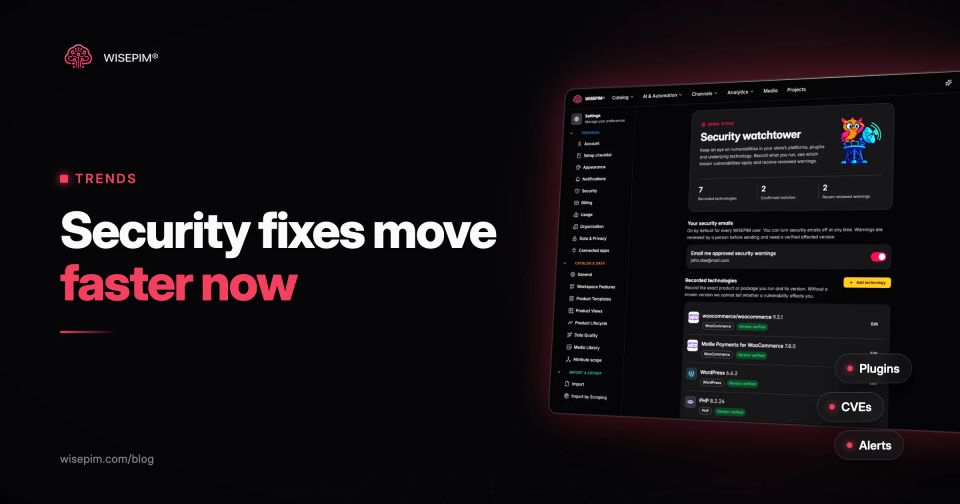
We built Security watchtower because most store owners have no one reading security bulletins every morning. It keeps a database of more than 55,000 known vulnerabilities in ecommerce platforms, plugins, themes and the software underneath, going back to 1996, and checks for new reports every 15 minutes. It matches them to the versions your store records and explains each one in plain language, in three parts: what it is, what could happen and what to do. Each vulnerability is labeled as affecting your version, still needing a check, or actively exploited.
A person reviews and approves every warning before it is emailed, so you get a clear heads-up rather than noise, and Security watchtower is included in every plan, including the free plan on the pricing page. It is an early-warning service, not a penetration test, and not a guarantee that a store is secure: your developer or hosting partner still applies the fix. For the broader topic of protecting your catalog data itself, see the dictionary entry on product data security.
