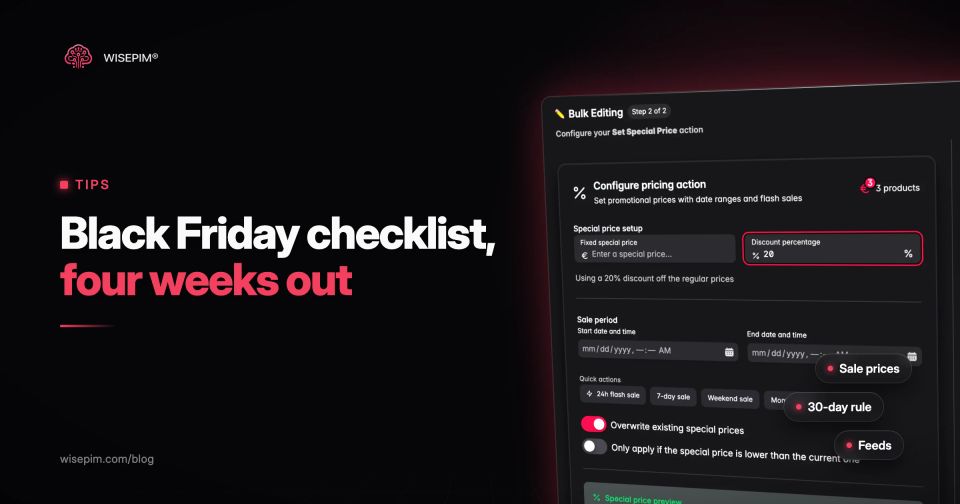
A Black Friday checklist for a webshop covers five things in order: the products you will discount, the sale prices and the reference price you show next to them, the stock and availability values your channels receive, the pages and feeds that carry the offer, and the cleanup after the sale. Black Friday falls on Friday 27 November 2026 and Cyber Monday on Monday 30 November 2026, so a store that starts four weeks out has one week for each of the first four blocks and keeps the final week for checks.
Most checklists focus on ads, email and site speed. This one starts from the product data, because that is where Black Friday problems usually begin: a sale price that is higher in the feed than on the page, a struck-through price that breaks the EU 30-day rule, or a sold-out item that keeps receiving paid clicks. Each week below ends with concrete checks, and the full list is collected in one tickable checklist further down.
Setting the sale window: a four-week countdown to 27 November
Black Friday is the Friday after the US Thanksgiving holiday, which falls on the fourth Thursday of November: 26 November 2026. Many European shops run their deals for the whole week or from Friday through Cyber Monday. Decide your exact window first, in your own time zone, because every date field later in this checklist depends on it.
Black Friday countdown for webshops, from four weeks out
- 1
26 Oct to 1 Nov
Choose the SKUs you will discount and audit their titles, images, identifiers and variants.
Fix data gaps now, while there is time to source missing images and specs. - 2
2 to 8 Nov
Calculate sale prices, check the 30-day lowest prior price per channel and load the sale window.
Note every promotion you run in November, because it changes the next prior price. - 3
9 to 15 Nov
Validate availability values, run quality checks per channel and test the feed with the sale dates.
A test sale on a few products shows how each channel displays the sale price. - 4
16 to 22 Nov
Prepare sale collections and banners, then stop large imports and structural changes.
Schedule the exports that must run at the start of the sale. - 5
23 to 30 Nov
Watch feed diagnostics, price mismatches and sold-out items from Friday to Cyber Monday.
Announce any extension as an extension, not as a new deal. - 6
From 1 Dec
Remove sale prices, reset availability and record the prices you charged.
Those prices become the reference for December promotions.
Week 1: choose the deals and audit their product data
Start with a list of SKUs, not with a discount percentage. Pull your best sellers from last year's November, the items with healthy stock and the products you want to clear, then remove anything you cannot restock in time or that loses money at the planned discount. A short, well-prepared deal list beats a sitewide discount on products with half-finished pages.
Then audit the data on that list. Shoppers comparing deals in a hurry decide on the title, the main image and the price, and comparison channels reject items with missing identifiers or images. Gaps are common: in WISEPIM's import snapshot of 50 catalogs, 36% of products had no image and 25% had no description before any enrichment. Check at least these fields for every deal SKU:
- Title: brand, product type and the attribute shoppers filter on (size, capacity, color), so a deal is recognizable in a crowded results page.
- Main image and gallery: a clean main image without promotional text, plus variant images where colors differ.
- GTIN, brand and MPN: required or strongly expected by Google Shopping and price comparison sites, and needed to match your offer with other sellers of the same product.
- Variants: every size and color as its own variant with its own SKU, stock and price, so a sold-out size does not hide the whole product.
- Category and key attributes: filters on your sale collection only work when the attributes behind them are filled.
- Cost price: you need it to check the margin at the planned discount before you commit to it.
Week 2: sale prices that pass the EU 30-day lowest price rule
In the EU, any announcement of a price reduction must show the prior price, and Article 6a of Directive 98/6/EC defines that prior price as the lowest price the trader applied in at least the 30 days before the reduction. The Commission's guidance on Article 6a states that announcements such as "Black Friday offers" are covered even when they do not name a percentage, and that the lowest price includes earlier reduced prices in that period.
Three consequences matter most in November:
- The percentage must be calculated on the prior price. The Court of Justice confirmed this in Aldi Süd (C-330/23, 26 September 2024): a reduction shown as a percentage, or a claim such as "price highlight", has to be based on the 30-day lowest price, not on a higher last price.
- Promotions stack into the reference. If you ran a Singles Day deal on 11 November, that price is inside the 30-day window on 27 November. The guidance names successive Singles Day, Black Friday, Cyber Monday and Christmas campaigns explicitly: each new reduction is measured against the lowest price of the past 30 days, including the previous promotion.
- Each channel has its own prior price. When you sell through several shops at different prices, the guidance says the prior price is the lowest price you applied in that sales channel. A price you only offered on one marketplace does not lower the reference in your own webshop, and the other way around.
Member States may set different rules for perishable goods, products on the market for less than 30 days and progressively increased reductions, so check how your country implemented the directive. The progressive-reduction exception, where a country uses it, only covers one campaign in which the discount deepens without interruption. A price that went back to regular between Singles Day and Black Friday does not qualify. The guidance also confirms that a general banner such as "20% off everything" does not need to show prior prices itself, as long as each product page shows its own prior price.
Worked example: prior price for a Black Friday deal
| 28 Oct to 10 Nov | Regular price, merino crew socks 3-pack | 24.95 | Yes |
|---|---|---|---|
| 11 Nov | Singles Day deal | 19.95 | Yes, lowest in the window |
| 12 to 26 Nov | Back to regular price | 24.95 | Yes |
| 27 Nov | Black Friday, announced as 30% off | 13.95 | Prior price to show: 19.95 |
In this example the shop may not show "was 24.95, now 30% off". The struck-through price is 19.95 and the 30% is calculated on that, which gives 13.97, rounded down to 13.95. If 13.95 is too deep a cut, the honest options are a smaller announced reduction or a deal without a price reduction claim. Keep a record of the prices each channel charged per day; your shop platform or ERP has to supply that history, because a 30-day reference cannot be reconstructed from memory.
Load sale_price and the sale window into Google Merchant Center
In Google Merchant Center the regular price stays in the price attribute and the deal goes into sale_price. Google asks you to keep submitting the original base price, requires the sale price to be lower than the price, and wants both prices on the landing page with only the sale price at checkout. The sale price annotation in ads is not guaranteed even when you meet the requirements.
Add sale_price_effective_date so the sale starts and stops on time without a midnight feed upload. The value is a start and end in ISO 8601, separated by a slash, with a time zone offset; without an offset Google assumes UTC. For a Dutch shop running the sale from Friday to the end of Cyber Monday, Central European Time in November is UTC+1:
- price: 24.95 EUR
- sale_price: 13.95 EUR
- sale_price_effective_date: 2026-11-27T00:00+0100/2026-11-30T23:59+0100
The most common Black Friday disapproval is a feed price that differs from the page, usually because the shop switched its prices at midnight and the feed updated hours later. Our guide to the mismatched price error covers the causes and fixes.
In WISEPIM a special price carries its own start and end date. The Magento 2 and WooCommerce connections send the special price with both dates, so the shop switches it on and off itself, and the WooCommerce CSV export fills the sale price and sale date columns. The Google Merchant Center connection sends sale_price with its effective dates only once the sale window has started, so schedule an export to Google shortly after the start time. Because a 30% discount on a price ending in .95 rarely lands on a clean number, check the rounded result against the claim you plan to make.
Week 3: availability values and stock across channels
Deals sell out, and a sold-out deal that still shows as available costs you clicks and trust. Google's availability attribute accepts in_stock, out_of_stock, preorder and backorder (build_to_order is for vehicle ads only). Preorder and backorder need an availability_date, preorder is only for products that have not been released yet, and the value must match the landing page, the checkout and any structured data. A mismatch can get the product disapproved, which our guide to mismatched availability explains.
Agree now on what happens when a deal SKU runs out: switch it to out_of_stock, keep it orderable as backorder with a real ship date, or swap the deal to another variant. Decide how often stock reaches each channel during the sale weekend, and keep a small buffer on marketplaces where overselling leads to cancellations that count against you. Stock itself comes from your shop, warehouse or ERP; the job of the product data is to carry the right status to every channel quickly.
Week 3: per-channel checks before the traffic peak
Run every deal SKU through the checks of each channel it goes to, before the sale prices are live. Google, comparison sites and marketplaces each have different required fields, title limits and image rules, and an item that passes in your shop can still be rejected by a feed. A free check with the Google Shopping feed checker catches the obvious feed errors on a sample.
In WISEPIM, Quality Guard rules check products before export: a rule can block products without a GTIN or a main image from reaching a channel, or warn when a description is too short. Channel readiness shows per channel which products are ready and what is missing, and Feed Hub builds the feeds for Google Shopping, comparison sites and other channels from the same product data.
Do one test sale on three or four products in week 3. Set a sale price with a start date a day ahead, let it go live, and check how your shop, the Merchant Center product view and each marketplace display it. You will find out whether your theme shows the prior price where the law expects it, and whether every channel picks up the sale window.
Week 4: sale pages, banners and the content freeze
Build the sale collection or landing page from the deal list, not by hand. A collection driven by a tag or attribute (for example a black-friday-2026 tag on each deal SKU) adds and removes products as you change the list, and the same tag can drive a custom label in your feed. Write the banner copy last, once prices are final.
Watch the wording. The Commission's guidance warns that "up to 70% off" can mislead when only a few items reach 70% and the rest get much less. If you give different discounts per category, name the categories and their discounts clearly.
Freeze the catalog around Friday 20 November: no large imports, no category restructures and no mass edits to titles or URLs during the sale. Anything that must happen at a set time, such as an export at the start of the sale, belongs in a schedule. In WISEPIM, automations with a schedule trigger run hourly, daily, weekly or monthly at a time and time zone you choose.
The Black Friday checklist to tick off
Work through these in order. The notes say what done looks like.
Black Friday checklist for webshops
Sale week: what to monitor from Friday to Cyber Monday
During the sale, check three things several times a day: Merchant Center diagnostics for new price or availability mismatches, the deal SKUs that are close to selling out, and the live product pages of your top ten deals on mobile. Fix a mismatch at the source, in the product data, rather than in one channel, or it returns with the next feed update.
If you extend the sale into the next week, say so. The guidance allows an extension when shoppers are clearly told it is an extension and not a new campaign. Restarting the same deal as a "new" Cyber Week offer at a deeper cut means a new reduction, measured against the lowest price of the last 30 days, which is now your Black Friday price. Only a discount that keeps deepening without a break can fall under the progressive-reduction exception, and only in countries that adopted it.
After Cyber Monday: end the deals and reset the data
On 1 December, confirm that every sale price has ended, availability values are back to normal and the black-friday-2026 tag is removed from products that keep their regular price. Then look ahead: a Christmas reduction in December is measured against the lowest price of the past 30 days, and that includes your Black Friday price. A product sold at 13.95 on 27 November cannot be announced in mid-December as "30% off 24.95".
Bulk changes are the riskiest part of the cleanup, because one wrong filter can reset prices on the wrong products. WISEPIM keeps an operation history of bulk runs, and on paid plans you can undo a run and restore the previous values.
To be clear about the limits: WISEPIM does not forecast demand, manage stock, run ads or keep a 30-day price history for you. What it does is hold the product data your deals depend on and send it to each channel in the right shape. With pricing rules per channel, export prices get markups and rounding to .99 or .95 without changing the price stored in WISEPIM. Their safeguards, such as a minimum margin or a maximum deviation, clamp the exported regular price; they do not check special prices, so compare every deal price with its cost price before the sale starts.
