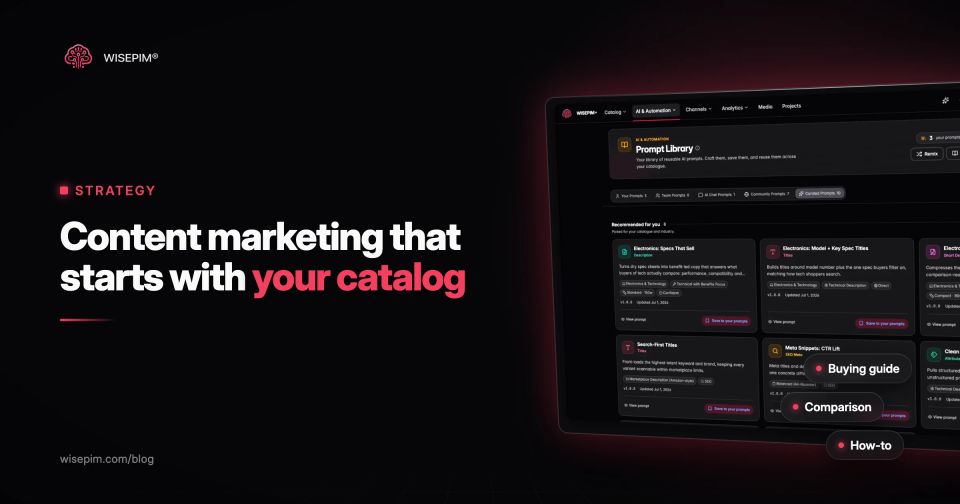
Ecommerce content marketing is publishing useful content that helps shoppers find, compare and choose products, so the store earns traffic and sales without paying for every click. It covers buying guides, comparison pages, how-to articles, category page copy, product videos, FAQs, email and social posts. Product pages count too: for many stores they are the pages that search engines and shoppers see most often.
The short version of a strategy that works: collect the questions your shoppers ask before they buy, answer them with content tied to specific categories and products, link every piece to the pages where people can buy, and measure revenue rather than page views. The part most guides skip is that nearly all of this content runs on product data. A buying guide for office chairs is only as good as the seat height ranges, load ratings and materials you hold for each chair. This guide covers the content types per buying stage, a worked example for one category, a six-step plan, a brief template and the mistakes we see in catalogs.
Content that moves a shopper one step closer to buying
Content marketing for a store is not a blog that publishes company news or generic lifestyle posts. Its job is to move a shopper one step closer to a confident purchase. That can mean explaining a problem ("why do my running shoes wear out on the outside edge"), narrowing a choice ("mesh or fabric office chair"), or removing doubt right before checkout ("will this fit my desk").
It also differs from paid advertising in how it pays back. An ad stops working when the budget stops. A good buying guide keeps ranking and keeps sending shoppers to product pages for as long as the advice stays true and the products stay in stock. That is also its weakness: content built on outdated specs or discontinued products quietly sends people to dead ends.
Content types mapped to the buying journey
Every top guide on this topic lists the same formats. What matters more is which stage each one serves, because that decides where it links and how you judge it.
Content formats per buying stage
| Awareness | Has a problem, not a product | How-to articles, problem explainers, short social videos, seasonal guides | "How to set up a home office that does not hurt your back." |
|---|---|---|---|
| Consideration | Compares options | Buying guides, comparison pages, "best for" lists, category page introductions, size and fit guides | "Mesh vs fabric office chairs: which suits long workdays." |
| Decision | Picks a product | Product descriptions, specification tables, product FAQs, reviews and customer photos, setup videos, delivery and returns details | |
| After the purchase | Has bought | Assembly and care guides, troubleshooting, replacement part pages, email with tips that lead to accessories or refills |
Most stores overinvest in awareness content because it is the easiest to brief and the most fun to write. The consideration and decision stages are closer to revenue and are where product data does the heavy lifting. User-generated content such as reviews and customer photos fits the decision stage best, because it answers "is this right for someone like me" in a way your own copy cannot.
Why product data is the raw material of ecommerce content
Look at any useful buying guide and count the facts in it: dimensions, materials, compatibility, weight limits, care instructions, what is in the box. Those facts either come from structured product attributes, or someone retypes them from supplier PDFs, where they go out of date. When the catalog holds them as clean attributes, you can build comparison lists, filters, FAQs and guides from the same source, and they stay consistent with the product pages.
Shoppers notice when they do not. In Salsify's 2024 consumer research, 42% of shoppers said bad product titles and descriptions are enough to make them abandon a cart, and 45% named no or low-quality images or videos as a top reason to walk away from a purchase. Salsify sells PIM software, so read that as vendor research, but it matches what Baymard Institute found in usability testing: 56% of users started their visit to a product page by exploring the images. Content marketing that sends people to thin product pages wastes the traffic it earns.
That is why a content plan should start with a look at the catalog, not the editorial calendar. Our post on the power of product attributes explains which attributes shoppers use to decide; those are the ones your content will need.
Worked example: a content map for one category
Take a store with 140 office chairs. The team wants organic traffic for searches like "ergonomic office chair" and "office chair for tall people". Here is a content map for that one category, with the product fields each piece depends on.
Content map for 140 office chairs
| Category page introduction | Consideration | 120 to 200 words on how to choose, above or below the product grid, linking to the buying guide | A clean category assignment for all 140 chairs and filterable attributes |
|---|---|---|---|
| Buying guide "How to choose an ergonomic office chair" | Consideration | Seat height, seat depth, lumbar support, armrest adjustment and load rating, with a short list of recommended chairs per body type and budget | seat_height_min_cm, seat_height_max_cm, seat_depth_cm, max_load_kg, armrest_type (2D, 3D, 4D), lumbar_support (fixed, adjustable), backrest_material |
| "Office chairs for tall people" list | Consideration | Chairs with a maximum seat height of 55 cm or more and a backrest of at least 60 cm | The same height fields, filled for every chair. If 30 chairs have no seat height, the list is wrong before it is published. |
| Comparison page "Mesh vs fabric office chairs" | Consideration | Breathability, cleaning, durability, price range per material in your own range | backrest_material and seat_material as controlled values, not free text like "breathable mesh look" |
| Product FAQ blocks | Decision | "Does it fit under a 72 cm desk?" "Can I swap the castors for hard floors?" | armrest_height_min_cm, castor_type, what's in the box |
| Assembly video and care guide | After purchase | Linked from the order confirmation email and the product page | assembly_time_minutes, tools_included, cleaning instructions per material |
Six pieces of content, one category, and every piece depends on the same set of attributes. Before writing a word, the team exports those fields for the 140 chairs and checks the fill rate. Gaps get fixed in the catalog first, so the guide, the filters and the product pages all say the same thing.
How to build an ecommerce content marketing strategy in six steps
Step 1: collect the questions shoppers already ask
You do not need a brainstorm. The questions are already in your systems:
- On-site search: queries with zero results or low click-through show what people expect you to sell or explain. Your search tool or the GA4 site search report lists them.
- Customer service: the ten most common pre-sale questions per category are ten FAQ answers or one buying guide.
- Return reasons: "too small", "not as described" and "different color" point to missing size guides, vague descriptions and poor images.
- Search Console: queries where your category or product pages show up on page two are topics where a supporting guide and better internal links can help.
- Marketplace questions and reviews: shoppers ask the same things on marketplaces as in your store.
Step 2: pick content pillars from your categories
Choose three to five categories where margin, stock depth and search demand meet. Each becomes a pillar with one main buying guide and a handful of supporting pieces. A pillar for a category you carry five products in, or that you are phasing out, will send traffic nowhere.
Step 3: audit the product data each pillar needs
List the attributes your guide will mention, then check them for every product in the category, as in the office chair example. Fix missing values, normalize units (cm, not a mix of cm and inches), and make sure the product descriptions answer the same questions the guide raises. Our guide to data completeness shows how to measure fill rates across a whole catalog.
Step 4: map every piece to pages and links
Decide in advance which category page and which products each article links to, and which pages link back to it. A buying guide without links to products is an article; with them, it is a sales page. Link from the category page to the guide, from the guide to filtered category views and individual products, and from product pages to the guide for shoppers who are still comparing. Our post on product page SEO covers the product page side of this.
Step 5: brief and publish at a pace you can keep
Two strong pieces a month that stay accurate beat eight thin ones. Use one brief template for every piece so writers, product managers and whoever owns the catalog work from the same facts. A template follows below.
Step 6: reuse each piece across channels
A buying guide can become an email series, three short videos, a set of product FAQ answers and a comparison table for a marketplace listing. Our post on repurposing product data shows how to do that without rewriting everything by hand. Keep the facts in one place so every version updates when a spec changes.
Content brief template for ecommerce
Copy this into your project tool and fill it in before anyone writes:
Ecommerce content brief
Write content that shoppers and search engines trust
Google's guidance on helpful, reliable, people-first content asks whether a page provides original information or analysis and whether it shows first-hand expertise. For a store, first-hand expertise is easy to show and often missing: you handle the products, you see the returns, you answer the questions.
If you publish product comparisons or "best for" lists, Google's guidance on writing high-quality reviews is a useful checklist. It recommends evaluating products from a user's perspective, sharing quantitative measurements, covering benefits and drawbacks, and explaining what sets a product apart from alternatives. In practice that means measuring the chairs, photographing the armrest range and saying which chair is not a good fit for whom.
- Use your own photos and numbers where you can. "Seat height 44 to 56 cm, measured" beats "adjustable height".
- Say who a product is not for. It builds trust and cuts returns.
- Keep a byline and a last-reviewed date on guides, and update them when the range changes.
- If you use AI to draft copy, check every fact against the product data before publishing.
Five numbers that show whether a guide sells
Page views tell you a piece was found, not that it sold anything. Track a few numbers per piece, monthly:
- Organic entrances and impressions: from Search Console and your analytics tool, for the target query and close variants.
- Clicks to product and category pages: the share of readers who move on to a page where they can buy.
- Assisted revenue: orders from sessions that included the content, not only last-click orders. A buying guide rarely gets the last click.
- Effect on the linked products: conversion rate and return rate of the products a guide recommends, before and after.
- Search demand coverage: zero-result site searches in the pillar category, which should fall as content and product data fill the gaps.
Give a new piece three to six months before judging its search traffic. Judge its click-through to products from the first week.
Six content mistakes that send shoppers to dead ends
- Guides that contradict product pages. The guide says the chair carries 150 kg, the product page says 120 kg. Shoppers trust neither. One source for specs fixes this.
- Content for categories you barely stock. Traffic arrives at a grid of four products, two of them sold out.
- No links to products. The article ranks, readers enjoy it and leave.
- Spec tables as images. Search engines and screen readers cannot read them, and they are hard to update. Keep specs as text.
- Translated store, untranslated guides. If you sell in German, the guide and the product pages it links to need to be in German too. CSA Research found 76% of online shoppers prefer to buy products with information in their own language.
- Publish and forget. Products get discontinued, links break, prices in the copy go stale. Schedule a review per pillar every quarter.
Keeping buying guides and product pages on the same facts
Most of the work above sits upstream of the content itself: filling attributes, writing product descriptions and FAQs, translating them and keeping them consistent across the shop and marketplaces. WISEPIM is a PIM that does that with AI and checks completeness with quality scores, so your buying guides can rely on the data behind them. See how AI product enrichment fills descriptions, attributes and translations in bulk, or try the free product description generator on a single product first.
