Ecommerce personalization means changing what a shopper sees based on what you know about them: their location and language, where they came from, what they browsed and bought, and what they told you. It shows up as reordered category pages, segment-specific banners, product recommendations, search results ranked for the individual and triggered emails.
Every form of personalization needs two kinds of data. Shopper data says what this person wants, and in the EU you need consent or another legal basis to use it. Product data says which products match that want. Most personalization projects plan carefully for the first and forget the second: an engine that knows a shopper prefers wide-fit, waterproof walking shoes can do nothing if width and waterproofing are not filled in as attributes.
Seven places a store can personalize
Personalization is not one feature. These are the surfaces where stores apply it, roughly from least to most data-hungry:
- Market and language: currency, language, shipping promises and VAT display based on country. Low risk, high value for cross-border stores.
- Traffic source: a landing page or banner that matches the ad or email the shopper clicked.
- New versus returning: a welcome offer for first visits, recently viewed products and saved sizes for returning ones.
- Segment-based content: homepage banners and featured collections per segment, such as frequent buyers, lapsed customers or B2B accounts.
- Product recommendations: similar products, complements and personalized picks. We covered types, placement and the data behind them in our post on product recommendations.
- Personalized sorting in search and category pages: results reordered by the shopper's brand, size or price affinity. Site search basics come first; see our guide to ecommerce site search.
- Lifecycle emails and messages: abandoned cart, back in stock, replenishment and win-back, triggered by behavior and timed by purchase history.
Start at the top. A store that has not localized prices and language for its main markets gains more from that than from one-to-one recommendations.
Rules, segments or one-to-one: three levels of personalization
The level you can run depends on traffic, data and budget, not on ambition.
Three levels of ecommerce personalization
| Rules | Fixed conditions you set yourself; predictable, cheap and testable | Most store platforms and apps can do this without a personalization engine | If the visitor is in Belgium, show prices in EUR with Belgian delivery times; if the cart holds a printer, show matching ink |
|---|---|---|---|
| Segments | Groups built from order history and behavior | Segment filters such as Shopify's customer segmentation, which can also send marketing messages; email platforms and CDPs do the same at larger scale | First-time buyers, champions, at-risk customers, customers who only buy one category |
| One-to-one | A model that scores products for each shopper from their own behavior and that of similar shoppers | A lot of sessions and orders to learn from, a catalog too large to browse in full, and clean product attributes so the model is not guessing from titles |
A useful test: if fewer than a few hundred people a day reach the surface you want to personalize, a one-to-one model will mostly fall back to bestsellers. Segments and rules will do better there.
Shopper data: zero-party, first-party and consent-dependent signals
Personalization inputs differ in how reliable they are and in what you need before you may use them:
- Zero-party data: what shoppers tell you on purpose, such as a size profile, a skin type quiz, preferred brands or newsletter interests. Accurate and easy to explain, but only for shoppers who fill it in.
- First-party transactional data: orders, returns and account details you hold because the customer bought from you. The backbone of segments and replenishment emails.
- First-party behavioral data: pages viewed, searches, clicks and carts. Rich, but in the EU it is usually collected through cookies or similar storage that needs consent first.
- Contextual data: country, language, device, referrer and time of day. Available on every visit and often enough for useful rule-based personalization.
Third-party data bought from outside sources adds little for most stores and raises the legal bar. A first-party data strategy that collects less but uses it well is the safer route.
Profiling, objection rights and cookie consent in the EU
This is not legal advice, but these rules decide what your personalization can do for European shoppers:
- Personalization based on behavior is usually profiling. The GDPR defines profiling in Article 4(4) as automated processing of personal data to evaluate personal aspects, explicitly including personal preferences, interests and behavior. That covers most one-to-one personalization.
- Shoppers can stop marketing profiling at any time. Under Article 21(2) and (3), a person may object to processing for direct marketing, including profiling related to it, and the data may then no longer be used for that purpose. Your email and on-site personalization need a working opt-out that actually removes the person from those models.
- Tracking storage needs consent. Cookies and similar storage that are not strictly necessary require prior consent under the ePrivacy rules that each EU country implements; in the Netherlands that is article 11.7a of the Telecommunicatiewet. Vendors enforce this too: Google's EU user consent policy requires consent for cookies where legally required and for using personal data to personalize ads, for users in the EEA, the UK and Switzerland.
- Design for the no-consent visitor. A large share of visitors will decline tracking. Your store should still work well for them, with contextual and rule-based personalization that does not depend on a profile.
- Avoid sensitive inferences. Do not build segments that reveal or guess health, religion or similar sensitive traits from purchases, such as pregnancy or medical conditions from a pharmacy basket.
Keep a short record per personalization use: which data it uses, the legal basis, how a shopper opts out and how long data is kept. It makes vendor reviews and privacy questions much faster.
Matching shopper preferences to product attributes
A personalization engine matches shopper signals to product properties. If the property does not exist as a clean field, the match cannot happen. This is how common personalization ideas map to product data:
Personalization ideas and the product fields behind them
| Size memory (show my size first) | A size attribute with standardized values per size system, filled on every variant |
|---|---|
| Brand affinity | One consistent brand value per product, not Nike, NIKE and Nike Inc. |
| Style or color preference | A color attribute with a fixed list of values (navy, not dark blue on half the range), plus a pattern or style attribute |
| Values-based preferences (vegan, organic, recycled) | A material or certification attribute, filled only where it is true |
| Price sensitivity | A current price and a compare-at price that are correct per market |
| Compatibility (ink for my printer, filters for my vacuum) | A fits-model attribute that uses the same model names in the accessory and in the device |
| Language and market | Translated titles, descriptions and attribute values for every language you personalize into |
The same fields feed analytics: GA4 can only report what segments buy by brand, category and variant if those values are sent as item parameters, as described in Google's ecommerce measurement guide. Our guide to attribute standardization covers how to turn free-text values into fixed lists.
A returning trail runner and the six fields behind the sort order
A returning shopper on an outdoor store has bought two pairs of men's trail shoes in size 44, both wide fit, both from the same brand, and opened two emails about waterproof gear. They consented to analytics and personalization cookies. The store wants to reorder the Running shoes category for them.
The engine needs these product fields to do it well:
- Category: Running > Trail running shoes, separate from Road running shoes.
- Gender: Men, filled on every shoe.
- Size availability per variant: size 44 in stock, synced from inventory.
- Width: Regular or Wide, as a fixed list.
- Waterproof: Yes or No, not buried in the description.
- Brand: one consistent value.
If width is missing on 60% of the shoes, the engine can only boost the 40% where it is filled, and wide-fit shoes without the value sink below regular ones. If size availability is stale, it promotes shoes the shopper cannot buy. The shopper data is excellent; the result is mediocre because of the catalog.
Six ways thin product data breaks personalization
- Cold-start products. New products have no views or orders, so behavior-based models ignore them. Only attributes and categories let a model place them next to similar products from day one.
- Free-text values. Navy, dark blue and marine count as three colors, so a color preference matches a third of the relevant products.
- Catch-all categories. Products parked in Sale or New arrivals cannot be matched to a category affinity.
- Untranslated attributes. A Dutch shopper's preference for waterdicht matches nothing when the attribute values exist only in English.
- Duplicate products. The same item under two IDs splits its behavior data, so neither copy looks popular enough to recommend.
- Stock and price not in sync. Personalized blocks full of sold-out sizes or outdated prices cost more trust than a generic bestseller list.
Testing personalization with a holdout group
Before and after comparisons mislead because seasons, campaigns and stock change at the same time. Keep a holdout: a random share of visitors (often around 10%) who get the non-personalized experience, and compare the two groups over several weeks.
- Revenue per visitor: captures conversion rate and order value in one number.
- Conversion rate and average order value: separately, to see which one moved.
- Click-through and add-to-cart on the personalized surface: to see whether the block itself works.
- Return rate: personalization that pushes the wrong size or wrong compatibility shows up here first.
Make sure your analytics setup can tell the groups apart. Our comparison of ecommerce analytics tools covers which tools measure what, and why GA4 and store order numbers rarely match.
Vetting a personalization engine before you sign
Questions to ask a personalization vendor
The answers to the first two questions tell you how much of the project is really a product data project.
Preparing catalog data for a personalization engine
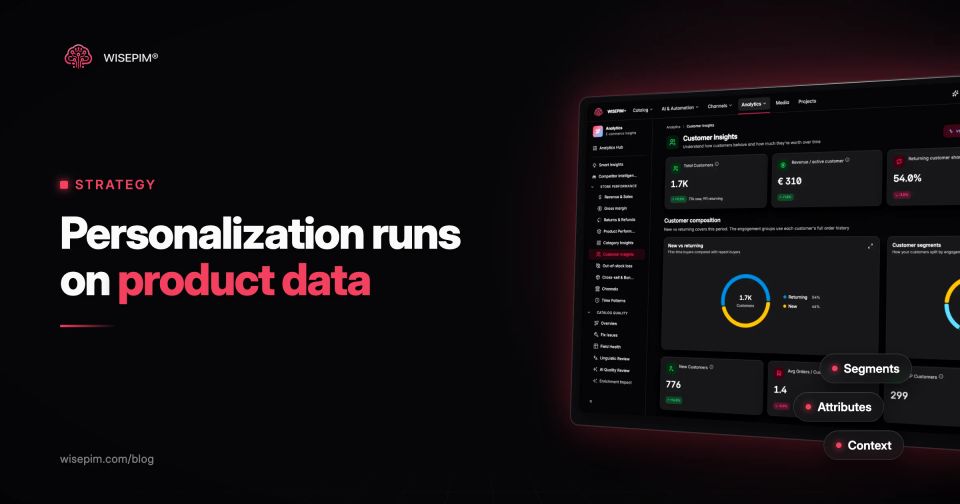
WISEPIM is not a personalization engine: it does not serve personalized pages, rank search results or send triggered emails. It works on the catalog side. WISEPIM fills missing attributes, categories and translations with AI, scores data quality per product and pushes the cleaned data to Shopify, WooCommerce, Magento 2, Lightspeed and other stores, where your personalization tool reads it. Its customer insights report shows RFM segments from your order history, which helps decide which segments are worth personalizing for. For the terms vendors use, see our dictionary entry on the ecommerce personalization engine.
