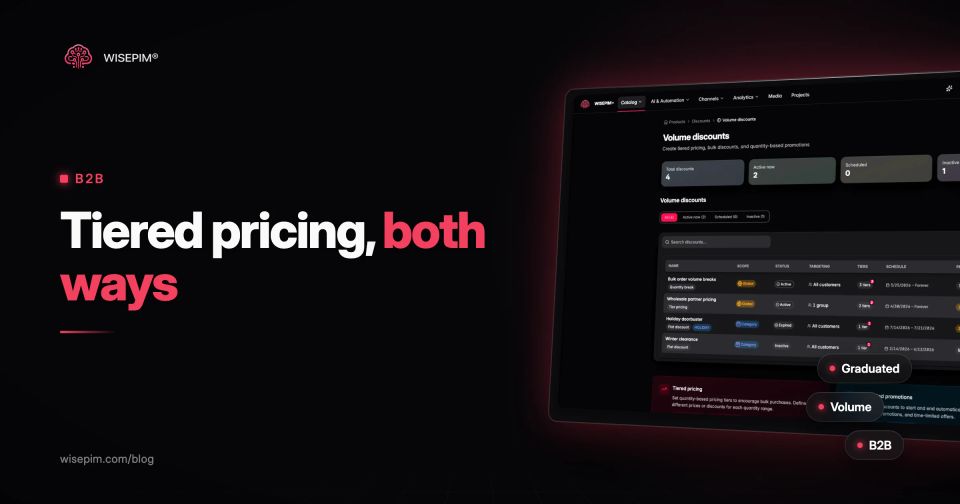
Tiered pricing lowers the unit price as the quantity goes up: 1 to 9 boxes at EUR 12.00, 10 to 49 at EUR 10.80, 50 and more at EUR 9.60. In e-commerce and B2B it is the price table behind quantity breaks, staffel prices and wholesale price lists. In SaaS the same term usually means plan tiers (Basic, Pro, Enterprise), which is a different idea.
There are two ways to apply a tier table. Graduated pricing charges each band at its own rate, so the first 9 boxes always cost EUR 12.00. Volume (all-units) pricing charges every unit at the rate of the band the order reaches. Same table, different invoice. This guide computes both on one product, shows where each model breaks, and covers how Shopify, WooCommerce and Magento store quantity breaks and customer-group prices.
Plan tiers in SaaS vs quantity tiers in a webshop
Search for tiered pricing and half the results describe software packages: a Starter plan with three seats, a Growth plan with more features. That is good-better-best packaging. The buyer picks a bundle of features; the price per unit is not the point.
A webshop or wholesaler uses tiers for physical quantity. The product stays the same, the price per unit falls as the order grows. Billing tools use the same vocabulary for usage: Stripe's tiered pricing docs define volume-based tiers (the whole quantity at one tier's rate) and graduated tiers (each tier's quantity at that tier's rate). Those two definitions are the ones that matter for product pricing, and the rest of this post uses them.
Graduated tiers vs all-units volume pricing on one box of gloves
Take a box of 100 nitrile gloves, size M, with a list price of EUR 12.00 excluding VAT and a purchase cost of EUR 7.20. The tier table is: 1 to 9 boxes EUR 12.00, 10 to 49 boxes EUR 10.80 (10% off), 50+ boxes EUR 9.60 (20% off). Here is what six order sizes cost under each model.
One tier table, two invoices: nitrile gloves, EUR excl. VAT
| 9 | 108.00 | 12.00 | 108.00 | 12.00 |
|---|---|---|---|---|
| 10 | 118.80 | 11.88 | 108.00 | 10.80 |
| 49 | 540.00 | 11.02 | 529.20 | 10.80 |
| 50 | 549.60 | 10.99 | 480.00 | 9.60 |
| 60 | 645.60 | 10.76 | 576.00 | 9.60 |
| 120 | 1,221.60 | 10.18 | 1,152.00 | 9.60 |
The graduated total for 60 boxes is 9 x 12.00 + 40 x 10.80 + 11 x 9.60 = EUR 645.60. The volume total is simply 60 x 9.60 = EUR 576.00. Volume pricing gives the buyer a bigger discount at every quantity above the first break, and it is easier to explain: one price per line.
The volume pricing cliff at 45 to 49 boxes
Volume pricing has a side effect. Ten boxes cost EUR 108.00, exactly the same as nine, so the tenth box is free. Worse, 49 boxes cost EUR 529.20 while 50 boxes cost EUR 480.00. Any buyer ordering 45 to 49 boxes pays more than a buyer who orders 50 (45 x 10.80 = EUR 486.00). Smart buyers round up, which is fine if you have the stock. Less attentive buyers feel cheated when they notice.
Three fixes are common. Set the breaks at full case quantities so the jump lines up with a natural order size. Cap the line total at the price of the next break (a 47-box order pays no more than 50 boxes would). Or use graduated pricing, which has no cliff at all because the first bands are always charged at their own rate.
What each tier does to your margin
With a EUR 7.20 cost, gross margin is 40% at EUR 12.00, 33.3% at EUR 10.80 and 25% at EUR 9.60. The 20% price cut costs 15 points of margin. Before you publish a tier, check the margin at its price, not the discount percentage: a markup vs margin mix-up is the usual way a deep break slips below the floor. The profit margin calculator does the arithmetic per tier.
Which tier model fits which seller
Neither model is better in general. The choice depends on who buys, how often and how much your margin can give.
- Volume pricing fits webshops selling to consumers and small businesses, where one visible price per line converts better than a calculation. Accept the cliff or cap it, and keep the number of breaks small.
- Graduated pricing fits contract and usage-style selling, such as consumables billed monthly or B2B accounts that order in irregular amounts, where the buyer cares about a fair total more than a headline price.
- A single customer-group price fits wholesale accounts that always order in full cases: one net price per group is easier to maintain than a table, and order rules handle the quantity.
- Quote-based pricing fits large or custom orders above your top break, where a negotiated price beats any table.
Whatever you pick, write it down on the price list and use the same model in the webshop, the PDF and the ERP invoice. Most disputes about tier prices are about the model, not the numbers.
Volume discount, quantity break, staffel: one idea, five names
Suppliers, platforms and buyers use different words for the same table. Knowing which one a document means saves a lot of back and forth.
- Quantity break or price break: one row of the table, a minimum quantity and a price. Shopify B2B calls its table volume pricing.
- Tier price: Magento's name for a quantity break on a product, optionally limited to one customer group and one website.
- Volume discount: often a percentage off once the quantity is reached (10% off from 10 units). It may be graduated or all-units, so ask.
- Bulk discount: usually all-units, applied to the whole cart line or a whole category.
- Staffelprijs or Staffelpreis: the Dutch and German term for a quantity break table, common in B2B price lists.
Customer groups, contract prices and quantity breaks in B2B
B2B pricing rarely stops at one tier table. A distributor, an independent shop and a consumer may see three different prices for the same SKU, and each group may get its own breaks. That is the job of customer groups: a retail group sees the list price, a wholesale group sees tiers from 10 units, a key-account group gets a contract price from unit 1. Trade buyers on a B2B marketplace expect the same: quantity tiers and net prices per account, not one retail price.
Quantity breaks also interact with order rules. If a supplier sells only in cases of 12, a break at 10 units cannot be reached exactly, so align breaks with the case pack and the minimum order quantity. For the bigger picture of running retail and trade prices from one catalog, see wholesale vs retail.
Shopify, WooCommerce and Magento support for quantity price breaks
The three platforms most of our readers run handle tier prices very differently. Check this before you design a table your store cannot show.
Native quantity price breaks by platform
| Shopify B2B | Yes | Markets > Catalogs > Volume pricing | Per B2B catalog | Up to 10 breaks per product, applied per variant; breaks must exceed the minimum and fit the increment |
|---|---|---|---|---|
| WooCommerce | No (extensions) | Extension settings, for example Dynamic Pricing | Depends on the extension (roles) | Core product prices are regular and sale price only |
| Magento 2 / Adobe Commerce | Yes | Product > Advanced Pricing > Tier Price | Per website and customer group | Fixed price or percentage off the regular price; bulk edits through the Advanced Pricing import |
Shopify B2B volume pricing
Shopify sets quantity breaks inside B2B catalogs. According to Shopify's help center, you can add up to 10 price breaks per product, they apply to each variant separately (5 blue and 5 grey do not combine into 10), break quantities must be greater than the minimum order quantity and a multiple of the increment, and once volume pricing is set the price is fixed, so the catalog's overall price adjustment no longer applies to that product. Shopify's B2B plan overview lists quantity price breaks on Basic, Grow, Advanced and Plus; plans below Plus are limited to 3 active B2B catalogs.
WooCommerce tiers through extensions
Core WooCommerce gives a simple product a regular price and a sale price, with no quantity table. Tiered prices come from an extension. The Dynamic Pricing extension sold on the WooCommerce Marketplace, for example, has a Bulk mode that prices every unit at the tier the cart quantity reaches (all-units), plus role-based and category rules. Because the data lives in the extension, check how it imports and exports before you plan bulk updates.
Magento tier prices per customer group and website
Magento has tier prices in core. In Adobe's tier pricing docs, each tier has a website, a customer group, a quantity and either a fixed unit price or a discount percentage off the regular price, and the product page shows a message such as buy 6 for a lower price each. For bulk changes, Adobe recommends exporting the Advanced Pricing entity and re-importing it: the tier price import uses the columns sku, tier_price_website, tier_price_customer_group, tier_price_qty, tier_price and tier_price_value_type.
Tier tables as structured product data
A tier table that lives in a PDF or an email thread will drift from what the store charges. Store it as rows, one per break, with the scope explicit. A minimal model that maps onto all three platforms:
- sku: the variant, because Shopify applies breaks per variant and Magento per product SKU.
- customer_group: blank or ALL for everyone, otherwise the group code (wholesale, horeca).
- channel or website: which store, market or feed the row belongs to.
- min_qty: the first unit of the band, in sales units (boxes, not gloves).
- price_type: fixed unit price or percentage off.
- value: 10.80 or 10, depending on price_type, with the currency on the row.
- valid_from and valid_to: for seasonal or contract tiers.
Keep the unit explicit. If one supplier quotes per glove and another per box of 100, a min_qty of 10 means two very different orders. A price list template with a unit column per row prevents most of these mix-ups.
Six tier pricing errors that cost B2B margin
- Mixing models between channels. The webshop charges graduated, the PDF price list implies all-units, and the buyer disputes the invoice.
- Breaks that ignore the case pack. A break at 10 when you only ship cases of 12 forces either a split case or an unreachable tier.
- Percentage tiers on top of a sale price. Depending on the platform, a 10% tier can stack with a sale or apply to the regular price only. Magento calculates percentage tiers from the regular price, not the special price.
- No margin check per tier. A 20% break on a 40% margin product leaves 25%, before shipping and payment fees.
- Tiers that outlive the cost price. When a supplier raises the cost, the list price gets updated and the fixed tier prices do not.
- Group tiers that leak. A wholesale tier saved without a customer group applies to every visitor, guests included.
Choosing break points that hold up
Good break points follow how customers actually order. Look at your order lines for the product: if most B2B orders cluster at 12, 24 and 48 units, put breaks there, not at round numbers. Then run each tier through the margin check before it goes live.
Before you publish a tier table
Volume discounts, customer groups and channel prices in WISEPIM
WISEPIM keeps tier pricing next to the rest of the product data. Customer groups hold a name, a code and an approval flag, and can be mapped to a shop's own groups. Volume discounts carry the tiers (a minimum quantity with a fixed unit price or a percentage off), a scope (selected products, a category or the whole catalog), a target (all customers, specific groups, specific customers or logged-in customers), an optional start and end date, and a priority. That gives you one place to define the tier logic. Connected stores do not all receive tier tables from WISEPIM, so check how each channel gets its tiers before you rely on an export; in Magento, the Advanced Pricing import described above is the native route.
Separately, pricing rules per channel transform prices at export time: a markup, cost plus margin, a fixed price, charm rounding, and safeguards such as a minimum margin. If you add a channel markup, recheck the fixed tier prices in that store as well, so a 10% higher base price does not leave the quantity breaks undercutting it. More on how channel-specific pricing works across stores and feeds is in the dictionary.
