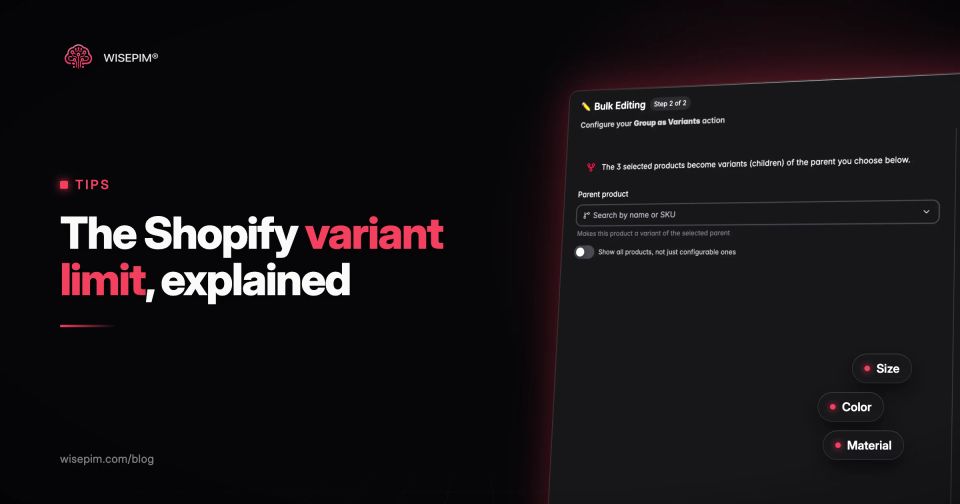
The Shopify variant limit is 2,048 variants per product, spread over a maximum of three options (such as Size, Color and Material). Shopify raised the cap from 100 to 2,048 for all merchants on October 15, 2025, according to the Shopify developer changelog. The three-option ceiling did not move, and a product can still hold up to 250 media items.
In practice, the number you hit first is rarely 2,048. It is the fourth attribute that will not fit in three options, a theme that only reads the first 250 variants, or an app that still assumes 100. This guide lists the current limits with their sources, shows the variant math, names the places where large products still break, and gives five workarounds plus a data model you can copy.
Every Shopify limit that applies to variants
All figures below come from Shopify's own documentation. The Shopify Help Center is the reference for the merchant-facing limits.
Shopify limits that apply to variants
| Variants per product | 2,048 | On every plan. |
|---|---|---|
| Options per product | 3 | Each unique combination of option values can be one variant. |
| Media per product | 250 | Items such as images and videos. |
| New variants per day | 10,000 | Applies once a store has 500,000 variants. Shopify Plus stores are exempt. |
| Variants some third-party themes support | 100 | Older themes were built for the old cap. |
| Variants returned by product.variants in Liquid | 250 | When unpaginated (Shopify theme docs). |
| Variants supported by Stocky and the legacy Order Printer | 100 | Other public apps, theme app extensions and sales channels may not support more either. |
| Combined listings (Shopify Plus only) | 60 child products, 2,000 variants | Three options on the parent (Shopify dev docs). |
The changelog adds one warning that matters for every store: apps that don't use Shopify's in-support GraphQL product APIs may give a degraded or broken experience on products with more than 100 variants. Public apps had to move to the new GraphQL product APIs by February 1, 2025 (Shopify changelog), but custom apps and private integrations were not covered by that App Store requirement.
Variant math: how fast three options add up
The variant count of a product is the number of option values multiplied together. Shopify creates one variant per combination you keep, and each variant is a full sellable unit with its own SKU, barcode, price, stock level, weight and image.
- T-shirt: 8 colors × 9 sizes = 72 variants. Fine under the old cap.
- Running shoe: 6 colors × 17 sizes (EU 36 to 44 in half sizes) × 2 widths = 204 variants. Over the old 100, well under 2,048.
- Made-to-order sofa: 3 widths × 48 fabrics × 4 leg finishes = 576 variants. Possible since October 2025.
- Wall paint: 1,200 colors × 3 tin sizes = 3,600 variants. Over the limit, no matter how you arrange the options.
Two practical consequences follow. First, a high-variant product multiplies every data task: a missing barcode or weight is not one gap but hundreds. Second, the order of options matters for the shopper. Put the option people choose first (usually color or material) in Option 1, because themes render the picker in that order.
Where products above 100 variants still break
The 2,048 limit is a platform limit. Everything that reads or writes your products also needs to handle it, and several layers were built when 100 was the ceiling.
Themes that loop over product.variants
Older themes load every variant into the page, often through a hidden variant select or `product | json`. Shopify now caps `product.variants` at 250, so a loop silently stops there, and variants 251 and up never show as selectable. Shopify's guide to high-variant products tells theme developers to render options with `product.options_with_values`, read availability from the `product_option_value` object, and fetch the next state through the Section Rendering API. Dawn's variant picker is the reference implementation.
Test it before you trust it: create a staging product with 300 variants and check that the last color and size can be selected, added to cart and bought.
Apps and custom integrations on the REST product API
An ERP connector, inventory sync or feed app built on the REST Admin API product endpoints may not handle products with more than 100 variants. Shopify's Help Center says some custom apps won't, and that a custom app on the REST Admin API has to migrate to the GraphQL Admin API. Ask each vendor a direct question: "Do you read and write products with more than 100 variants through the GraphQL product APIs?" A custom integration that syncs whole products should use `productSet`, which creates, updates and deletes variants to match the input, so a sync that sends a partial variant list deletes the rest.
Shopify's own apps and sales channels
Shopify names Stocky and the legacy Order Printer as limited to 100 variants, and warns that other sales channels might be too. Check every channel you publish to before you merge products into one large listing.
Merchant Center feeds and marketplace variation rules
A product with 576 variants becomes 576 items in a Google Merchant Center feed, grouped by an item group ID. Each item needs its own GTIN, price, availability and image link, and every marketplace has its own rules for variation families. A listing that works on Shopify can be rejected elsewhere for the same reason it got large: too many combinations with thin data.
A pre-flight checklist before you go past 100 variants
Pre-flight checklist for products above 100 variants
Our Shopify SEO checklist covers the redirects and the canonical product URL in more detail.
Five workarounds when a fourth attribute does not fit
The three-option limit is the constraint most catalogs hit. A product with Size, Color, Material and Length simply has one attribute too many. These are the options, in the order we would try them.
- Ask whether the attribute is a variant at all. An option should change the SKU, price, stock or image. Fit notes, care instructions or fabric weight do not. Move those to metafields and keep options for the attributes a shopper buys.
- Combine two attributes into one option. "Size" with values like "3-seater, left chaise" holds two attributes in one option. It keeps everything on one page, at the cost of a longer value list and less precise filters.
- Move non-stock choices to customization. Engraving text, a monogram or a gift message does not need its own SKU. A product customization app or line item properties capture it without adding variants.
- Split the product along one attribute. One product per material or per collection, each with up to three options, linked to each other with swatches or a "more versions" block. Each product gets its own URL, which can help if people search for the split attribute ("linen sofa").
- Use combined listings on Shopify Plus. Up to 60 child products appear as one listing with a single option picker. Each child keeps its own URL and images. Combined listings sell only through the Online Store channel, not through Shopify POS (Shopify dev docs).
Which attributes become options and which become metafields
A clean variant model starts with a rule per attribute, not per product. Use this decision list for each attribute in a product type:
Option, metafield or line item property
| Changes the SKU, stock or price | Option | Size, Color, Capacity |
|---|---|---|
| Changes the main image but not the stock | Usually still an option, so the image switches when the shopper picks it | |
| Same for every variant | Product metafield | Brand story, Material composition if fixed, Care instructions |
| Different per variant but not chosen by the shopper | Variant metafield or variant field | Weight, GTIN, Country of origin |
| Free text the shopper enters | Line item property, never a variant | Engraving text, a monogram, a gift message |
Shopify's category metafields close the gap between options and structured data. You can connect a category metafield such as Color to a variant option, so option values point to shared metaobject entries. Renaming an entry updates every variant that uses it, and color entries can display as swatches on the product page (Shopify Help Center).
This is the same thinking as attribute modeling in a PIM: decide once, per product type, which attributes define a variant and which describe the product. Our variant management guide covers parent and child records in more depth.
The Aston sofa: 1,152 combinations from four buyer choices
A furniture brand sells the "Aston" modular sofa. The product team lists four buyer choices: Width (2-seater, 3-seater, 4-seater), Chaise side (left, right), Fabric (48 fabrics in three families: velvet, bouclé, linen) and Leg finish (oak, walnut, black, brass).
All combinations: 3 × 2 × 48 × 4 = 1,152. That fits under 2,048, but it needs four options, and Shopify allows three. Here are two models that work.
Model A: one product, two attributes merged
- Option 1, Fabric: 48 values, connected to a Color category metafield for swatches.
- Option 2, Size: 6 values that merge Width and Chaise side, such as "3-seater, left chaise".
- Option 3, Legs: 4 values.
- Variants: 48 × 6 × 4 = 1,152. SKU pattern ASTON-3L-VLV-EMR-OAK (model, size, fabric family, fabric, legs).
- Price: set by Size, with a surcharge for the velvet family, so 1,152 prices come from 18 rules, not 1,152 manual edits.
- Media: 48 fabric swatches plus 4 hero shots per size uses 72 of the 250 media slots.
Model B: one product per fabric family
- Products: Aston Velvet, Aston Bouclé, Aston Linen, each with 16 fabrics.
- Options: Fabric (16), Width (3), Chaise side (2). Legs move to a line item property if they are fitted at dispatch and do not change stock.
- Variants: 16 × 3 × 2 = 96 per product, under the old 100 cap, so every older app and theme keeps working.
- Trade-off: three URLs instead of one. A "Choose another fabric family" block links them, and each page can rank for its own fabric search.
Model A is cleaner for shoppers on a modern theme. Model B is safer when an older app, a marketplace or a feed tool still caps at 100. In both, the work is the same: the attributes, SKU pattern and price rules are defined once per product type and applied to every variant, not typed in per row.
Keeping thousands of variants complete with a PIM
Once one product holds hundreds of variants, data gaps scale with it. A missing weight on one fabric is 24 missing weights. The fix is to define the variant model outside the store: the option attributes, the required fields per variant and the naming rules per product type.
In WISEPIM you set this up with product families: each product type carries its own attribute list, defaults and required fields, and Quality Guard lists every product that is still missing one before it goes to a channel. AI enrichment fills descriptions and attribute values in bulk, and the Shopify connection pushes the enriched data to your store. If you are planning a bigger restructure of your catalog, our PIM implementation plan walks through the data model step by step.
