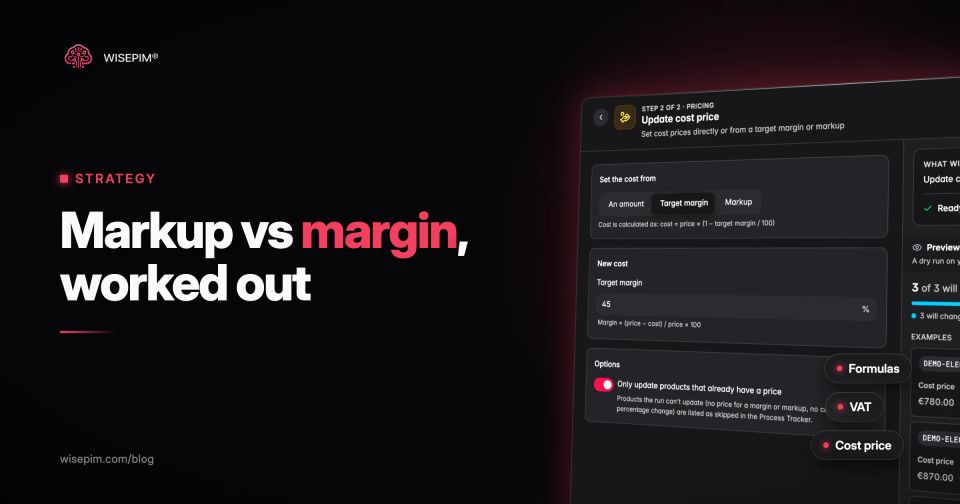
Markup is profit as a percentage of cost. Margin is the same profit as a percentage of the selling price. Both start from one number, gross profit (price minus cost), but they divide it by a different base, so the same product always shows a higher markup than margin.
Take a product that costs EUR 10 and sells for EUR 15. The profit is EUR 5. As a markup that is 5 / 10 = 50%. As a margin it is 5 / 15 = 33.3%. Mixing the two up is how a team that wanted a 50% margin ends up pricing for 33.3%. Below are the formulas, a conversion table, worked examples with VAT, and the product data you need to calculate either one per SKU.
Markup and margin formulas side by side
Every formula below uses the same three inputs: the cost of one unit, its selling price, and the gross profit between them. Write percentages as decimals when you calculate (40% = 0.40).
- Gross profit = price - cost
- Markup % = (price - cost) / cost x 100
- Margin % = (price - cost) / price x 100
- Price from a markup = cost x (1 + markup)
- Price from a margin = cost / (1 - margin)
Markup is the number buyers use to build a price up from a supplier cost. Margin is the number finance uses to judge how much of every euro of revenue you keep. In this post margin means gross margin per unit: before shipping, payment fees, marketing and overhead. Those costs come out of the margin later, which is why a margin that looks healthy on paper can still lose money on a single-item order.
If you just need the answer for one product, the markup calculator and the profit margin calculator do the arithmetic, with an optional VAT setting.
Converting markup to margin and margin to markup
You do not need the price to convert one into the other. Two short formulas do it:
- Margin = markup / (1 + markup). A 40% markup is 0.40 / 1.40 = 0.2857, so a 28.57% margin.
- Markup = margin / (1 - margin). A 30% margin is 0.30 / 0.70 = 0.4286, so a 42.86% markup.
Markup to margin conversion table
| 10% | 9.09% | EUR 11.00 |
|---|---|---|
| 20% | 16.67% | EUR 12.00 |
| 25% | 20.00% | EUR 12.50 |
| 30% | 23.08% | EUR 13.00 |
| 40% | 28.57% | EUR 14.00 |
| 50% | 33.33% | EUR 15.00 |
| 60% | 37.50% | EUR 16.00 |
| 75% | 42.86% | EUR 17.50 |
| 100% | 50.00% | EUR 20.00 |
| 150% | 60.00% | EUR 25.00 |
| 200% | 66.67% | EUR 30.00 |
| 300% | 75.00% | EUR 40.00 |
Three rows are worth memorizing. A 25% markup is a 20% margin, a 50% markup is a 33.3% margin, and a 100% markup is a 50% margin. That last one is keystone pricing: the retail price is double the cost. Read the table the other way when you start from a margin target: a 60% margin needs a 150% markup, and a 75% margin needs 300%.
The table also shows why margin can never be 100% or more. A 100% margin would mean the product cost nothing. Markup has no ceiling: a EUR 2 phone case sold for EUR 20 has a 900% markup and a 90% margin.
What a markup and margin mix-up costs on 1,000 units
Here is the mistake in numbers. A buyer is told to price a new line of cotton tote bags at a 50% margin. The cost is EUR 20 per bag. In the pricing spreadsheet she types 50% into a markup column.
- Intended: 50% margin, so price = 20 / (1 - 0.50) = EUR 40.00. Profit per bag EUR 20.00.
- What happened: 50% markup, so price = 20 x 1.50 = EUR 30.00. Profit per bag EUR 10.00, a 33.3% margin.
- On 1,000 bags: EUR 10,000 gross profit instead of EUR 20,000. Half the planned profit, on the same sales volume.
The reverse mistake also happens: a supplier quotes a 30% margin on a price list, someone reads it as markup, and every profit forecast built on it is too optimistic. Neither error shows up in a product page or a feed. It shows up weeks later in the profit report.
How a sale discount shrinks margin faster than price
Discounts are the second place where the base matters. A discount is a percentage of the price, but it comes entirely out of your profit, so the margin falls much faster than the price does. Take a product with a net price of EUR 50.00 and a cost of EUR 30.00: a 40% margin and EUR 20.00 profit per unit.
- 10% off: net price EUR 45.00, profit EUR 15.00, margin 33.33%. Profit per unit is down 25%.
- 20% off: net price EUR 40.00, profit EUR 10.00, margin 25.00%. Profit per unit is halved.
- 30% off: net price EUR 35.00, profit EUR 5.00, margin 14.29%. You need four sales to earn what one full-price sale made.
The rule behind it: at a discount d on a product with margin g, the new margin is (g - d) / (1 - d). Any discount equal to the margin wipes out the profit completely, before shipping and fees. Run that number for your sale campaigns before you pick a percentage, and run it per product, because a 20% sitewide discount lands very differently on a 25% margin product than on a 60% one.
Prices that include VAT: calculate margin on the net price
In the EU, prices shown to consumers must include VAT. The Price Indication Directive defines the selling price as the final price "including VAT and all other taxes" (EUR-Lex, Directive 98/6/EC). That VAT is not yours: you collect it for the tax authority. So before you calculate a margin from a shelf price, remove the VAT first.
- Net price = price incl. VAT / (1 + VAT rate)
- VAT amount = price incl. VAT - net price
- Margin = (net price - cost) / net price
The examples below use 21%, the standard Dutch VAT rate (Belastingdienst). Use your own country's rate, and the reduced rate for products that qualify. Keep cost excluding VAT too: a VAT-registered business reclaims the VAT it pays on purchases, so that VAT is not part of the product cost. The VAT calculator handles the gross and net conversion if you want to check a single price.
Worked example: a 3-pack of merino crew socks at EUR 24.95
A webshop buys merino crew socks, size 43 to 46, in packs of three for EUR 9.00 excluding VAT. The shelf price is EUR 24.95 including 21% VAT.
- Net price: 24.95 / 1.21 = EUR 20.62. The VAT in the shelf price is EUR 4.33.
- Gross profit: 20.62 - 9.00 = EUR 11.62.
- Margin: 11.62 / 20.62 = 56.35%.
- Markup: 11.62 / 9.00 = 129.11%.
- The wrong way, VAT left in: (24.95 - 9.00) / 24.95 = 63.93%. That overstates the margin by 7.6 percentage points.
The same error repeats across a catalog. The table below runs four products through the same math. In every row the margin with VAT left in is roughly 7 points too high, which is enough to make a product that just covers its costs look comfortable.
Four catalog products: margin on the net price vs the shelf price
| Merino crew socks, 3-pack | EUR 9.00 | EUR 24.95 | EUR 20.62 | 56.35% | 129.11% | 63.93% |
|---|---|---|---|---|---|---|
| Ceramic pour-over dripper | EUR 11.40 | EUR 34.95 | EUR 28.88 | 60.53% | 153.33% | 67.38% |
| LED desk lamp, dimmable | EUR 27.80 | EUR 79.00 | EUR 65.29 | 57.42% | 134.86% | 64.81% |
| Steel water bottle, 750 ml | EUR 7.25 | EUR 19.95 | EUR 16.49 | 56.03% | 127.45% | 63.66% |
Pricing from a target margin, then rounding to a charm price
Now run it forward. A burr coffee grinder costs EUR 30.00 excluding VAT and the target is a 40% margin. The net price is 30 / (1 - 0.40) = EUR 50.00, which is EUR 60.50 including 21% VAT.
Nobody prices at EUR 60.50, so the shop rounds. At EUR 59.99 the net price drops to EUR 49.58 and the margin to 39.49%, just under target. At EUR 64.99 the net price is EUR 53.71 and the margin 44.14%. Rounding down to a charm price is the most common way a correct margin formula still produces a price below target. Round up, or recheck the margin after rounding.
Platforms vary in how they show this. Shopify displays projected profit and margin, calculated as (price - cost) / price, in the Price section once a product has a Cost per item, and states that these profit and margin details are not displayed if you select Charge tax on this product (Shopify Help Center). Check how your own platform treats tax before you trust a margin figure in its admin.
Where cost price lives in product data
Neither markup nor margin can be calculated without a cost per unit, and in most catalogs that field is the emptiest one. Each platform has its own place for it:
- Shopify: Cost per item, "the cost to you of the product or variant". For a resold product, Shopify suggests the price you paid the manufacturer, excluding taxes, shipping or other costs (Shopify Help Center).
- WooCommerce: a Cost of Goods field on the General tab, switched on under WooCommerce > Settings > Advanced > Features. Variations inherit the product's cost unless you enter their own (WooCommerce docs).
- Magento / Adobe Commerce: the Cost field under Advanced Pricing, for "the actual cost of the item" (Adobe Experience League).
- Google Merchant Center: the optional cost_of_goods_sold attribute, formatted as a number plus currency ("10.01 USD"), used to report gross profit on conversions (Google Merchant Center Help).
Store cost the same way everywhere, or every margin downstream inherits the inconsistency. The checklist below covers the rules that matter most when one catalog feeds several channels.
Cost price data checklist
Cost-plus pricing rules and margin floors in WISEPIM
Once cost is in the product record, the pricing math can run on it. WISEPIM's pricing rules per channel change the price at export time for a platform, one shop, a CSV or Excel export, or a feed, without changing the price stored in the catalog. Two calculation types map directly onto this post: cost plus markup (cost x (1 + markup)) and cost plus margin (cost / (1 - margin)). Rounding options include whole numbers and charm endings of .99 and .95.
The safeguards address the rounding problem from the grinder example. A minimum margin safeguard raises any calculated price that would land below cost / (1 - minimum margin), and products without a cost get a missing-cost flag, because no floor can be calculated for them. The floor is checked again after rounding, so a charm ending cannot push the export price under it. Channel fee profiles add the commission and payment fees of a channel, so a rule can also enforce a minimum margin after fees. In the product list, a margin column shows (price - cost) / price for each product. That column and the rules use prices as you store them: they do not strip VAT, so if your catalog holds VAT-inclusive prices, read their margins like the last column of the four-product table.
If you sell the same products to trade and consumer buyers, the wholesale vs retail guide shows how wholesale prices, RRP and keystone markups fit one record. The MSRP guide covers where a suggested retail price sits next to your own selling price, and the channel-specific pricing entry explains why the same product can carry a different price per channel.
