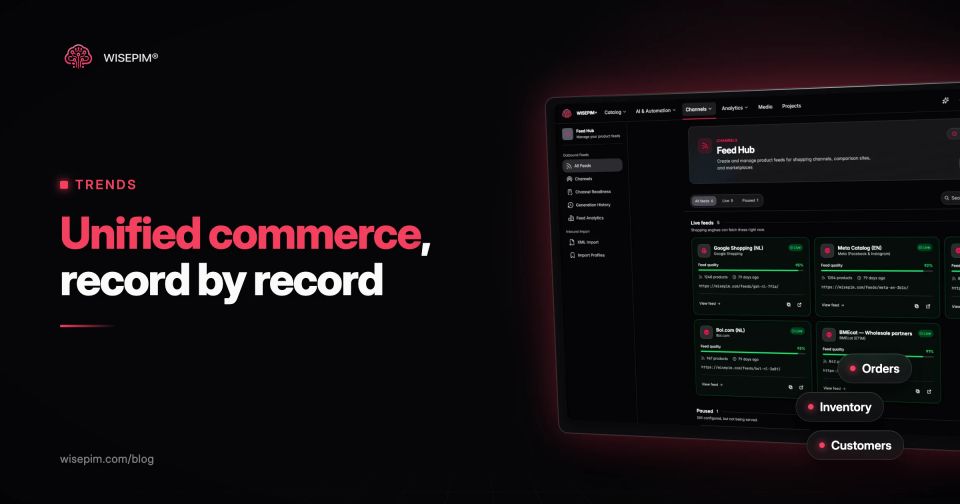
Unified commerce means every sales channel reads and writes the same commerce records: one product record, one stock figure per location, one order history, one customer profile and one set of prices and promotions. The webshop, the store checkout, the marketplace offer and the customer service screen are views on those records, not separate copies kept in step by sync jobs and spreadsheets.
Omnichannel describes what the shopper experiences: buy online and pick up in store, return anywhere, the same price on every screen. Unified commerce describes the back end that makes those promises hold under load. You can run an omnichannel experience on loosely connected systems for a while; unified commerce is the point where those systems stop disagreeing. If you want the basics of channel strategy first, start with our earlier post on omnichannel vs multichannel.
A working definition of unified commerce, record by record
Most definitions stay abstract ("one platform", "a single view"). It is more useful to name the records that have to be shared, because that is what you can test. A business runs unified commerce when these five records each have one owner and every channel uses that version:
- Product record: identifiers (SKU, GTIN, variant ID), titles, descriptions, attributes, images and category, maintained once and published to each channel.
- Inventory record: stock per location (warehouse, store, supplier drop-ship), with reservations, so a unit sold in the store is not also sold online.
- Order record: every order from every channel in one place, with its status, fulfillment location and return history.
- Customer record: one profile per person across online accounts, loyalty, store receipts and service contacts.
- Price and promotion record: list price, channel prices and active promotions, with rules for where each one applies.
Payments are often added as a sixth record: online and in-store payments processed by the same provider, so a refund can go back to the original card regardless of where the return happens. The common thread is that no channel owns a private copy of any of these.
Unified commerce vs omnichannel: experience versus architecture
The two terms describe different layers, which is why vendors use them interchangeably and why that confuses buyers.
Omnichannel vs unified commerce
| What it is | A promise to the customer | A property of the systems |
|---|---|---|
| Where you judge it | At the front end: can I start on my phone and finish in the store? | At the back end: does the store checkout see the same order, stock and customer record as the webshop, at the moment it needs them? |
| How data moves | Often separate systems, connected by integrations that copy data between them | Fewer copies, so there is less to keep in step |
| Failure mode | Drift, such as an item sold out online but shown as available for pickup | Rarer but bigger failures, because one outage touches every channel |
Put simply, every unified commerce business can deliver omnichannel journeys, but not every omnichannel business is unified. Most mid-size retailers sit in between: product data and online orders are shared, store stock and customer profiles are not.
Why Forrester calls the term unclear
Analysts are not in agreement on the label. In an October 2024 post titled "Unified Commerce Is Not A Thing", Forrester analysts Emily Pfeiffer and Lauren Cevallos argue that vendors across many categories use the term for different things: consolidating functions in one platform, integrating several platforms, or simply listing their own product's features. One common vendor definition, they note, is essentially a restatement of omnichannel.
Gartner, on the other hand, published a June 2024 quick answer, "What Is Unified Retail Commerce, and Why Does It Matter?", which names three pillars: unified, experience-led and composable. The practical lesson from both: when a vendor says "unified commerce", ask which of the five records it actually unifies, and which ones it expects you to connect yourself.
POS, order management, payments: the components most suites bundle
A unified commerce platform is software that holds several of the five records natively and serves more than one channel from them. The usual building blocks:
- Ecommerce storefront and checkout for web and app.
- Point of sale (POS) for stores, running on the same product, stock and customer data as the webshop.
- Order management that routes orders to a warehouse or store and handles returns from any channel. See order management for the components.
- Inventory management with stock per location and real-time inventory visibility for every channel.
- Customer data and loyalty in one profile.
- Payments across online and in-store.
- Product data, which most platforms hold only in the shape their own storefront needs. Marketplaces, feeds and wholesale catalogs usually need more fields than that.
Few businesses get all seven from one vendor. That is less a failure than a design choice, which the next section covers.
Two routes: one suite or a connected stack with shared records
There are two ways to arrive at shared records. Neither is automatically better; the right one depends on how many channels and systems you already run.
Route 1: a single commerce suite
Webshop, POS, orders, stock and customers run on one vendor's platform with one database. There is no sync layer between them, which removes a whole class of errors. The cost is dependence: you accept the suite's data model, its POS hardware and its pace of change.
- Fits when: you sell mainly through your own webshop and your own stores, with a handful of locations.
- Watch for: marketplaces and B2B channels that the suite does not serve natively, and product data that is too thin for those channels.
Route 2: a connected stack with one owner per record
Each record has a system of record: an ERP for stock and finance, an order management system for orders, a PIM for product data, a CDP or CRM for customers. Everything else reads from those owners through APIs and event streams. This is the headless and composable approach applied to the back office.
- Fits when: you sell through many channels (marketplaces, wholesale portals, several countries) or already run an ERP you will not replace.
- Watch for: integrations that copy data on a schedule instead of on change. A nightly stock sync is not unified, whatever the architecture diagram says.
Route 2: one owner per record
B2B sellers tend to land on route 2 because their buyers use so many touchpoints: McKinsey's B2B Pulse found that B2B buyers use an average of ten channels (McKinsey, 2024).
Product identity: the join key every unified system depends on
Unified commerce discussions focus on stock and customers, because those are where shoppers notice failures. They rarely mention that every one of those records joins on a product identifier. If the store POS knows a jacket as barcode 8712345678906, the webshop as variant 4471 and the marketplace account as seller reference RJ-NAVY-M, nothing can be unified until those three are mapped to one product.
Google makes the dependency explicit. For local inventory ads and free local listings, the local inventory data specification requires a store code that matches your Business Profile, an availability value per store, and the same product ID values in your product data and your local inventory data. If the IDs differ, Google cannot match the store stock to the product.
The product record also has to be complete enough for the most demanding channel, not just the webshop. A store checkout needs a barcode and a price. A marketplace needs attributes, a category and a GTIN. A Google listing needs an image, availability and a description. Keeping one record per product that meets all of those is the idea behind a single source of truth.
One rain jacket returned in store, traced through five records
A customer orders a navy rain jacket, size M, on the webshop and returns it in a physical store eight days later. Here is what each record has to do for that return to go well:
- Product: the store scans the barcode on the tag. The POS has to resolve it to the same product and variant as the online order line. Without a shared identifier, the return is processed as an unknown item.
- Order: the POS finds the original online order by the customer's email or the order number and checks the return window.
- Payment: the refund goes to the original payment method, which only works if the store can reach the online transaction.
- Inventory: the jacket is added to the store's stock, and the online availability for that store updates, so the next shopper can reserve it for pickup.
- Customer: the return appears on the customer profile, so customer service and the next email campaign know about it.
In a multichannel business, step 1 or step 2 fails and the store sends the customer home. In an omnichannel business on separate systems, all five steps work, but a person or a sync job reconciles them afterwards. In a unified business, they happen in one transaction.
Ten questions to ask a unified commerce vendor
Use these in a demo or an RFP. Each one asks about a record rather than a feature, which makes vague answers easy to spot.
Ten questions for a unified commerce vendor
Customer-first rollouts, nightly syncs and three more traps
- Starting with the customer profile. A single customer view is the most visible goal, but it depends on clean orders, which depend on clean product identifiers. Teams that start at the top end up matching customers to orders of products they cannot identify.
- Calling scheduled syncs unified. Moving from a nightly export to an hourly one still leaves an hour in which the store and the webshop disagree.
- Treating product data as migrated, not maintained. The product catalog is copied into the new platform once, then edited in three places again within months.
- Ignoring marketplaces and B2B. A suite that unifies webshop and stores but not bol, Amazon or the wholesale portal leaves the largest channels outside the model.
- Buying the label. As Forrester points out, the term covers very different products. A platform that only unifies the front end does not solve stock or returns.
The order that tends to work: shared product identifiers and a complete product record first, then stock per location, then orders and returns, then customer profiles. A multi-channel catalog built on one product record is the foundation the other layers need.
Syncing product content to stores and Merchant Center from one record
WISEPIM is not a POS, an order management system or a commerce suite. It covers the product record in either route: it imports your catalog, fills and fixes descriptions, attributes, translations and categories with AI, checks completeness per channel with Quality Guard, and pushes the same record to your stores and Google Merchant Center through its connections. With opt-in auto-sync, a saved product is pushed to connected stores such as Shopify, WooCommerce and Magento 2 about 30 seconds later, so channels stop drifting apart on content and identifiers while you work on stock, orders and customers.
