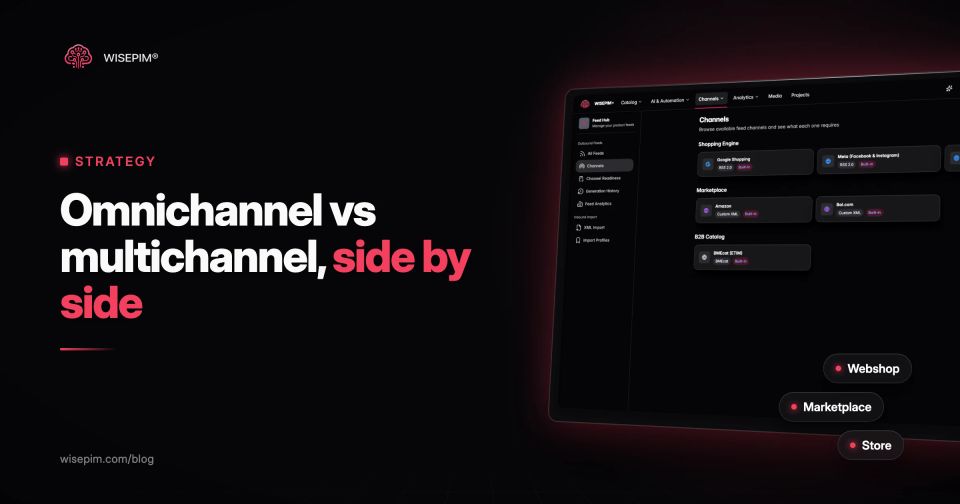
Multichannel means you sell through several channels that each run on their own: a Shopify store, a bol seller account, a Google Shopping feed, a physical shop. Omnichannel means those channels share the same product, stock, order and customer data, so a shopper can start in one channel and finish in another without starting over. Every omnichannel business is multichannel. Most multichannel businesses are not omnichannel.
The difference sits in the integration. In a multichannel setup, a price change on the webshop reaches the marketplace only when someone updates it there. In an omnichannel setup, the jacket a customer reserved online is waiting at the store counter, a webshop order can be returned in the store, and the product page, the feed and the shelf label show the same price and the same specs. Marketing and customer service teams use the same two terms for campaigns and support channels; this article looks at them from the commerce side: products, stock and orders.
Omnichannel vs multichannel at a glance
Multichannel and omnichannel compared on seven points
| Starting point | The channel ("we should be on bol") | The customer journey ("our customers compare online and buy in the store") |
|---|---|---|
| Data | Products, stock and customers kept per channel | One shared record for each, read by every channel |
| Inventory | Often a fixed stock reserved per channel | Stock per location, fulfilled from any of them |
| Content | Each channel version edited separately | Each channel version generated from one master record |
| Typical services | Own checkout and returns process per channel | Adds buy online pick up in store, return anywhere, endless aisle and local inventory ads |
| Measurement | Revenue per channel | Revenue per customer across channels |
| Effort | Cheaper to start | Needs POS, commerce platform, order management and product data to talk to each other |
What multichannel looks like in practice
A typical case: a Dutch home goods brand with a Lightspeed eCom store, a bol seller account and a Google Merchant Center feed. Each channel has its own product list, its own price logic and one person who keeps it current. A customer who buys on bol is a bol customer; a customer who buys on the webshop is a webshop customer, and the two never meet in the data.
This works, and for many small and mid-size teams it is the right model. Multi-channel retailing is about reach: you go where buyers already shop, and each new channel only needs a listing and a way to fulfill orders.
The weak point is drift. When the same product lives in four places, it ends up with four versions of the truth: a different title on bol, an older price in the feed, a size that is missing on the webshop. Nobody decided that. It happened because four copies were edited at different times.
What omnichannel looks like in practice
In omnichannel commerce, the channels behave like one shop with several doors. These are the services people usually mean when they say omnichannel retail:
- Buy online, pick up in store: the webshop knows the stock per store and only offers pickup where the item is on the shelf.
- Local inventory ads and free local listings: Google shows nearby shoppers which of your stores has the product. The local inventory feed needs an id, a store_code and an availability value per store, and the id must match the one in your product data (Google Merchant Center Help).
- Return anywhere: a webshop order can be returned in a store because both systems see the same order.
- Endless aisle: a store employee orders a size that is out of stock in the store from the web warehouse, for home delivery.
- One customer profile: loyalty points and purchase history follow the customer from app to webshop to till.
Each of these depends on systems that share data in close to real time. Shopify, for example, decides whether to offer local pickup at checkout from the inventory recorded at each pickup location (Shopify Help Center). If store stock is wrong, pickup either disappears or promises something the shelf cannot deliver.
The layer both models depend on: product data
Most articles about omnichannel vs multichannel focus on customer data and marketing automation. They skip the layer that usually breaks first: product information. A shopper who reads "machine washable" on your webshop and "hand wash only" on a marketplace stops trusting both. In Salsify's 2025 consumer research (Salsify sells PIM software), 54% of shoppers said they had dropped a purchase because of conflicting information (Salsify).
Channels also enforce consistency themselves. Google requires the price in your product data to match the price on your landing page and at checkout (Google Merchant Center Help). A multichannel setup where the feed is a separate export that someone refreshes by hand is exactly where that mismatch appears.
The fix is the same for both models: keep one master record per product and generate each channel's version from it. That is the idea behind a single source of truth for product data. It is also the cheapest part of omnichannel to get right, because it does not require new hardware or a new POS.
One sock SKU across Shopify, bol, Google Shopping and two stores
Take a 3-pack of merino crew socks in charcoal, size 43 to 46, SKU SOCK-MER-3P-4346, sold on a Shopify store, on bol, through Google Shopping and in two physical stores. Here is what each touchpoint needs from the same product:
What each touchpoint needs from SOCK-MER-3P-4346
| Master record | Title "Merino crew socks, 3-pack", brand, GTIN, color charcoal, size 43–46, material 70% merino wool and 30% polyamide, care "wash at 30 °C", weight 120 g, base price EUR 24.95. |
|---|---|
| Shopify store | The full description, size and color as variant options, care and material as filterable attributes, and the base price. |
| bol | The EAN, which bol requires for every item and uses to tie your offer to the matching product in its range (bol), a title with brand, product type, material, size and pack quantity, and the attributes the bol category asks for. |
| Google Shopping feed | Gtin, brand, color, size, material, multipack set to 3, and a price that matches the landing page. |
| Store shelf label and POS | The same price, the same size label and the stock per store location, which also feeds the local inventory feed. |
In a multichannel setup, a change in fabric composition means four edits by up to four people. In an omnichannel setup, the master record changes once and every channel receives the update. Channel versions may differ in format (title length, attribute names, category tree). They may never differ in facts.
Field-level tests for your top 100 sellers
Run this check on your top 100 sellers before you add a channel or link store stock. Each line is a field-level test you can do in a spreadsheet export or in your PIM:
Product data checks before you add a channel
If more than a handful of products fail a line, fix that before you build pickup, return-anywhere or a customer data platform on top. Those services repeat whatever the product data says, in more places.
Pros and cons of multichannel and omnichannel
- Multichannel, pros: fast to start, because a new channel needs only listings, prices and a way to ship. Integration costs stay low, and you can test a channel and drop it without touching the others.
- Multichannel, cons: product data, prices and stock drift apart between channels. A customer who switches channels is a stranger in each one, and per-channel reports hide journeys that cross channels.
- Omnichannel, pros: customers research, buy, collect and return through whichever channel suits them. Store stock can serve online orders, and you see revenue and behavior per customer instead of per channel.
- Omnichannel, cons: your POS, commerce platform, order management and product data must be integrated first. Store stock has to be accurate before you promise pickup, and store staff take on online tasks such as returns and pickups.
Matching the model to your channels, stores and customers
Use this decision list. Most teams land in more than one line, which is normal.
- Stay multichannel for now if you sell online only, on two to four channels, with a small team, and customers rarely switch channels within one purchase.
- Move toward omnichannel if you run physical stores or a showroom and customers research online before they visit, or ask for pickup and in-store returns.
- Move toward omnichannel if you sell B2B and the same account orders through a sales rep, a webshop and email.
- Fix the product layer first, whatever you choose, if you see price or spec mismatches between channels, disapproved items in Merchant Center, or returns with the reason "not as described".
Few teams go omnichannel in one move. Most move in steps: shared product data first, then shared stock, then shared orders, then a shared customer profile.
How to move from multichannel to omnichannel in five steps
- Map your channels and owners. List every channel, the system behind it, who updates it and how: by hand, by CSV or through a connector. This list usually shows where the drift comes from.
- Centralize product data. Choose one master for titles, descriptions, attributes, images, identifiers and base prices. Define per-channel mappings instead of per-channel copies. The multi-channel catalog guide covers the structure.
- Write down what each channel requires. Every channel has its own mandatory fields, title limits and category tree. Check the channel requirements before you map, not after the first rejection.
- Connect stock and orders. Let your POS and commerce platform share stock per location, then set fulfillment rules: which location ships online orders, which one handles pickup.
- Unify customers and measurement. Link loyalty and customer accounts, then report revenue per customer instead of per channel, so a store sale that started with an online search counts for both.
Teams making this move tend to trip over the same things:
- Buying a customer data platform before fixing product data. A personalized email that recommends a product with the wrong price does more harm than no email.
- Copying content per channel. Copies drift within weeks. Map channel versions from one source.
- Treating feeds as a one-off export. A feed is a channel and needs the same update rules as the webshop. See product feed management.
- Advertising pickup on inaccurate store stock. One failed pickup costs more goodwill than not offering pickup at all.
- Inconsistent identifiers. If SKUs and GTINs differ between POS, webshop and marketplace, no system can tell that two records are the same product.
- Measuring channels in isolation. Online research followed by a store purchase looks like an online loss and an offline win.
We wrote about the data side of running many channels earlier in dodging data disasters in multichannel commerce; most of those failure modes are still the first ones teams hit.
Keeping one product record for every channel
WISEPIM covers the product layer of both models. It imports your catalog, fills and fixes descriptions, attributes, translations and categories with AI, and pushes one set of product data to connected channels such as Shopify, WooCommerce, Magento 2, Lightspeed eCom, CCV Shop, Kaufland and Google Merchant Center. Quality Guard can run a separate rule set per channel, so a product that misses a field one channel requires is flagged before export, and pricing rules per channel keep channel prices derived from one base. Store stock, loyalty and customer profiles stay in your POS and commerce platform. If you are adding channels, start with multi-channel expansion.
