An ecommerce sitemap is an XML file that lists the product, category and content URLs you want search engines to find, one canonical URL per page, with an accurate last-modified date. A single sitemap file holds at most 50,000 URLs or 50 MB uncompressed, so a large catalog splits its URLs over several files and lists those files in a sitemap index, which you submit once in Google Search Console.
That is the short answer. The work in a store is deciding what goes in: variants, filtered category pages, sold-out products, discontinued ones, and every language version. Get those wrong and the sitemap tells Google about thousands of pages you do not want indexed, while products you do want stay missing. This guide covers each decision, what Shopify, WooCommerce and Magento generate by default, and how to check a sitemap against the catalog it should describe.
Which store URLs belong in an XML sitemap
A sitemap is a list of the URLs you prefer to show in search results, so it should only contain pages that return 200, are indexable and are their own canonical. This guide is about the XML sitemap for search engines; an HTML sitemap page for shoppers is a separate, optional page. For a store that means:
- In: product pages (one URL per product, or per variant if each variant has its own canonical page), category and collection pages, brand pages, buying guides, blog posts and the static pages people search for, such as shipping and returns.
- Out: filter and sort URLs (?color=red&sort=price), internal search results, cart, checkout and account pages, URLs that redirect, pages with a noindex tag, and any URL whose canonical points somewhere else.
- Check: paginated category pages. List them only if they are indexable and canonical to themselves; many stores leave them out and rely on internal links.
Google asks for fully qualified, absolute URLs in sitemaps (Google Search Central) and for the same URL in internal links, sitemaps and canonical tags, according to its ecommerce URL guidance. A sitemap that lists http:// URLs, or URLs with a trailing slash the canonical tag does not have, sends a mixed signal for every product.
Sitemap size limits for large catalogs
The limits are per file, not per site. Every format is capped at 50,000 URLs or 50 MB uncompressed per sitemap, and the file must be UTF-8 encoded, according to Google Search Central. Gzip compression saves bandwidth, but the uncompressed size still counts. The platforms set their own defaults below those caps.
Sitemap limits and platform defaults
| URLs per sitemap file | 50,000 | |
|---|---|---|
| Size per sitemap file | 50 MB uncompressed | |
| Image entries per page URL | 1,000 | |
| WordPress core: URLs per sitemap | 2,000 (filterable) | WordPress |
| Magento: URLs per file (default) | 50,000 | Adobe |
| Magento: file size (default) | 10,485,760 bytes | Adobe |
Splitting a 120,000-product catalog by page type
Split by page type first and by range second. Separate files for products, categories, brands and content make problems visible: if Search Console reports that half the URLs in one product file are not indexed, you know where to look. An illustrative store with 120,000 product URLs needs at least three product files:
Sitemap index for a 120,000-product store
Keep the split stable. If a product moves from file 2 to file 3 every time a new SKU is added, the per-file reports in Search Console lose their meaning. Splitting by a fixed key, such as product ID range or top-level category, keeps each file comparable over time.
Image sitemaps: two tags left
Product images can be listed inside the product's own url entry. Each url can carry up to 1,000 image entries, and only image:image and image:loc remain: caption, title, geo_location and license were deprecated, according to Google's image sitemap documentation. Images on a CDN domain are fine if you verify that domain in Search Console and do not block it in robots.txt.
Some platforms still write image:title into the file. It does no harm, but it does nothing either, so alt text on the page remains the place for image descriptions. If your platform lists only the main image, that is usually enough; the gallery images are found from the product page itself.
lastmod: the only optional tag Google reads
Google ignores priority and changefreq, and uses lastmod only if it is consistently and verifiably accurate, according to Google Search Central. The value should reflect the last significant update to the page. For a product page, a new price, a stock status change, rewritten content or new images count. A footer change or a template deploy that touches every page does not.
The most common way stores break this is a nightly job that re-saves every product and stamps today's date on all of them. After a few weeks of that, lastmod carries no information and Google stops trusting it. If your platform sets lastmod from a generic updated_at field, check what writes to that field: a stock sync that touches every row every hour has the same effect.
Variants, canonical URLs and parameters
Google asks that each variant can be identified by its own URL, either as a path segment (/t-shirt/green) or a query parameter (/t-shirt?color=green). If the parameter is optional, the URL without it is the canonical; if each variant has its own URL, the canonical product URL goes on all variant pages, according to Google's ecommerce URL guidance. The sitemap then lists the canonical, not each variant URL.
Shopify themes link to a single variant with a ?variant= parameter on the product URL, and the generated sitemap links products, so the product URL without the parameter is the one to treat as canonical. Stores that build a separate page per color, with its own content and its own canonical, list each of those pages. What you should never see is both: a parent URL and a dozen variant URLs that all point their canonical at the parent.
Out of stock, discontinued and seasonal products
Stock status changes daily, and a sitemap that adds and removes products with it confuses more than it helps. Decide per situation, by what the page itself returns:
Sold-out and discontinued products in the sitemap
| Temporarily out of stock | 200, with availability shown | Yes | Stock status, restock date, lastmod |
|---|---|---|---|
| One variant sold out | 200 for the product | Yes (the product URL) | Variant availability on the page |
| Seasonal, back next season | 200, marked unavailable | Yes | Expected date if you know it |
| Discontinued, direct successor | 301 to the successor | No, list the successor | Internal links to the new URL |
| Discontinued, no replacement | 404 or 410 | No | Remove internal links |
Redirecting a discontinued product to its category or the homepage is tempting, but a shopper who searched for a specific model lands on a page that does not have it. Redirect only when there is a real successor; otherwise let the page return 404 or 410 and drop it from the sitemap in the same release. A product you sell on preorder before launch is the opposite case: the page is live and returns 200, so it belongs in the file from the day it goes up.
Keeping faceted navigation URLs out
Filter combinations multiply fast: 20 colors, 10 sizes and 5 brands on one category already give 1,000 filter pages before sorting. None of them belong in the sitemap unless you have deliberately turned a filter into a landing page, such as /shoes/red-running-shoes, with its own content, a self-referencing canonical and internal links. Those pages go in the categories file; the rest stay out, and our post on faceted navigation SEO covers how to keep crawlers from wasting time on them.
hreflang in the sitemap for multilingual stores
A store with several languages or country versions can declare them in the sitemap instead of in the page head. Each url entry then lists every language version as an xhtml:link element, including itself, and every language version has its own url entry with the same set of links. Those links add bytes to every entry, so with five languages a product file reaches the 50 MB cap much sooner: split earlier.
The sitemap method suits stores with many languages, because the page head stays small and all alternates live in one file you can validate. The catch is completeness: a missing return link in one language breaks the pair. The hreflang generator builds the tags for a set of URLs, and the multilingual SEO guide covers the rest of the setup.
What Shopify, WooCommerce and Magento generate
- Shopify generates sitemap.xml automatically. It links all products with their primary image, pages, collections and blog posts, updates when you add them, and with international domains each domain gets its own sitemap with its languages added, according to the Shopify Help Center. The file links to separate sitemaps for products, collections, pages and blogs, and Shopify updates them itself when you add a product, collection, image or post.
- WooCommerce relies on WordPress. Since WordPress 5.5, core publishes a sitemap index at wp-sitemap.xml covering public post types, which includes products, with up to 2,000 URLs per sitemap by default, according to WordPress. SEO plugins such as Yoast SEO usually replace it with their own sitemap. Run one sitemap, not both, and submit the one that is live.
- Magento (Adobe Commerce) creates sitemaps under Marketing > SEO & Search > Site Map and configures them under Stores > Configuration > Catalog > XML Sitemap: frequency and priority per page type, product images (None, Base Only or All), scheduled generation and an option to add the sitemap to robots.txt, according to Adobe. Generation runs on a schedule, so a store with a broken cron serves an old sitemap. Our Magento SEO checklist covers the related settings.
Submitting the sitemap and reading the report
Submit the index URL in Search Console under Indexing, then Sitemaps, and add a Sitemap: line with the full URL to robots.txt so other crawlers find it too. A sitemap only covers URLs below its own directory unless you submit it through Search Console, which is one more reason to keep it at the root, according to Google Search Central.
The report shows per file whether Google could read it and how many URLs it found. The page indexing report then shows which submitted URLs are indexed and why the others are not. Read those two together: a product file with thousands of "Crawled, currently not indexed" URLs usually points at thin or duplicate product content rather than at the sitemap. The technical SEO guide for stores goes through the other indexing checks.
Matching the sitemap to the product catalog
Search Console tells you what Google did with the URLs you submitted. It does not tell you which products are missing from the sitemap in the first place, because it does not know your catalog. That comparison needs both lists side by side.
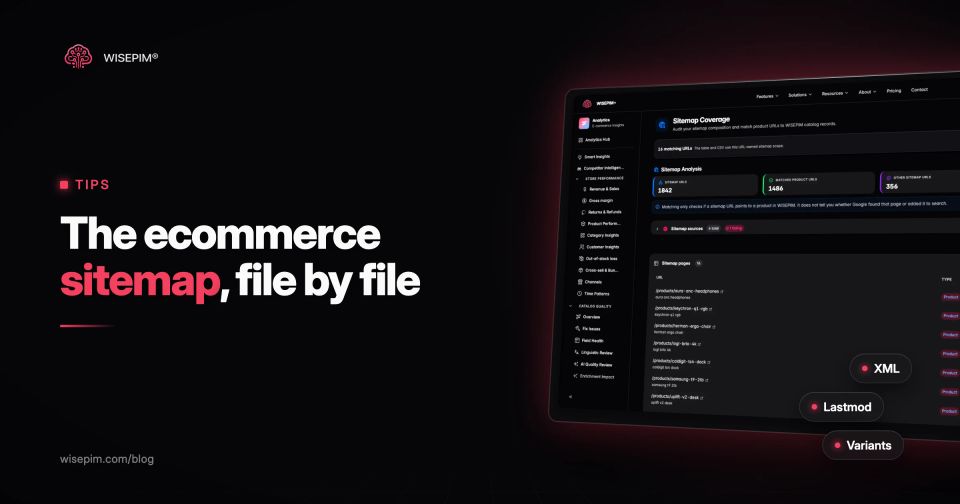
WISEPIM does not create or host your store's sitemap; your shop platform does. Its Sitemap Coverage analytics read the sitemaps you add in the SEO settings (or the Sitemap lines in robots.txt when you have not set one), follow index files to their child sitemaps, including gzipped ones, and match every URL to a product or category in your catalog. Other URLs are labeled as brand, blog, static or other pages. Per URL you see the type, the matched product, lastmod and priority as the sitemap states them, and per sitemap file whether the last fetch worked.
The reverse check, Missing from Sitemap, starts from the catalog: for every product listed in a connected store, it builds the expected shop URL and reports the products whose URL is not in the synced sitemap, with a platform filter and a CSV export. Neither view says whether Google indexed a page; that answer stays in Search Console. Together they catch the cases a crawler never reports: a product that is live in the store but missing from the file, and a sitemap full of URLs that match nothing you sell.