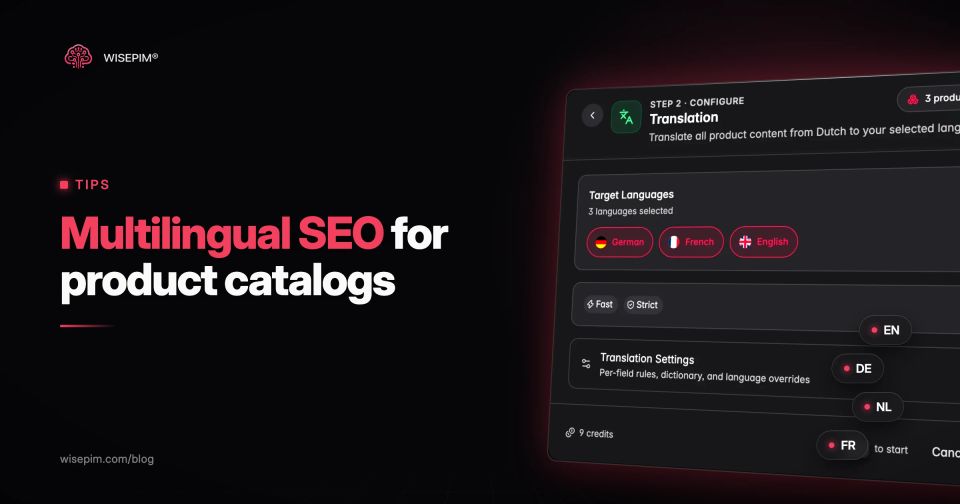
Multilingual SEO is the work of making every language version of your website rank for the people who search in that language. For an online store it comes down to five things: a separate, crawlable URL for each language, keywords researched in each language, pages that are fully translated (product data included, not only the theme), hreflang annotations that tie the versions together, and consistent technical signals such as canonical tags and sitemaps.
Most guides stop at the template. The harder part is the catalog. A store with 4,000 products in three languages has 12,000 product pages, and each one needs a translated title, description, meta tags, URL handle, attribute values and image alt text. This guide covers the standard setup step by step, then shows how to handle product data at that scale, with a worked example and the mistakes we see most often in multilingual catalogs.
One language in three countries, or two languages in one
Multilingual SEO targets languages. International (or multiregional) SEO targets countries. A German store that sells to Germany, Austria and Switzerland serves one language in three regions. A Belgian store with Dutch and French pages serves two languages in one country. Many European stores do both at once, which is why the same tools (URL structure, hreflang, localized content) cover both.
The distinction matters when you decide what to build. Two languages need two sets of translated pages. Two regions that share a language may only need different prices, currency, delivery terms and a few spelling differences, on top of the same translated content.
Why it pays to rank in the shopper's language
Shoppers buy in their own language. In a survey across 29 countries, CSA Research found that 76% of online shoppers prefer to buy products with information in their native language, and 40% never buy from websites in other languages. A store that only exists in English is invisible to that second group, however well it ranks in English.
Each translated page is also its own entry point in search. A shopper in Munich types Merino Socken, not merino socks. If your German product page does not exist, or exists with an English title, it cannot match that query.
Step 1: find the languages your traffic and orders already ask for
Start where you already have demand and can serve it. Three places tell you where that is:
- Google Search Console: the Performance report filtered by country shows where you already get impressions without translated pages.
- Google Analytics 4: the language and country dimensions show who visits and how they convert today.
- Order and shipping data: countries you already ship to, and where returns and customer service are realistic in the local language.
Pick one language first and do it completely. A full Dutch version of 800 products beats a half-translated version of 4,000 products in four languages, because the half-translated pages send mixed signals to search engines and shoppers alike.
Step 2: pick a URL structure for each language
Every language needs its own URL. Google's guide to managing multi-regional and multilingual sites lists four ways to do it:
Four URL structures for language versions
| Country-code domain | example.de | The clearest country signal, but each domain costs money, needs its own infrastructure and builds authority separately. |
|---|---|---|
| Subdomain | de.example.com | Easy to set up and can run on separate servers, but users may not know whether de means a language or a country. |
| Subfolder | example.com/de/ | Easy to set up, low maintenance on one host, and every language shares the authority of the main domain. |
| URL parameter | example.com?lang=de | Not recommended by Google. |
For most small and mid-size stores, subfolders are the practical choice: one domain, one platform, one set of backlinks. Country-code domains make sense when separate legal entities run each market or when the assortment differs so much that the stores are effectively different shops.
Two rules apply to every structure. Never switch language only through a cookie or a script, because search engines then see one URL with one language. And do not force visitors into a language with an automatic redirect based on their IP address or browser. Google warns that such redirects can stop users and search engines from reaching all versions of your site. Offer a visible language switcher instead.
Step 3: research keywords in each language, do not translate them
A translated keyword list is a starting point, not a result. Shoppers use different words for the same product, even within one language:
- English: sneakers in the US, trainers in the UK.
- Dutch: smartphone or mobiele telefoon in the Netherlands, gsm in Flanders.
- German: Handy for a mobile phone, a word English speakers would never search for.
- Sizes and units: EU shoe sizes, centimeters instead of inches, liters instead of fluid ounces.
A workflow that works for catalogs:
- List the 20 to 50 keywords that drive most of your traffic today, usually category names and product types.
- Translate each one as a seed, then check the local autocomplete suggestions and the top results in that country.
- Pick the term local shoppers and local competitors actually use, and note it per language.
- Save the chosen terms as a glossary so every translated title, description and category name uses the same word.
- After launch, check the Search Console queries per country and adjust the glossary where shoppers use another term.
The glossary is the step most stores skip. Without it, one product says Laufschuhe and the next says Joggingschuhe, and neither category page ranks for both.
Step 4: translate the whole product record
Google detects the language of a page from its visible content and does not use code-level hints such as the lang attribute, as its guide to multilingual sites explains. Its documentation on localized versions adds that pages in different languages are only treated as duplicates when the main content is left untranslated. A Dutch page with a Dutch description but English attributes, filters and specifications is a mixed-language page, which is exactly what you want to avoid.
Ten fields to translate, and four to leave alone
- Title (with the local product type term from your glossary)
- Description, short and long
- Meta title and meta description
- URL handle or slug, where your platform allows it
- Attribute values: color, material, fit, care instructions, compatibility
- Variant option names and values: Size, Color, Pack size
- Image alt text
- Category names, category descriptions and filter labels
- Units and size systems, converted where the market expects it
- Text inside structured data (name and description) in the language of the page
Keep a few fields untranslated on purpose: brand names, model numbers, SKUs and GTINs. Translating a model number creates a product nobody can find.
Merino socks in the English, Dutch and German store
Here is the same product as it should appear in the English, Dutch and German store. Note how the pack size and the percentage format change, not only the words.
One sock pack in three stores, field by field
| Title | Merino Wool Crew Socks, 3-Pack, Navy, Size 43–46 | Merinowollen sokken, 3 paar, marineblauw, maat 43–46 | Merino-Socken, 3er-Pack, Marineblau, Größe 43–46 |
|---|---|---|---|
| URL | /en/products/merino-crew-socks-navy | /nl/products/merino-sokken-marineblauw | /de/products/merino-socken-marineblau |
| Attribute color | Navy | Marineblauw | Marineblau |
| Attribute material | 80% merino wool, 20% polyamide | 80% merinowol, 20% polyamide | 80 % Merinowolle, 20 % Polyamid |
| Variant option name | Size | Maat | Größe |
| Alt text | Drie paar marineblauwe merinosokken, plat neergelegd | ||
| Meta description | Zachte merinosokken in een voordeelpak van 3 paar. Temperatuurregulerend, geurarm en in maat 43–46. Gratis verzending vanaf 50 euro. |
Every one of those lines is a separate field in your catalog. Multiply them by the number of products and languages and you see why translating attributes and options in a structured way matters as much as translating the description. Our post on translating product attributes into marketing copy goes deeper into that part, and attribute standardization explains why a fixed list of values per attribute makes translation far easier.
Step 5: connect the language versions with hreflang
Hreflang annotations tell Google which URLs are language or regional versions of the same page, so it can show a Dutch searcher the Dutch page and a Belgian French searcher the French one. Google's rules, from its localized versions documentation:
- Add the annotations in the HTML head, in HTTP headers or in the XML sitemap. The three methods are equivalent, so pick one.
- Every version lists itself and every other version. If two pages do not point to each other, Google ignores the annotations.
- Use absolute URLs, including https.
- Use an ISO 639-1 language code, optionally followed by an ISO 3166-1 Alpha 2 region code: nl, nl-BE, fr-BE, de-AT.
- A region code on its own is not valid. Use GB for the United Kingdom, not UK.
- Use x-default for the fallback page, often a language selector or your main language, for visitors whose language you do not serve.
A Belgian store with Dutch and French pages and a Dutch store for the Netherlands would use nl-NL, nl-BE, fr-BE and x-default on every product page. If the Dutch page serves both countries with identical content, a single nl value covers both. Our free hreflang generator builds the tag set for you and checks the codes.
Step 6: keep the technical signals consistent
Hreflang does not work in isolation. These signals have to agree with it:
- Canonical tags point to the URL in the same language. A Dutch page with a canonical to the English original tells Google to drop the Dutch page.
- One language per page. Navigation, footer, product data and reviews widgets in the page language.
- XML sitemaps include every language URL, not only the default language.
- Internal links stay inside the language. A Dutch category page links to Dutch product pages.
- The language switcher uses real links to the equivalent page (not the home page) and names languages in their own language: Nederlands, Deutsch, Français.
- Prices, currency and stock match the market the page targets.
- Structured data describes the page in its own language and currency.
Machine translation: where it helps and where it hurts
Machine and AI translation is how many stores make a large catalog multilingual at a realistic cost. Google's spam policies list scraping content to generate many pages, including "through automated transformations like synonymizing, translating", as an example of scaled content abuse where little value is provided to users. The target is low-value output at scale, not the use of a translation engine.
In practice that means:
- Feed the engine your glossary and brand terms, so product type names are consistent.
- Translate structured fields separately (attributes, options, units) instead of one block of text.
- Have a native speaker review your top categories and best-selling products, and sample the long tail.
- Check numbers, sizes and units after translation. A size table that loses a decimal is a returns problem.
- Lock fields that must never change, such as brand, model number and GTIN.
WISEPIM was built for this part of the job: it translates titles, descriptions, attributes and meta fields with AI (95%+ accurate) and pushes them to connected stores such as Shopify, WooCommerce, Magento 2, Lightspeed eCom and CCV Shop. Tackerplein, for example, used it to produce German translations in 6 weeks instead of the 4 to 6 months an agency would have needed, as described in the Tackerplein case.
Half-translated pages and other multilingual SEO slips
- Translated description, English everything else. Attributes, filters and size charts stay English, so the page reads as mixed-language.
- English URL handles on translated pages. Not fatal, but a missed chance to match local queries and a weaker click signal in search results.
- Variant names left untranslated. Shoppers filter on Maat or Größe, while the product says Size.
- Canonical tags pointing to the default language. The translated pages drop out of the index.
- Hreflang without return links. One version points to the other, the other does not point back, and Google ignores both.
- Region-only or invalid codes such as UK or EN-EU.
- New products launched in one language. The catalog drifts: 4,000 products in English, 3,400 in Dutch, 2,900 in German. Track translation coverage per language as a number.
- Forced IP redirects that stop Googlebot from crawling other language versions.
- Literal translation of product types instead of the term local shoppers search for.
Launch sequence for a new store language
Ten steps to launch one new language
If your catalog is the bottleneck, see how WISEPIM handles multilingual ecommerce: AI translation of every product field, 70+ languages, and publishing to your store from one place. The translation feature page shows how it works per field.
