The Omnibus Directive, Directive (EU) 2019/2161, is the EU law behind the 30-day price rule. For webshops its best known change is Article 6a of the Price Indication Directive 98/6/EC: any announced price reduction must show the prior price, and the prior price is the lowest price you charged in at least the 30 days before the reduction. Member States had to apply the new rules from 28 May 2022, so every EU sale, Black Friday deal and crossed-out price is already covered.
The directive, also called the New Deal for Consumers, changed more than prices. It added rules on fake and unverified reviews, ranking transparency on marketplaces, disclosure of personalized prices, the trader status of marketplace sellers, and maximum fines of at least 4% of annual turnover for widespread infringements that EU authorities tackle together. This guide goes through each rule, then gets practical for the run-up to Black Friday on 27 November 2026: what price data to store per product and channel, how to set strikethrough prices in Shopify, WooCommerce and Magento, and what to send in feeds.
What the Omnibus Directive changed for online sellers
Directive (EU) 2019/2161 is an amending directive: it rewrote parts of four existing consumer laws. The table lists the changes a webshop, marketplace seller or marketplace operator runs into, with the article each one sits in.
Omnibus Directive rules that reach webshops and marketplaces
| Prior price on reductions | Directive 98/6/EC, Art. 6a | Sellers of goods | Lowest price of at least the last 30 days next to every announced reduction |
|---|---|---|---|
| Review verification | Directive 2005/29/EC, Art. 7(6) | Anyone who shows consumer reviews | Whether and how you check that reviews come from real buyers or users |
| Fake reviews | Directive 2005/29/EC, Annex I 23b and 23c | Everyone | No "verified" claim without reasonable checks; no bought, fake or selectively edited reviews |
| Ranking parameters | Directive 2005/29/EC, Art. 7(4a) | Search across products of different traders | Main ranking parameters and their relative importance |
| Paid ranking | Directive 2005/29/EC, Annex I 11a | Anyone with search results | Clear label on paid ads or paid placement in results |
| Personalized prices | Directive 2011/83/EU, Art. 6(1)(ea) | Distance sellers | Tell the consumer when a price was personalized by automated decision-making |
| Trader status | Directive 2011/83/EU, Art. 6a | Online marketplaces | Whether the seller is a trader, and who handles which contract obligations |
| Fines | Directives 93/13/EEC, 2005/29/EC and 2011/83/EU | Widespread infringements in coordinated EU actions | Maximum fine of at least 4% of annual turnover, or at least EUR 2 million where turnover is unknown |
Article 6a in detail: what counts as the prior price
The Commission's guidance on Article 6a (2021/C 526/02) explains how the rule works in practice. The points that matter most for an online store:
- Any announcement counts. "Sale", "special offer" and "Black Friday offers" are price reduction announcements even without a percentage, so the prior price must be shown for each product they cover.
- Earlier promotions are included. The prior price is the lowest price in the 30 days, including any reduced price from an earlier promotion in that window.
- The percentage must be calculated from the prior price. If the lowest price in the last 30 days was EUR 100 and the price just before the sale was EUR 160, "50% off" means EUR 50, not EUR 80. The Court of Justice confirmed this in case C-330/23 on 26 September 2024: a percentage or a promotional statement that highlights the advantage must be based on the prior price.
- Each channel has its own prior price. If you sell at different prices in different shops, the prior price per channel is the lowest price you charged in that channel.
- A general banner is fine. "20% off all coats" does not need the prior price on the banner itself, but each coat's product page or price tag does.
- Not everything is a reduction. Ongoing loyalty programs, personal vouchers sent after a purchase and claims such as "lowest prices" fall outside Article 6a; they are judged under the Unfair Commercial Practices Directive. A discount code that is open to everyone, or to most customers, is a reduction and needs the prior price.
- Goods only. Article 6a covers goods sold to consumers, not services or digital content, and it applies to the seller, not to a marketplace that only hosts the offer.
You may show other reference prices as well, such as "our regular price outside promotions was EUR 120", provided they are clearly explained and do not distract from the prior price. Comparisons with a recommended retail price are not reductions under Article 6a and need their own care; the MSRP guide covers that case.
Perishables, new arrivals and progressive reductions
Article 6a lets each Member State make three exceptions: different rules for goods that deteriorate or expire quickly, a shorter period for products on the market for less than 30 days, and for a reduction that is progressively increased (10%, then 20%, then 30% off), the price before the first step as the prior price throughout. Check your national law: the Netherlands uses all three, according to the Dutch regulator ACM.
Read the progressive exception narrowly. The Commission states that successive campaigns in one 30-day period, with Black Friday, Cyber Monday and Christmas sales as its examples, are not progressive reductions. If the price goes back up between campaigns, each new campaign uses the lowest price of the past 30 days, which includes the previous campaign's sale price. A product that returns after being out of stock or out of season is not a new arrival either.
Worked example: one coffee grinder from an October promotion to Cyber Monday
Take an illustrative burr grinder with a regular price of EUR 129. The timeline shows how its price history decides what you may print on Black Friday and Cyber Monday.
Illustrative price history: burr coffee grinder
- 1
From September
Regular price EUR 129
The grinder sells at EUR 129 in the webshop.
- 2
12 to 18 October
Autumn promotion at EUR 109
A one-week promotion, then the price returns to EUR 129 on 19 October.
- 3
28 October to 26 November
The 30-day look-back window
The 30 days before a Black Friday reduction on 27 November. The October promotion falls outside it, so the lowest price in the window is EUR 129.
- 4
27 November
Black Friday at EUR 99
Show EUR 99 with EUR 129 as the prior price: 23% off, calculated from EUR 129.
- 5
28 November
Back to EUR 129
The Black Friday price ends after one day.
- 6
30 November
Cyber Monday at EUR 105
The lowest price in the last 30 days is now EUR 99, so EUR 105 cannot be announced as a reduction at all.
Two variations change the outcome. If the autumn promotion had run from 2 to 8 November, it would sit inside the window: the prior price on Black Friday becomes EUR 109 and the reduction shrinks to 9%. And if you want a Cyber Monday deal, either keep the Black Friday price running and say it is an extension of the same campaign, or set a Cyber Monday price below EUR 99 and show EUR 99 as the prior price.
Before you choose discount depths, check what each one leaves you per order. The contribution margin guide works out what remains after payment fees, shipping and marketplace commission, and psychological pricing covers which price endings to use once the depth is set.
Price records to keep per product and per channel
The rule is easy to state and hard to apply without data, because you need to know the lowest price of every product in every channel on the day a campaign starts. Shops that fail usually have the current price and a manually typed "was" price, but no dated history. Work through this list before the campaign prices go in:
Price data to have in place before a reduction goes live
Strikethrough prices in Shopify, WooCommerce and Magento
Each platform shows a strikethrough by putting a higher reference price next to the current one. None of them calculates a 30-day lowest price by default, so the number you put in that field has to come from your price log:
- Shopify: the Compare-at price is struck through, and it only shows when it is higher than Price. To comply, set compare-at to the 30-day lowest price, not to the original list price. Clear the field when the sale ends, and keep it consistent across variants: Shopify notes that a mix of 0.00, empty and different compare-at values stops collection pages from showing the product as on sale.
- WooCommerce: the Regular price is struck through next to the Sale price, which can be scheduled with from and to dates. If the regular price is not the 30-day low because of a recent promotion, the struck price is wrong; show the correct prior price in the product page text and base the percentage on it, or wait until the earlier promotion is more than 30 days old.
- Magento 2: the Special Price with Special Price From and To dates shows against the regular price. The same check applies: the regular price shown must be the lowest of the last 30 days.
sale_price in Google Shopping and prices on marketplaces
In a Google Shopping feed, `price` stays the full price, `sale_price` holds the lower price and `sale_price_effective_date` sets the window; without the date range the sale price applies immediately. The landing page has to show both prices and match the feed, or Merchant Center flags a mismatched price.
Google also runs its own check before it shows a strikethrough in Shopping results. According to its sale price annotation rules, in countries such as the Netherlands, Germany, France, Italy and Spain the base price must have been valid for 30 days within the past 200 days, and the discount must be more than 5% and less than 90%. Passing Google's check does not make a reduction compliant with Article 6a, and the reverse is not guaranteed either, so set the feed `price` to the same prior price your product page shows.
On marketplaces, you are the seller under Article 6a, not the platform. Your offer price history on each marketplace is its own channel, with its own 30-day low, and a reduction you announce on bol or Kaufland needs a prior price from that marketplace's history, not from your webshop.
Reviews, search rankings and personalized prices
The other Omnibus changes are less visible but apply to the same pages.
Showing how you check consumer reviews
If your product pages show reviews, you must say whether and how you make sure they come from people who bought or used the product. The directive's recitals add that consumers should learn how reviews are processed, for example whether all reviews, positive and negative, are published and whether any are sponsored. A short "How we handle reviews" note linked from the review block covers this. Calling reviews "verified" without reasonable checks, buying fake reviews or hiding negative ones is banned outright.
Ranking transparency and paid placement
Platforms that let consumers search products from different traders, such as marketplaces and comparison sites, must explain the main parameters that decide the ranking of search results and their relative importance, in a section reachable from the results page. Paid ads or paid placement in search results must be clearly labeled, for any trader that shows such results.
Personalized prices and marketplace trader status
If a price is personalized on the basis of automated decision-making, such as a profile of the shopper, the consumer must be told. Dynamic pricing that changes for everyone with demand is not personalization and does not need this notice. Marketplaces must also tell consumers whether the seller is a trader, based on the seller's own declaration, and that EU consumer rights do not apply when buying from a non-trader. The Digital Services Act guide covers the trader details marketplaces now collect.
Fines and enforcement: the 4% ceiling and fake-discount cases
For widespread infringements handled in a coordinated EU action under Regulation (EU) 2017/2394, the directive requires national fines with a maximum of at least 4% of the trader's annual turnover in the Member States concerned, or at least EUR 2 million where turnover figures are not available. That ceiling is written into the unfair contract terms, unfair commercial practices and consumer rights directives, not into the Price Indication Directive. For price indication breaches as such, Member States set effective, proportionate and dissuasive penalties themselves, and authorities can also treat a fake reduction as a misleading practice.
Enforcement is real. The Dutch ACM fined five webshops a total of EUR 621,000 for discounts calculated from the wrong "was" price, announced in June 2024. One example from the ACM: a product advertised "from EUR 699 for EUR 629" had sold for EUR 539 in a promotion within the previous 30 days. In a check before the 2025 holiday season, the ACM found misleading price indications at 18 of 24 large sellers and named Black Friday, Sinterklaas and Christmas as the periods it watches.
Sale prices and sale windows across channels in WISEPIM
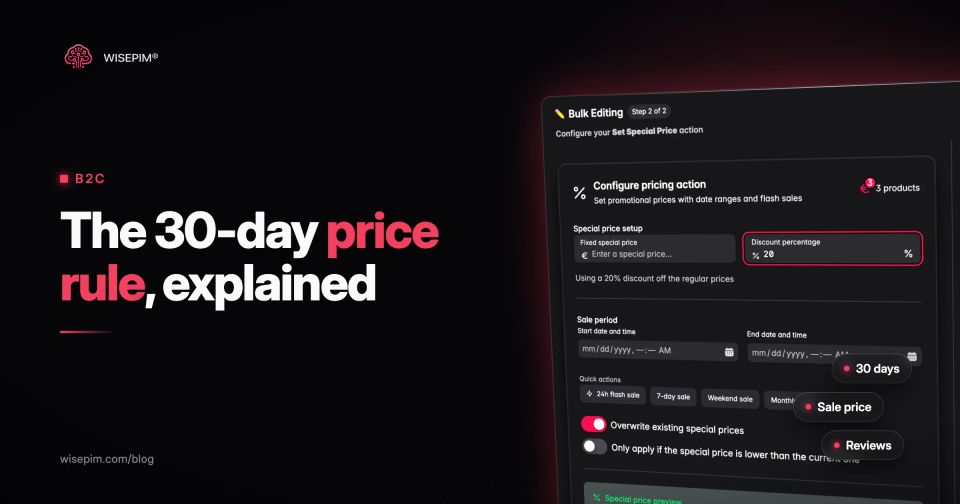
WISEPIM stores a regular price and a special price with a start and end date per product, and the Set Special Price bulk action sets a fixed sale price or a percentage off for a selection, with a sale period. Channel pricing rules can then change prices per channel at export without touching the stored price. On export, the active sale price goes out in each platform's own format: Shopify gets the sale price as Price with the regular price as Compare-at price, WooCommerce gets the sale price with its from and to dates, Magento 2 the special price with its dates, and the Google Merchant Center connection and the Feed Hub Google Shopping feed send `sale_price` only while the sale window is active. Shopify has no sale dates of its own, so there the sale starts and ends with the first export after the window opens or closes.
One limit matters for Omnibus: WISEPIM does not keep a price history or calculate a 30-day lowest price. The struck-through price it exports is the regular price (after channel rules), so it is only the legal prior price when that regular price has not been lower in the last 30 days. Take the 30-day low from your shop platform, ERP or a dated price log, and if it is lower than the regular price, adjust the regular price or the campaign before the sale starts. The Black Friday checklist puts this check into a four-week plan to 27 November.