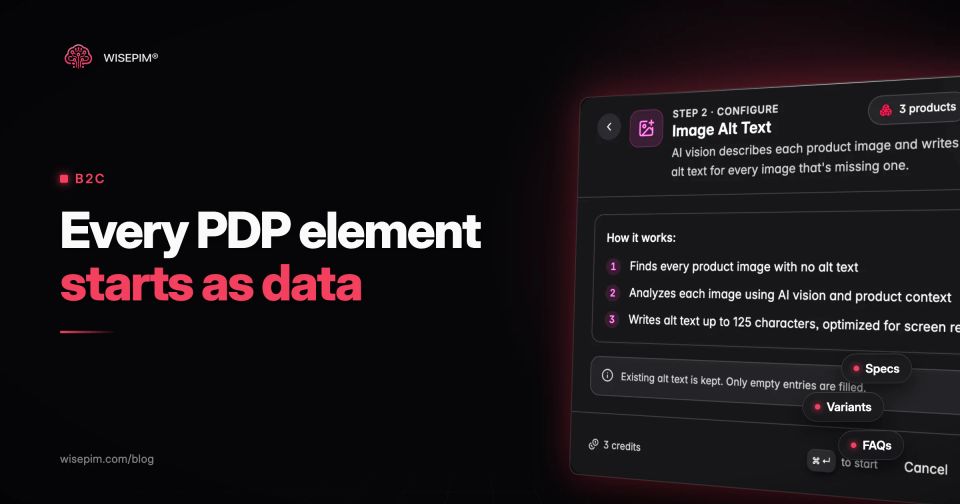
A product detail page (PDP) is the page for one product in an online store: the place where a shopper decides whether to add it to the cart. A complete PDP shows a clear title, images, price and stock, a variant picker, a description, a specification table, size or fit information where relevant, reviews, answers to common questions, delivery and returns details, and structured data for search engines.
Almost every one of those elements is rendered from a field in your product data. The theme decides where things go; the catalog decides what is there. This guide takes the PDP apart element by element, shows which fields feed each block, and gives you a checklist to audit one product against its record. It covers content, not layout.
The PDP element map: what each block shows and which fields feed it
There is a lot of room for improvement. In Baymard Institute's product page benchmark of 344 leading US and European ecommerce sites, only 49% had an overall "decent" or "good" product page UX, while 51% were "mediocre" or worse. Many of the issues it describes are missing or inconsistent content rather than design.
Product detail page elements and their data sources
| Title | Is this the right product? | Brand, product type, key attribute, variant value | PIM or catalog |
|---|---|---|---|
| Images and video | What does it look like, in use and up close? | Image set, order, alt text, video URL | PIM or DAM |
| Price and unit price | What will it cost? | Price, sale price, VAT rate, net content | Store platform or ERP |
| Stock and delivery | When will it arrive? | Stock level, lead time, shipping class | Store platform or ERP |
| Variant picker | Is my size or color available? | Option names, option values, swatch, variant image | PIM or catalog |
| Description and highlights | Why this one? | Description, bullet highlights | PIM or catalog |
| Spec table | Does it fit my needs? | Attributes with units, grouped | PIM or catalog |
| Size and fit | Which size do I order? | Size chart, measurements, fit type, model size | PIM or catalog |
| Reviews | What do other buyers say? | Rating, review text, linked by product ID or GTIN | Review app |
| FAQ | Will it work for my case? | Question and answer pairs | PIM or catalog |
| Structured data | (Search engines) | Name, image, price, GTIN, brand, size, color | Theme or app, from the fields above |
The last column matters when you fix things. A missing spec is a catalog job; a wrong delivery promise is an operations job; a broken star rating is usually an ID mismatch between the store and the review app.
Above the fold: title, price, stock and the variant picker
The top of the page answers three questions before any scroll: what is it, what does it cost, and can I get it in my version. Take a women's waterproof hiking jacket sold in three colors and six sizes, 18 variants in total.
Title built from attributes
"Alpine Shell Women's Waterproof Hiking Jacket" works because each word comes from a field: brand or line name, gender, a key property, product type. If the selected color appears in the title or under it, it should come from the variant value, not be typed into the name. Wording and length rules are in our title optimization guide.
Price, unit price and a stock message
Show the price including VAT for consumers in the EU, a sale price only with the original next to it, and a unit price for anything sold by weight, volume or length. The stock message ("In stock, ships tomorrow" or "Back on 12 November") comes from stock and lead time fields. A PDP that says in stock for a variant that is not is one of the fastest ways to earn a cancellation.
Variant options that match how people shop
The variant picker needs clean option names (Color, Size), consistent option values ("Forest green", never "Green" on one variant and "forest" on the next), a swatch or image per color, and stock per variant so sold-out sizes can be shown as such. Our variant management guide covers how to structure parent and child records.
Product images: the block most shoppers open first
In Baymard's testing, 56% of users explored the product images as their first action on a product page. The same research found that 52% of sites did not use descriptive text or graphics in images for their top-selling products, such as a callout showing which seam is taped or how thick a mattress is.
For the jacket, a useful image set is: front and back on a plain background, on a model with the model's height and size in the caption, a close-up of the fabric and zipper, the hood adjusted, and a shot that shows the jacket packed. Each color variant needs its own front image, so the picker can swap it. Every image gets alt text that describes what is in the frame.
Many catalogs are far from this. In our State of Product Data report, the median catalog of the 50 analyzed had one image per product at import, and on average 36% of a catalog's products had none.
What a PDP would lack if published straight from import
| Element missing | Share of products |
|---|---|
| No category | 64% |
| No image | 36% |
| No description | 25% |
Description and highlights: short, specific, and not a copy of the specs
The description explains who the product is for and what it does well, in sentences. Highlights (three to five bullets near the price) pick the facts that decide the purchase: "Fully taped seams", "Helmet-compatible hood", "Packs into its own pocket". Both should agree with the spec table, word for word on numbers. The same report found that the median catalog's median description was 25.5 words at import, too short to do this job. How to write descriptions that rank and convert is covered in the SEO product descriptions guide.
Specification tables shoppers can scan and compare
Baymard's spec sheet research rates 64% of ecommerce sites' spec sheets as poor or mediocre, and finds that 30% of sites have severe issues with specs across products of the same type. That second problem is a data problem: one jacket lists "Waterproofing: 20,000 mm" and the next says "20k" in the description and nothing in the table.
- Group the specs. Materials (shell, membrane, lining), Performance (waterproof rating, breathability), Fit (fit type, length), Care, Weight.
- Use the same attribute set for every product of a type. All shell jackets share one attribute family, so the table has the same rows on every page.
- Store numbers with units. 380 g, 20,000 mm, not "light" or "very waterproof".
- Explain jargon where it matters. A one-line tooltip on hydrostatic head saves a support email.
- Show weight and measurements per size when they change, or state which size they refer to ("380 g, size M").
Size and fit details for apparel, shoes and furniture
Baymard's apparel benchmark found that 83% of desktop and 87% of mobile apparel sites fail to provide sufficient sizing information. For the jacket that means a size chart in centimeters and inches with chest, waist and back length, the fit type (regular, slim, relaxed), whether it is meant to layer over a fleece, and the model's height and the size they wear.
Store measurements as structured values per size rather than as an image of a table: they can then be shown per selected size, translated and reused in feeds. For furniture, the equivalent is assembled dimensions, the smallest door the box will fit through, and seat height.
Reviews and ratings come from another system
Review text and star ratings live in your store platform or a review app, not in your catalog. The catalog's job is to make them land on the right page. That means a stable product ID across systems, a decision on whether reviews are shared across all variants of a parent (usually yes for color, sometimes no for a different model), and a GTIN so syndicated reviews from a retailer can match. When you merge two near-identical products, plan where their reviews go first.
Answering pre-purchase doubts with product FAQs
An FAQ block on a PDP catches questions that do not fit a spec row: "Does the hood fit over a climbing helmet?", "Can I wear it for skiing?", "Is the inner pocket big enough for a phone?". Good sources are customer service tickets, return comments and marketplace questions. Keep store-wide answers (shipping, returns) on a policy page or category level, not repeated per product.
Write these answers for shoppers, not for rich results: Google's Search documentation updates log records that FAQ rich results stopped appearing in Search on May 7, 2026, and that their documentation was removed on June 15, 2026. WISEPIM's Product FAQs generate questions and answers per product with AI, hold doubtful suggestions for review, add category-level questions where a product has few of its own, and can append the FAQ block to the description on export, with FAQ markup.
Delivery, returns and trust details next to the buy button
Shoppers look for delivery time and cost, the returns window and who pays return shipping before they add to cart. Most of this is store policy, so render it from a shared snippet rather than per-product text. The exceptions are product-level: oversized items with a freight surcharge, made-to-order items with a longer lead time, hygiene products excluded from returns. Those need a field on the product (shipping class, lead time, return exception) so the PDP and the checkout say the same thing.
Product structured data built from the same fields
Product markup tells search engines what the page sells. For merchant listings, Google requires a name, an image and an offer with a price and currency, and recommends GTIN, brand, size, color, shipping details and a return policy. Variants can be marked up as a product group with each variant linked to it. Every value has to match what the page shows.
Because the markup reuses the same fields as the visible page, clean product data is most of the work. The markup itself usually comes from your theme or an app; you can test a block with the free product schema generator. The SEO side of the PDP, from title tags to canonicals for variants, is in our product page SEO guide.
Localized PDPs: the fields that change per language and market
Selling the jacket in Germany or France takes more than a translated description. Every text field on the page needs a language version, and some values change by market rather than by language. In a 2020 survey of 8,709 consumers in 29 countries, CSA Research found that 76% of online shoppers prefer to buy products with information in their native language, and 40% never buy from websites in other languages.
- Translated: title, description, highlights, spec labels, option values ("Forest green" becomes "Waldgrün"), image alt text and FAQs.
- Converted: size systems (EU, UK, US), centimeters or inches, and number formats (380.5 g in English, 380,5 g in German).
- Set per market: price and currency, VAT rate, delivery promise, and legal details such as unit prices and the returns window.
- Never changed: SKU, GTIN, brand and numeric attribute values stored with their units.
Store option values as structured values with a translation each, not as free text per language, or the picker shows "Waldgrün" on one size and "Forest green" on the next. WISEPIM's AI translation translates titles, descriptions, attributes and option values per language, at 95%+ accuracy, so each localized page is built from the same record as the original.
Auditing one PDP against its product record
Pick a best-seller and a long-tail product from the same category and walk through both pages next to their records. Gaps on the long-tail page usually show what the whole category is missing.
PDP data audit for one product
For a short definition to share with your team, see the product detail page entry in our dictionary. WISEPIM keeps the catalog side of the PDP complete: product families that give every product of a type the same spec rows, AI enrichment for missing descriptions, attributes and alt text, quality scores that flag gaps per product, and Product FAQs, published to your store from one record.
