Supplier onboarding at a wholesaler runs on two tracks. Purchasing and finance handle the vendor side: contract, VAT number, bank details, compliance documents. The product data track decides whether the supplier's articles can actually be sold: every article needs an identifier, a classification, technical features, units, prices and images in the shape your ERP, webshop and customers expect.
The product data track comes down to five steps: send a data delivery spec before the first file, triage that first file within a day, map and normalize it into your article model, hold it behind quality gates until it passes, then keep every later delivery in the same shape. This post covers those five steps for a technical wholesaler, with a spec template you can copy and a go-live checklist. For a comparison of onboarding software, see the supplier onboarding platforms guide.
Vendor setup and article data are two separate projects
Most supplier onboarding checklists online stop at the vendor record: tax forms, insurance certificates, payment terms, a code of conduct signature. That work matters, but it says nothing about the 4,000 articles the new supplier is about to send. A supplier can be fully approved in your ERP while its first price list still has GTINs in scientific notation and the rated current hidden in the description.
Give the two tracks separate owners. Purchasing owns the commercial agreement. The product data or e-business team owns the delivery spec, the mapping and the go-live decision for the articles. When both run under one checklist, the data side tends to get one line ("product data received") and the problems surface later, when an installer orders the wrong breaker.
The first 30 days of article data from a new supplier
- 1
Day 0
Spec goes out with the agreement
Send the data delivery spec when purchasing sends the contract, not after. Name a data contact on both sides.
- 2
Week 1
First file and triage
Check row count, identifiers, fill rates and units within one working day. Send the supplier row-level findings, not a general complaint.
- 3
Week 2
Mapping and normalization
Map columns to your fields, supplier categories to ETIM classes, and supplier values to your value lists. Save the mapping per supplier.
- 4
Week 3
Corrected file and quality gates
Re-import the fixed file. Articles that fail a blocking rule stay out of your channels; warnings go to a fix list.
- 5
Week 4
Go-live of the core range
Publish the articles that pass. Agree the delivery rhythm for prices, stock and new articles.
- 6
Day 30 onward
Repeat deliveries
Every new file runs against the saved mapping, and column changes are caught before they reach your catalog.
The data delivery spec: one page the supplier gets before any file
A request like "send us your product data" produces whatever the supplier's ERP happens to export. A delivery spec names every field, its format, whether it is required and an example value. It is the single document you point to when a file is rejected, so keep it short enough that the supplier's data person will actually read it.
The template below uses a miniature circuit breaker as the example article. The ETIM codes are real codes from ETIM 10.0: class EC000042 is "Miniature circuit breaker (MCB)", feature EF000227 is "Rated current" in ampere, and EF000889 "Release characteristic" takes values from a fixed list, where EV000084 means "C". The article number, prices and pack sizes are illustrative, and the GTIN is GS1's demonstration number.
Data delivery spec template for a technical wholesaler
| Supplier article number | Text, unique per supplier, never reused for another article | Yes | MCB-1C16-6 |
|---|---|---|---|
| GTIN | One GTIN per orderable unit (GTIN-13, or GTIN-14 for a case you sell as one unit), valid GS1 check digit, delivered as text | Yes | 9506000134352 |
| Brand and manufacturer | Text, one spelling per brand | Yes | (brand name) |
| Manufacturer part number | Text, exactly as printed on the product | Yes | 1C16-6KA |
| Short description | Plain text, your length limit, no marketing claims | Yes | MCB 1P C16 6 kA |
| ETIM class | EC code plus the ETIM release it belongs to | Yes | EC000042 (ETIM 10.0) |
| ETIM features | EF code with an EV code for list values, or a number with the class unit | Yes, per your class list | EF000227 = 16 (A); EF000889 = EV000084 |
| Order unit and content | Unit code plus quantity per order unit | Yes | Piece, 1 |
| Minimum order quantity and multiple | Whole numbers in order units | If not 1 | 12 and 12 |
| Net price and price unit | Decimal with a fixed separator, currency, and the quantity the price applies to | Yes | EUR 7.40 per 1 |
| Price valid from | Date in YYYY-MM-DD | Yes | 2027-01-01 |
| Weight and dimensions | Numbers in kg and mm, one unit per column | Yes | 0.12 kg; 85 x 18 x 70 mm |
| Country of origin | ISO 3166-1 alpha-2 code | Yes | DE |
| Lifecycle status | Active, phase-out or discontinued, plus successor article | Yes | Active |
| Images | File named by GTIN, at least 900 x 900 px, white or transparent background | Main image yes | 09506000134352_A1N0.jpg |
| Documents | URL or file per document type: data sheet, manual, declaration of conformity | Data sheet yes | datasheet_MCB-1C16-6.pdf |
| Long description | Plain text per language you sell in | Per market | NL and FR for Belgium |
Three rows cause most of the rework, so explain them in the spec itself. The price unit: a cable tie priced "EUR 4.10" can mean per piece or per 100, and a missing price unit turns into a margin problem the day the article goes live. The ETIM release: an EC code means little without the release it came from, because classes and features change between releases (the ETIM classification walkthrough covers picking a release and mapping supplier groups to classes). The image rules: the GS1 Product Image Standard (release 5.1, September 2026) sets 900 x 900 to 2,400 x 2,400 pixels for web product images and names files by the GTIN written as 14 digits plus an image code: A1N0 is the primary web image, front view, no plunge angle, out of its packaging. That gives you a rule the supplier did not invent.
Which ETIM features you require per class is your call. ETIM classes are large (EC000042 lists 27 features in ETIM 10.0), and requiring all of them for every class stalls the first delivery. Start with the features your customers filter on and your webshop shows, mark the rest as optional, and raise the bar later. The ETIM guide explains classes, features, values and units in more depth.
File rules that prevent a week of cleanup
- One row per orderable article, with one header row of fixed column names. A renamed column breaks a saved mapping, so column names are part of the spec.
- Encoding and separators stated: UTF-8, semicolon-separated, decimal comma or decimal point, but one of them for the whole file.
- Identifiers as text. Excel shows a 13-digit GTIN as 8.71E+12 and drops leading zeros, and a CSV saved from that sheet keeps the damage.
- Units in their own column or fixed by the column name. "600", "60 cm" and "600 mm" in one width column is three formats for one fact (see unit of measure).
- Empty means empty. Placeholders like "-", "n/a", "x" or "TBD" look filled to a script and empty to a customer.
- No merged cells, formulas or color coding that carries meaning. A red cell for "discontinued" is lost the moment the file is read.
Triage of the first file: what to check in the first hour
The first file tells you how far the supplier is from the spec, and whether you are looking at a quick fix or a month of back-and-forth. Run these checks before anyone starts mapping:
- Row count against the agreed range. If you expected 3,800 articles and got 1,200, ask before you work on a partial file.
- GTIN check digits. Every GTIN ends in a check digit calculated from the other digits. GS1's own example: for 629104150021, multiply the digits alternately by 1 and 3 from the left, add the results (57) and subtract from the next multiple of ten (60), which gives 3, so the full GTIN-13 is 6291041500213 (GS1). A failed check digit is almost always a typing or Excel error.
- Duplicates. One GTIN on several articles, or one supplier article number on two rows with different prices.
- Fill rate per column per product group. A column that is 90% filled overall can be empty for an entire product group. Count placeholders as empty.
- Specs that live only in the description. "IP44" or "6 kA" in the short text while the feature column is blank means the data exists but needs extracting.
- Class coverage. How many rows carry an ETIM class at all, and which supplier categories have none.
Send the supplier the result as a list of rows and problems: "rows 214 to 260: GTIN fails check digit", "column Breedte: three unit notations". Row-level findings get fixed; "your data quality is poor" gets a defensive reply. If you want a second pair of eyes on one difficult file, WISEPIM's free data readiness check has a person go through a single supplier file on completeness, units, identifiers, translation readiness and channel readiness, and walk you through the findings on a call.
Mapping the supplier's columns and values onto your article model
Mapping happens at three levels, and each needs its own decision log so the next delivery runs the same way.
- Columns to fields. "Artikelnr", "Art. no." and "SupplierItem" all go to your supplier article number field. Columns you do not use are left out on purpose, not by accident.
- Categories to classes. The supplier's own groups ("Beveiliging > Automaten") map to ETIM classes, so that the features and value lists follow from the class.
- Values to value lists. "RVS", "rvs", "stainless steel" and "Inox" become one material value; "16A" and "16 A" become the number 16 in the class unit.
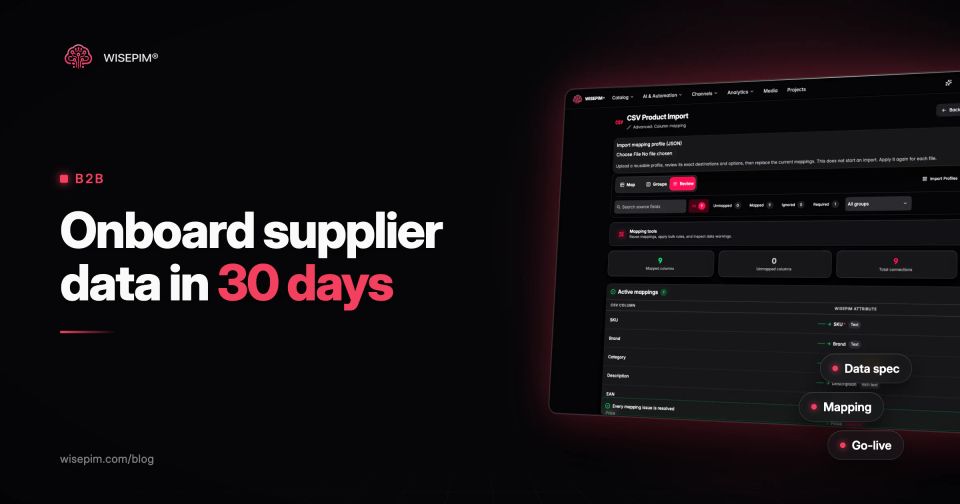
In WISEPIM, the CSV and Excel import reads UTF-8, ISO-8859-1, Windows-1252 and UTF-16/32 files (and repairs mixed UTF-8 and Windows-1252), detects comma, semicolon, tab, tilde and pipe delimiters, and opens .xlsx and .xls. The column and value mappings are saved as an import profile, and a supplier profile turns that into a repeatable delivery. With the Classification module switched on, Mapping review suggests which of your own attributes match which ETIM features, and a person approves every suggestion before it is used.
Quality gates before the articles go live
A quality gate is a rule an article must pass before it is published to a channel. Split your rules into two kinds: blocking rules, where an article that fails stays out of the webshop and the customer feeds, and warnings, where it goes live but lands on a fix list. Keep the blocking list short, or nothing goes live in week four.
Typical blocking rules for a technical wholesaler are a valid GTIN, a price with a price unit, an ETIM class, the required features for that class, and a main image. In WISEPIM these are Quality Guard rules, which can block, warn or skip, and the ETIM Conformance score shows per article how many of the class features carry a valid value.
Go-live checklist for a new supplier's articles
Later deliveries: price files, new articles and changed columns
Onboarding does not end at go-live. The supplier will send price updates, new articles, discontinued articles and, sooner or later, a file with a column renamed or added because someone changed their ERP export. The risk is that a changed file quietly overwrites good data.
Agree the rhythm in the spec: how often prices change and how far ahead they are announced, how new articles are flagged, and what counts as discontinued. Then check every repeat delivery against the previous one before it is imported, not after.
WISEPIM has two tools for this. A supplier profile under "Repeat supplier delivery" compares each new file with the last accepted one and lists added, missing and reordered columns. Possible renames are never matched automatically, and manual values, deliberate clears and other languages stay protected. For recurring stock and price lists, the "Sync supplier stock and prices" Catalog Job reads the supplier's list by upload, from a link (with or without a login) or from an FTP or SFTP server, matches rows by SKU, EAN or manufacturer part number, updates stock and prices, and shows which products are new or gone. A code that fits two products is never used, the job can stop when a file looks different, and it never deletes or unpublishes a product. Suppliers do not log in to WISEPIM: they keep sending files the way they already do.
Telling a supplier their file failed, without starting a fight
Most suppliers want their articles listed as much as you do; they just do not know your rules. A rejection works when it is specific, fair and repeatable:
- Point to the spec row, not to a general standard: "GTIN, format rule: delivered as text".
- Give example rows from their own file and the count of rows affected.
- Separate blockers from warnings, so they fix what stops go-live first.
- Version the spec with a date, and announce changes before you enforce them.
- Accept the formats they can produce. A supplier that already delivers ETIM-classified data to a pool such as 2BA, or sends BMEcat with ETIM features, is often closer to your spec than one sending a hand-made Excel file, even if the file is harder to open.
The work pays back on the second delivery. Once the spec, the mapping profile and the quality gates exist, a new price file is a review of what changed instead of a fresh project. If your supplier files arrive as CSV or Excel, the product import and Catalog Jobs pages show how WISEPIM handles the mapping and the recurring syncs.