B2B2C stands for business to business to consumer. A company sells or supplies its products to another business, and that business sells them on to consumers. A brand that sells through online retailers, a seller that lists on a marketplace and a manufacturer whose products appear in a bank's loyalty shop all work in a B2B2C model: two businesses share the sale, and one of them faces the shopper.
The short answer to what changes compared with selling direct: the brand still makes the product and usually sets the recommended price, but the partner runs the checkout, holds the order and often owns the customer relationship. That shifts the brand's main lever to what it hands over: product data, images, prices and stock. This guide covers the four B2B2C models product sellers actually use, how they compare with B2B, B2C and D2C, who owns the customer in each, and the product record a partner needs from you.
B2B2C next to B2B, B2C and D2C
The four labels describe who sells to whom. The useful differences for an e-commerce team are who sees the shopper, who sets the consumer price and where the product content on the page comes from.
Four selling models compared for a product brand
| B2B | Nobody: the buyer is a business | The seller (business accounts) | Seller, via price lists and contracts | Seller's catalog, price list, spec sheets |
|---|---|---|---|---|
| B2C | A retailer selling its own stock | The retailer | The retailer | The retailer, often rewritten from supplier data |
| D2C | The brand itself | The brand | The brand | The brand |
| B2B2C | A partner business (retailer, marketplace, program) | Usually the partner | Partner, or the brand within a recommended price | The brand's master data, adapted per partner |
D2C and B2B2C are not opposites. Most brands run both: a direct-to-consumer webshop for full-price sales and brand control, and partners for reach. The tension between them, mostly about price and which channel gets new products first, is part of running B2B2C well.
Four B2B2C models product sellers run
Most definitions stop at "a business sells through another business". In practice the model you pick decides who ships, who handles returns and how much of your product content survives the trip to the shopper.
Wholesale to online retailers
The classic version. A brand sells stock to retailers at a wholesale price, and each retailer lists the products in its own webshop and stores. The retailer owns the stock, the order and the customer. The brand's influence is the recommended retail price, the assortment it offers and the quality of the data it sends with the stock. Our comparison of wholesale vs retail covers the pricing math on both sides.
Marketplace selling
A brand or retailer lists products on a platform that owns the traffic and the checkout. Zalando's Partner Program, for example, says it connects partners with around 52 million active customers across Europe and lists 25 country markets (Zalando Partner University). In the Netherlands and Belgium, bol counts about 14 million customers and more than 43,000 sales partners (bol). The seller usually keeps control of price and stock, while the marketplace sets the listing rules, the content format and how buyers and sellers communicate.
Drop-ship and connected catalogs
Here the retailer sells products it never stocks. The supplier shares its catalog, the retailer imports the products into its store, and the supplier ships each order. Shopify Collective is a built-in example: retailers "import complementary products directly from suppliers" that also use Shopify, and suppliers create price lists and share products for retailers to sell (Shopify Help Center). The supplier's product data is published almost unchanged, so its errors become the retailer's errors.
Embedded and partner programs
Products sold inside another company's offer: an employee benefits shop, a loyalty points catalog, a corporate gifting platform or a subscription box. The partner picks a small assortment, often wants its own prices and photos in a fixed format, and keeps the end customer entirely. Volumes per partner are smaller, but each one needs a clean feed or file in its own layout.
Who owns the customer in each B2B2C setup
Customer ownership is the trade-off at the heart of B2B2C. The partner brings the shopper and in return keeps most of what you would learn from them. Before you sign, ask for each partner what you will get back:
- Order data. Retailers rarely share order lines; marketplaces show you your own orders; partner programs often send only a monthly sales report.
- Customer contact. On a marketplace you answer questions through its system, on its schedule. bol, for example, expects a reply to a customer question within 1 working day (bol Partner Platform). A wholesale retailer handles its own customer service.
- Returns and reasons. Ask whether return reasons come back per product. A wrong size chart or a misleading color name shows up there first.
- Reviews and questions. Reviews on a retailer's site belong to the retailer. They are still free product feedback, so collect them.
The less a partner shares, the more your listing has to do on its own. When you cannot follow up with a shopper, the product page is the only conversation you get.
How product data travels from brand to shopper
In a B2B2C setup one product record feeds several storefronts you do not control. The brand keeps the master version; each partner receives a copy in its own format and on its own schedule, and what comes back is sales and returns data, if anything.
Product data flow in a B2B2C brand
Three things go wrong in this flow. First, copies drift: the retailer imported your catalog in spring and never picked up the corrected material or the new safety warning. Second, partners reformat: one shortens titles to 75 characters, another needs attributes in its own taxonomy, a third wants a spreadsheet. Third, ownership blurs: someone at the retailer rewrites a description, and the brand cannot tell which version is live. The fix is a single master record plus a defined handoff per partner, the core idea behind product content syndication.
The brand-side product record partners ask for
Retailers, marketplaces and partner programs each have their own templates, but the same fields come back in nearly all of them. Have these complete per product before you onboard a new partner, and you will spend the onboarding on mapping rather than chasing data.
Product record to have ready before onboarding a B2B2C partner
The safety line is not optional in the EU: under the General Product Safety Regulation an online listing has to show the manufacturer's details and warnings, and partners will ask for them. Our GPSR guide lists what a listing must contain.
Onboarding a new retail partner in six steps
Each partner onboarding follows roughly the same path. Doing it in this order keeps the partner's requirements from leaking back into your master data as one-off edits.
- Get the partner's template and rules first. Ask for the product file or feed specification, the category list, title rules, image requirements and how often they import. Do this before you agree on an assortment. Retail buyers often want a one-page sell sheet per product line before they open your product file.
- Pick the assortment from data, not from memory. Start with products that are complete for the partner's required fields and have enough margin after the partner's commission or wholesale discount. Leave the rest for a second wave.
- Map, do not copy. Map your attributes to the partner's fields and your categories to their category list once, and keep that mapping. Copying values into a partner spreadsheet creates a second source of truth on day one.
- Agree on prices and the price basis. Wholesale price or commission, whether prices include VAT, the recommended retail price and what happens when you change it.
- Send a test batch of 10 to 20 products. Check them live on the partner's site: titles cut off, attributes in the wrong place, images in the wrong order, missing size charts.
- Set the update routine. Decide how stock, prices and content corrections reach the partner and how often, and who on each side checks that they arrived.
Step 6 is the one most brands skip, and it is the one that decides whether the partner still shows correct data six months later.
Pricing for partners without undercutting your own webshop
Price conflict is the most common reason B2B2C relationships turn sour. A retailer discounts your bestseller, the marketplace price drops below your webshop, and your direct customers notice. Three habits keep it manageable:
- Publish one recommended retail price per product and market, and derive every other price from it: wholesale as a fixed discount off RRP, marketplace prices with the commission built in.
- Price per channel, not per spreadsheet. A rule such as "bol price = RRP plus 5%, rounded to .95" survives a price change; a typed price in a partner file does not. The math for building commission and VAT into a marketplace price is in our marketplace strategy guide.
- Keep net prices for business partners separate from consumer prices. Retailers and drop-ship partners need their purchase price, the consumer never should. Our guide to B2B pricing covers customer groups, discount stacks and margin floors.
A recommended retail price is guidance, not a floor. In the EU, the Vertical Block Exemption Regulation treats restricting a buyer's ability to set its own sale price as a hardcore restriction: a supplier may recommend a price or set a maximum, as long as pressure or incentives do not turn it into a fixed or minimum price (Regulation (EU) 2022/720, Article 4(a)). In the US, federal courts have judged minimum resale price programs case by case since 2007, but some state laws still treat them as illegal outright (FTC). Talk to a competition lawyer before you attach conditions to an RRP.
When B2B2C pays off, and when it costs you
B2B2C is a reach decision. It works when the partner gives you access to shoppers you could not reach on your own at the same cost, and it hurts when it replaces direct sales you already had.
- It pays off when the partner has traffic in a category or country where your brand is unknown, when shoppers in your category prefer one-stop retailers, or when a partner program puts you in front of a closed audience such as employees or loyalty members.
- It costs you when partners compete on price with your own webshop, when commissions and return costs leave too little margin, or when your product data is not ready and every partner gets a different, partly wrong version.
- It is slow when each partner needs a manual export. Ten partners with a custom spreadsheet each means ten places where a corrected spec has to be updated.
Start with one or two partners, measure margin after fees and return rate per partner, and add the next partner only when the product data handoff is routine.
Sharing a live brand catalog with retail partners
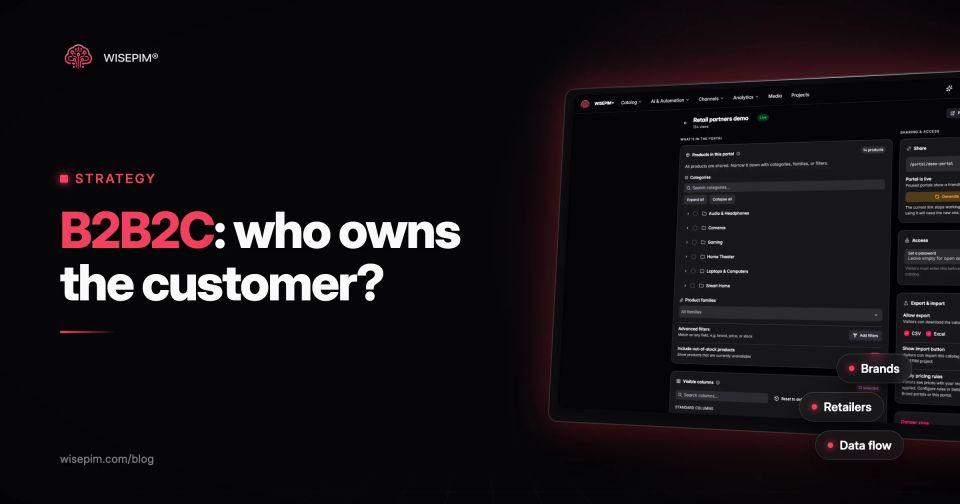
Sending spreadsheets to every retailer is how copies start to drift. In WISEPIM, a brand or supplier can publish a Brand Portal: a live, read-only, branded catalog of the products and columns you choose. You narrow it by categories, product families or filters, decide whether out-of-stock products show, and optionally protect it with a password for approved resellers.
Retail partners browse the portal, download the catalog as CSV or Excel if you allow it, or import it into their own WISEPIM project in one click. Turn on pricing rules and visitors see prices with your channel pricing rules applied, such as a dealer price list at cost plus a markup, while your webshop keeps its own price. Retailers still own their storefront and their customers, which is how B2B2C should work; the portal makes sure the version they start from is your current one. For marketplaces, the same master record goes out through WISEPIM's connections and Feed Hub feeds instead, each with its own field mapping.