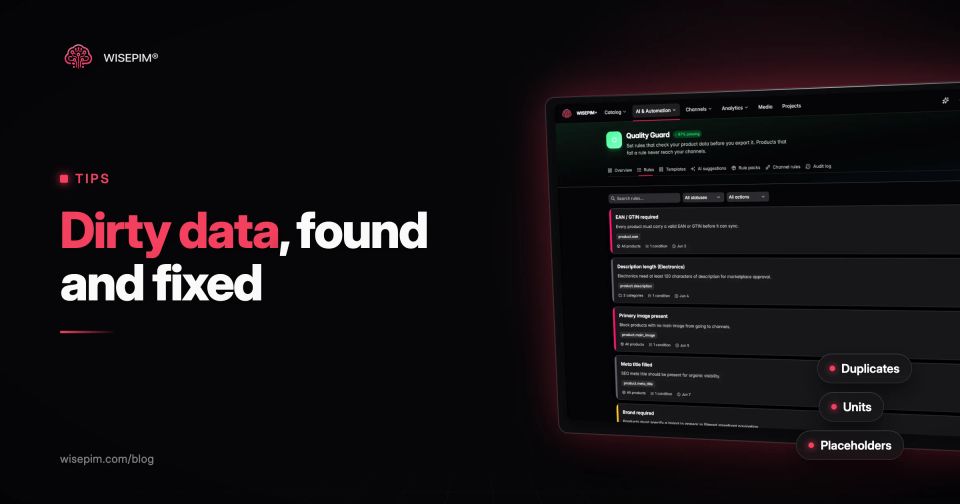
Dirty data is data you cannot trust for the job it has to do: values that are wrong, missing, duplicated, inconsistent, outdated or stored in the wrong place. In a product catalog it looks like two products sharing one EAN, a weight field that says "N/A", supplier HTML inside a description, a price that changed at the supplier three months ago, or an image URL that returns a 404.
Most definitions of dirty data are written for CRM records: duplicate contacts and old email addresses. This post stays with product data. You get eight types of dirty product data, each with a realistic example, a test that finds it in an export, and the fix. The general method of finding and correcting errors is explained in our dictionary entry on data cleansing; here we stay with the concrete cases.
Six rows from one supplier file, and what is wrong with each
Here is an excerpt from a typical supplier file for a kitchenware shop. Nobody made these rows up to look bad on purpose: every problem in it shows up in real catalogs, often in the same file. The EAN is GS1's own demonstration number, so it is valid but belongs to no real product.
One supplier file, six kinds of dirt
| 1 | KN-2040 | 9506000134352 | Chef's knife 20 cm | 0.21 kg | 39.95 | Nothing: the reference row |
|---|---|---|---|---|---|---|
| 2 | KN-2040 (trailing space) | 9506000134352 | Chef knife 20cm black | 210 g | 39.95 | Same product again; unit written differently |
| 3 | KN-2041 | 9.50600E+12 | Bread knife 22 cm | N/A | 34.95 | EAN in scientific notation; placeholder weight |
| 4 | KN-2042 | 950600013435 | Santoku 18 cm | 0,19kg | 0.00 | EAN one digit short; decimal comma; zero price |
| 5 | BD-1100 | 9506000134352 | Cutting board oak | 1.2 kg | 29.95 | EAN of the chef's knife copied onto a board |
| 6 | BD-1101 | (empty) | Schneidebrett Eiche XL | 2.6 lbs | 44.95 | German title in an English catalog; imperial unit |
This is not a niche problem. When we looked at about 50 catalogs at the moment they were imported into WISEPIM, before any enrichment, a quarter of the products had no description, more than a third had no image and almost two thirds sat in no category. The numbers and the method are in What 50 product catalogs look like when they arrive in a PIM.
Products missing the basics at import
| Category | Share of products |
|---|---|
| No description | 25% |
| No image | 36% |
| In no category | 64% |
Eight kinds of dirty product data and the test that exposes each
Each type below follows the same pattern: what it looks like, how to find it in a CSV or spreadsheet export, and how to fix it so it stays fixed. The quality dimensions behind them (uniqueness, validity, consistency, timeliness) are explained in our post on data quality dimensions.
1. Duplicate SKUs and shared EANs
Rows 1 and 2 are the same chef's knife. The second SKU has a trailing space, so a plain comparison sees two products. Other versions of the same problem: "kn-2040" in lower case, one product imported from two suppliers under two SKUs, or a supplier that copies the parent EAN onto every color variant. Row 5 shows the nastiest one: a real, valid EAN attached to the wrong product, which no format check will ever catch.
- Find it: trim spaces and lower-case the SKU column, then count how often each value appears (COUNTIF in a spreadsheet). Do the same for the EAN column. Any count above 1 is a cluster to review.
- Fix it: pick the surviving record (usually the one linked to orders and live listings), move any unique values onto it, archive the other. Give every variant its own GTIN. The deduplication guide covers fuzzy matching for look-alike titles.
In WISEPIM, the CSV importer flags repeated SKUs, SKUs that differ only by spaces and SKUs that repeat when you ignore letter case, before anything is imported. After import, the Data Quality report has a Duplicate SKUs & EANs panel that groups products sharing either identifier.
2. Barcodes mangled by a spreadsheet
Row 3 says 9.50600E+12. Somebody opened the file in Excel, which reads a barcode as a number. Microsoft's support page confirms that Excel removes leading zeros, shows large numbers in scientific notation and keeps at most 15 significant digits. A 13-digit EAN still fits in those 15 digits, so at first only the display is wrong. The damage happens when someone saves the sheet back to CSV: the rounded value on screen can end up in the file, and once the CSV says 9.50600E+12, the last seven digits are gone. Leading zeros are lost on opening already: a 13-digit GTIN that starts with 0 arrives as 12 digits and looks like a different code.
- Find it: every GTIN must contain digits only, have 8, 12, 13 or 14 digits, and pass the check digit calculation. Anything with a letter E, a comma or a decimal point fails at once. Paste a sample into the free EAN and GTIN validator to test the check digit.
- Fix it: do not try to rebuild the number from 9.50600E+12; the file no longer holds the digits. Ask the supplier for a new export with the column stored as text, or pull the codes from the source system. To stop it happening again, open CSV files through Data > From Text/CSV and set the barcode column to Text, or switch off the conversions under Automatic Data Conversions in the Excel options (Microsoft 365 and Excel 2024).
3. Units, decimals and formats that do not match
Look at the weight column: 0.21 kg, 210 g, 0,19kg, 1.2 kg and 2.6 lbs. A human reads all five. A filter, a shipping-rate table or a marketplace import does not. The same happens with dimensions (30x20x10, 30 x 20 x 10 cm, L30 B20 H10), with colors (Black, black, BLK, Zwart) and with sizes (M, Medium, 38/40).
- Find it: list the distinct values per attribute and sort them. Ten spellings of one color appear on one screen. For numbers, a pattern such as a number followed by a unit shows which cells mix both into one text field.
- Fix it: store the number and the unit in separate fields, choose one base unit per attribute and convert the rest (one pound is exactly 0.45359237 kg, so 2.6 lb is 1.18 kg). Replace free-text colors and sizes with a fixed list of allowed values. Our guide on attribute standardization has naming and unit conventions you can copy.
4. HTML fragments and supplier leftovers in descriptions
Supplier descriptions are often copied from a website or a Word file. They arrive with tags such as span style="font-family:Arial", non-breaking space entities, double-encoded ampersands (&) and text that was never meant for shoppers: internal article numbers, "price on request", the supplier's own phone number, or a line like "see our website for more models".
- Find it: search the description column for the characters < and &, for http, for the supplier's name and for phrases like "click here". Count matches per supplier; usually one source causes most of them.
- Fix it: decide which markup your channels accept. Marketplaces and most feeds want plain text; your own store may allow a short list of tags (paragraphs, lists, bold). Strip everything else, decode entities once, and delete supplier references. Keep one clean master text and let each channel get its own format on export.
Two WISEPIM tools fit here: a Quality Guard rule can test whether a field contains HTML or is plain text, and Content Logic can strip HTML from a field for one channel while your webshop keeps the formatted version. For one-off cleanups, Find & Replace in bulk editing also works with regular expressions.
5. Two languages in one product
Row 6 has a German title in an English catalog. Mixed languages creep in when a supplier sends one language, when a translation field is filled with a copy of the source text to get past a required-field check, or when one product gets an English title and a Dutch description. It matters: CSA Research found that 76% of online shoppers prefer to buy products with information in their own language, and 40% never buy from websites in other languages.
- Find it: compare each translation with its source; identical text means nothing was translated. For a quick language check, search a locale for common words from another language (der, und, mit in an English or Dutch field).
- Fix it: set a source language per field, translate from that source only, and keep a status per language so an untranslated field shows up as missing instead of looking complete.
6. Placeholders that pass for real values
N/A, a single dash, TBD, 0, 999, test, see description, lorem ipsum, 1900-01-01, an image called no-image.jpg. Placeholders are worse than empty fields because completeness checks count them as filled. A weight of 0 gives free shipping on a 20 kg parcel. A price of 0.00, as in row 4, can sell the product for nothing if it reaches a channel.
- Find it: keep a list of known placeholder strings and search every text field for exact matches. For numbers, look for zeros, round values such as 999 or 9999, and outliers: a 3 kg chef's knife in a family where the others weigh around 0.2 kg is almost certainly a typo or a unit mix-up.
- Fix it: turn placeholders into real empty values first, so your reports show the true gaps, and only then fill them or flag them for the supplier.
WISEPIM's Data Quality report includes a Suspicious values card that flags numbers far from the average of similar products in the same product family (it needs at least 10 products in a family to judge). A Quality Guard rule with the condition is not one of can keep values like N/A out of a field from then on.
7. Prices, stock and specs that went stale
Data decays. The supplier raised prices on 1 January, a product was discontinued but still shows stock of 999, the battery in a cordless drill changed from 2.0 Ah to 4.0 Ah and the old spec stayed in your feed. Stale prices are also a compliance problem: Google requires the price you submit to match the price on your landing page and checkout and asks you to update it whenever it changes.
- Find it: compare your prices with the latest supplier price list, flag sale prices that are higher than the regular price, and list products nobody has edited in 90 days or that were last exported to a channel more than 30 days ago.
- Fix it: give every volatile field (price, stock, availability) one owner and one source, and refresh it on a fixed schedule rather than when someone happens to notice.
The Catalog freshness card in WISEPIM's Data Quality report lists products that were never reviewed or exported, products not updated in over 30 or 90 days, and products exported to a channel more than 30 days ago.
8. Image links that are broken, temporary or wrong
Image fields collect their own dirt: http links that browsers block on an https store, URLs with spaces, Dropbox or Google Drive share links that return a web page instead of a picture, supplier hotlinks that break when the supplier rebuilds its site, a "photo coming soon" graphic, or the black variant's photo on all five colors. Google is explicit that the main image must show the exact item and that placeholder graphics such as "Coming soon" or "Photo pending" should not be submitted; it also asks for spaces and symbols in image URLs to be URL-encoded.
- Find it: request every image URL and record the status code and content type; anything other than a 200 with an image type is broken. Hash the files to find one image reused across many products.
- Fix it: download images to storage you control, keep the URLs in one field, and attach the right photo to each color variant.
Clean in this order so you only touch each record once
The order matters. If you translate descriptions before removing duplicates, you translate the same product twice. If you fill missing weights before converting units, you mix new grams with old kilograms. This sequence works for most catalog cleanups:
Product data cleanup sequence
Keeping dirt out of the next supplier file
Cleaning a catalog once is a project; keeping it clean depends on what you let in. Three habits do most of the work:
- A data contract per supplier: the columns you expect, the unit for each number, allowed values for colors and sizes, the language, and that barcodes come as text. Send it before the first file, not after the third bad one.
- Validation before import, not after: reject or hold rows with repeated SKUs, malformed EANs, negative prices or a sale price above the regular price, and show the supplier the row numbers.
- Rules at the exit: a product that fails a required check should not reach a channel. Our post on building a data quality framework covers owners, rules and checkpoints in detail.
Allowed-value lists help most at intake, because they stop a new spelling of a color before it spreads. In WISEPIM, an option set decides per attribute what happens when an import brings a value that is not on the list: add it, add it with a review flag, or skip the product until the value is added.
If you want to see where your own catalog stands, the Data Quality report in WISEPIM brings these checks together: duplicate SKUs and EANs, suspicious values, catalog freshness and field health per field, with a quality score per product. Quality Guard then turns the fixes into rules, so the same dirt is caught before the next export.
