Reference data is the set of allowed values that other data points to: country codes, currencies, units of measure, color names, size systems and classification codes. It does not describe one product or one order. It describes the lists that products and orders choose from, such as NL, EUR, KGM or "navy".
In a product catalog, reference data is what keeps 4,000 products saying "navy" instead of navy, Navy, dark blue and marine. It changes rarely, it is shared by every product and every channel, and when it is wrong the error repeats across the whole catalog at once. That is why it needs one owner, a version and a mapping to each channel's own code list.
Reference data vs master data vs transactional data vs metadata
Data teams split business data into four kinds. The lines blur in practice (some treat reference data as a subset of master data), but the split helps decide who owns what and how often it changes.
Four kinds of data in a product catalog
| Reference data | Allowed values that classify other data | Country of origin code CN, unit KGM, color code navy, ETIM class | Rarely; when a standard or the business changes | Data governance lead or catalog manager |
|---|---|---|---|---|
| Master data | The core business objects | The product: SKU, name, brand, dimensions, price | Regularly; new products, edits | Product and content teams |
| Transactional data | Events that happen to master data | Order line: 3 x SKU 1042 at EUR 24.95 to Belgium | Constantly; every sale | The webshop, ERP or OMS |
| Metadata | Data about the data | Attribute definition: color, type select, required, last edited by | When the data model changes | PIM administrator |
A simple test: if the value only makes sense as one choice out of a fixed list, it is reference data. The product's weight (1.25) is master data; the unit next to it (kg) comes from a reference list. The customer's country on an order is transactional, but the list of countries the order can choose from is reference data. For more on the master data side, see master data management.
External code lists every product catalog depends on
Much reference data is not yours to invent. International bodies publish it, and channels expect you to use their codes exactly. These are the lists a typical online retailer or wholesaler meets first.
Standard reference data in product catalogs
| ISO 3166-1 country codes | ISO 3166 Maintenance Agency (ISO Central Secretariat) | NL, BE, DE, CN | Country of origin, shipping countries, market settings |
|---|---|---|---|
| ISO 4217 currency codes | SIX Financial Information, the ISO 4217 maintenance agency | EUR, USD, GBP | Prices in feeds and exports, for example 15.00 EUR |
| UN/ECE Recommendation 20 units | UNECE (UN/CEFACT) | KGM, MTR, LTR, H87, C62 | Order units, net content, e-invoicing, BMEcat |
| GS1 GPC product classification | GS1 | Segment, Family, Class, Brick (8-digit codes) | Retail data pools and GS1 data exchange |
| ETIM technical classification | ETIM International | EC (class), EF (feature), EV (value) codes | Electrical, HVAC and plumbing wholesale |
| HS commodity codes | World Customs Organization | Heading 8539 (lamps, including LED light sources) | Customs, duties, country-of-origin rules |
| Google size systems | Google Merchant Center | EU, UK, US, DE, FR, IT | size_system in Shopping feeds |
Some facts behind the table. Feeds and marketplace files pair a price with an ISO 4217 currency code; Google Merchant Center, for example, expects 15.00 USD rather than $15. The UN/ECE Recommendation 20 list, which Peppol e-invoicing uses at Revision 11e, defines KGM as the kilogram and H87 as a piece (Peppol code list); our guide to units of measure covers how to model them. The Harmonized System has more than 5,000 commodity groups, each with a six-digit code, used by more than 200 countries and economies (WCO); the EU adds two digits for its Combined Nomenclature, which you can browse from heading 8539 down.
Classification standards are versioned too. According to ETIM International, the current official release is ETIM 10.0, published in December 2024, with dynamic releases in between for classes that are ready to publish. If your catalog is classified against an older release, some classes and features will have changed. GS1 GPC uses eight-digit codes at every level, for example Segment 47000000 (Cleaning/hygiene products) and Family 47100000 (Cleaning products), and only the brick is exchanged through GS1 data pools; segment, family and class exist to help you find the right brick (GS1 Netherlands). The guides to ETIM and GS1 GPC explain both structures.
Internal value lists: colors, sizes and materials
The second kind of reference data is your own: the color names, size runs, materials and fits that your catalog allows. Nobody publishes these for you, and they are where most catalogs drift. A supplier file says Midnight, another says Dk Navy, a third says 410, and without a fixed list all three end up in the color filter.
A good internal list stores each value as a stable code with labels per language, plus a mapping to every channel that has its own list. An illustrative entry for one color:
- Code: navy (never changes, used in exports and rules)
- Labels: Navy (en), Marineblauw (nl), Marineblau (de), Bleu marine (fr)
- Shop filter group: Blue
- Google Shopping color: Navy, the same name the product page shows
- Supplier synonyms: Midnight, Dk Navy, 410 (mapped on import, never published)
Channel rules make the mapping necessary. Google's color attribute takes up to three colors separated by slashes (Red/Green/Black), rejects values such as "see image" or "N/A", and asks you to use the same color name as the landing page (Google Merchant Center). For apparel sizes, size_system accepts only AU, BR, CN, DE, EU, FR, IT, JP, MEX, UK and US, and Google falls back to the target country's system if you leave it out. Free text cannot meet rules like these consistently; a coded list with a mapping can.
One size run mapped to three channel formats
Sizes show why a mapping beats copying. Take an illustrative women's knit sweater sold in EU sizes 36 to 44. Your reference list stores five codes: eu_36, eu_38, eu_40, eu_42 and eu_44. Each channel then gets what it expects:
- Webshop filter: the label 36, 38, 40, 42, 44, with a size chart that shows the international equivalents your brand uses (for example S for 36 and 38).
- Google Shopping: size 38 with size_system EU, so Google does not read 38 as a US size.
- A marketplace with letter sizes only: a mapping that sends M for eu_38, decided once by the list owner instead of per product by whoever uploads.
When the brand changes its fit and 38 now corresponds to a different letter size, you change one mapping row. The 300 products with size code eu_38 stay untouched, and every channel gets the new value on the next export. If the letter size had been typed into each product, the same change would be a bulk edit with a high chance of missing a few.
The same pattern applies to materials (your cotton_organic to a marketplace's Organic cotton), to units (your kg to KGM in a B2B file) and to categories (your category to a Google product category). Store your value once, map it per channel, and keep the mapping in the same place as the list.
Governing reference data: owner, versions and channel mappings
Reference data governance is small compared with master data governance, but it has to be strict. Four rules cover most catalogs:
- One owner per list. One person decides whether "teal" becomes a new color or maps to an existing one. Without an owner, every importer adds values.
- Codes are permanent, labels are not. Change a label (Navy to Navy blue) freely; never reuse or rename a code that exports and rules depend on. Retire a value by marking it inactive.
- Track the version of every external standard. Record which ETIM release, GPC release and CN year your classification uses, and plan the update when a new one comes out.
- Map, do not copy, channel lists. Keep your own list as the source and maintain a mapping to each channel's codes, so a channel change touches the mapping, not every product.
Adding a new value to a reference list
Wider data governance adds roles, policies and audits for master data; for reference data, the flow above is usually all you need.
What to do when ETIM, the CN or an ISO list publishes a new version
External lists change on their own schedule, and each needs a different response. ETIM International publishes an official release about every three years, with dynamic releases in between (ETIM International). The EU republishes Annex I of its Combined Nomenclature every year as a stand-alone regulation in the Official Journal, carrying changes agreed for the Harmonized System at the WCO and its own updates (European Commission). ISO country and currency codes change only when a country, a subdivision or a currency does.
- New ETIM release: compare your adopted classes with the new one, list classes that were split, merged or replaced, and remap those products before partners validate against the new release. A dynamic release still contains classes tagged for deletion in the next official release, so those tags are your early warning.
- New CN year: check every eight-digit CN code in the catalog against the new list as soon as it is published. A code that no longer exists will be rejected in a customs declaration, and the fix is cheaper in the catalog than at the border.
- Changed ISO code: add the new code to your list, mark the old one inactive and move the affected products in one bulk change, then update every channel mapping that pointed at the old code.
- Your own lists: review them when the assortment changes, for example before a season with new materials or a new size run, rather than letting the first supplier file decide.
Auditing the reference data in an existing catalog
Most catalogs already contain reference data, just not as lists. A first audit takes an afternoon with an export of all products:
- List every field that should be a choice. Color, size, material, country of origin, unit, brand, category, certification. Anything with fewer distinct values than products is a candidate.
- Count distinct values per field. If a fashion catalog that sells 14 colors has, say, 212 distinct values in its color field, that tells you how much cleanup is ahead.
- Group spellings of the same value. Case, spaces and punctuation account for many duplicates; synonyms (Dk Navy, Midnight) need a human decision.
- Check external codes against the standard. Country of origin should be two-letter codes, currencies three-letter codes, HS codes valid for the current year.
- Pick an owner and a code for each list, then convert the field from free text to a select attribute that only accepts listed values.
- Decide what happens to new values on import: reject the product, accept and flag for review, or accept automatically for low-risk lists.
Seven ways bad reference data breaks a catalog
- Variant spellings of one value. Navy, navy and NAVY split one filter option into three, and each holds a third of the products.
- Country names instead of codes. Holland, Netherlands and Nederland in country of origin all fail a field that expects NL.
- Units inside values. 500g as text cannot be compared with 0.5 kg; the unit belongs in its own coded field.
- Reused codes. Renaming the code red to coral silently changes every product that was red.
- Outdated classification. Products stay on an ETIM class or HS code that a newer release split or replaced, and exports to partners fail validation.
- Channel values stored as master data. Typing Google's color into the product instead of mapping it means every channel change becomes a bulk edit.
- Mixed identifiers. Treating a SKU, a GTIN and a supplier article number as one field breaks every lookup; see UPC vs SKU.
Option sets, unit code sets and classification in WISEPIM
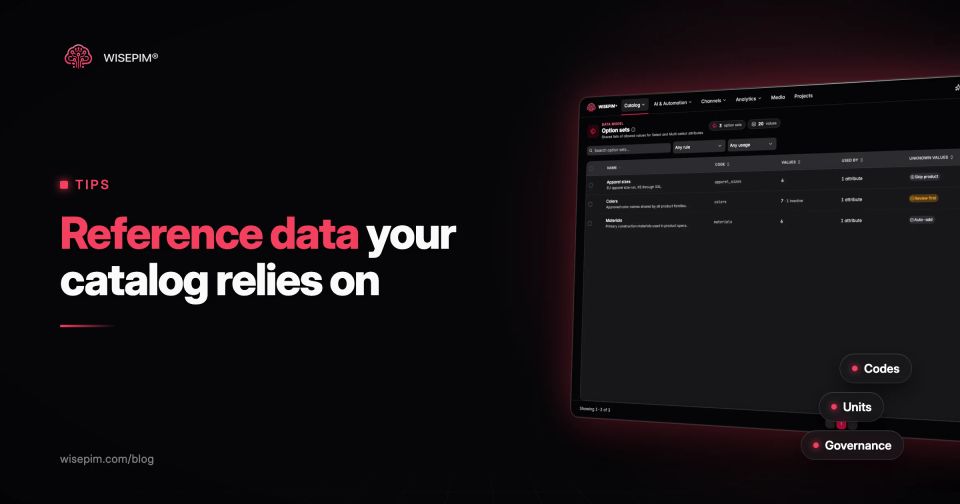
WISEPIM keeps internal reference data in option sets: shared lists of allowed values for select and multi-select attributes. Each value has a code and a label per language, one set can serve many attributes, and values can be made inactive instead of deleted. Each set has a rule for unknown values from an import: skip the product, add the value with a review flag, or add it automatically. CSV imports can map supplier values to existing options, and the attribute values page groups spellings that differ only in capitals, spaces or punctuation so you can merge them (see attribute value normalization).
With the Classification workspace feature switched on, UOM code sets hold units with a code, symbol, localized names and a conversion factor to a base unit. The classification workspace also browses ETIM classes and GS1 GPC: an ETIM class can be adopted as a product family with its features, a mapping review proposes links between your families and attributes and ETIM, and GPC nodes can be imported as categories with their full path. More on the product classification page.
WISEPIM does not maintain the external standards for you: you choose the ETIM and GPC releases, and channel-specific value mappings for colors or sizes are still part of how you set up each export.