Upselling offers a better or bigger version of the product a shopper is already looking at: the same 18V drill with 4.0 Ah batteries instead of 2.0 Ah. Cross-selling offers products that go with it: a drill bit set or a spare battery. An upsell replaces the item in the cart with a more expensive one; a cross-sell adds a second item next to it.
That difference decides where each belongs. Upsells work before the decision, on the product page, while the shopper is still comparing. Cross-sells work after it, in the cart, at checkout and in the email after delivery. Both depend on the same thing: product relation data that says which items are upgrades, which are accessories and which actually fit. The dictionary entries for upselling and cross-selling give the short definitions; this post works through catalog examples and the data behind them.
Upselling and cross-selling compared line by line
Upselling vs cross-selling
| What is offered | A higher tier of the same product | A complementary product |
|---|---|---|
| Effect on the cart | Replaces the item with a pricier one | Adds a second item |
| Shopper's question | Which version should I buy? | What else do I need for this? |
| Best moment | Before the add to cart | After the add to cart |
| Typical placement | Product page, comparison block | Cart, checkout, post-purchase email |
| Data it relies on | Tier attributes: capacity, size, power, material | Compatibility attributes and accessory links |
| How it fails | The difference is not explained | The suggested item does not fit |
Bundling sits between the two. A bundle such as "drill plus bit set" is a cross-sell sold as one product, and a bigger bundle offered instead of the single item works like an upsell. The product bundling guide covers pricing and stock for bundles.
Upsell and cross-sell pairs from six catalogs
Generic examples (a burger and fries, a phone and a case) make the idea clear but skip the hard part. In a real catalog, the pair only works if a product attribute proves that the upgrade is comparable or the accessory fits. The last column of the table is the one that matters.
Six catalogs, one upsell and one cross-sell each
| Power tools | 18V drill, 2 x 2.0 Ah kit | Same drill, 2 x 4.0 Ah kit | Spare 18V battery, bit set | Battery platform, voltage |
|---|---|---|---|---|
| Coffee machines | Bean-to-cup machine | Model with milk system | Water filter cartridge, descaler | Compatible filter type |
| Running shoes | Neutral road shoe | Model with more cushioning | Running socks, insoles | Size, use type |
| Phone accessories | Smartphone case | Case with card slot and magnetic ring | Screen protector, USB-C charger | Compatible models, connector |
| Office supplies (B2B) | Mono laser printer | Model with duplex and network | Toner cartridge, paper | Cartridge compatibility list |
| Pet food | Dry dog food, 2 kg | Same recipe, 12 kg | Food bowl, dental chews | Net weight, unit price, dog size |
Notice that the upsell column always compares like with like: same drill, same recipe, same printer family. If the upgrade sits in a different brand or category, it is closer to an alternative than an upsell, and shoppers treat it with more suspicion. The cross-sell column only works with a hard compatibility fact. A toner cartridge for the wrong printer is not a missed opportunity; it is a return.
When an upgrade offer helps the shopper
An upsell is worth showing when the higher tier solves a problem the shopper is likely to have. The 4.0 Ah kit fits someone who works on site all day; the 12 kg bag fits a household with a large dog and makes the price per kilo lower. Four conditions make an upsell useful rather than pushy:
- The tiers share a product family. Same model line, same brand, same purpose, so the comparison is fair.
- The difference is stated in attributes. "2 x 4.0 Ah, about twice the runtime per charge" beats "Pro version". If the attributes are empty, the shopper sees only a higher price.
- The price step is proportionate. A step that feels small next to the main price is easier to accept than one that doubles the order.
- The upgrade is in stock. An upsell to a sold-out item sends the shopper away from the product they had chosen.
Upselling backfires when the store offers a premium item that does not match the original need, or when the comparison hides what the cheaper version lacks. Shoppers who feel steered tend to leave rather than buy either version.
Pack-size upsells and the unit price
Many upsells are not a better model but more of the same: the 12 kg bag instead of 2 kg, a 6-pack of socks instead of 3, 500 screws instead of 100. These usually live as variants of one product, so the upsell is a variant switch on the product page rather than a separate block. What sells the bigger pack is the price per unit, and in the EU that number is not optional: the Price Indication Directive requires traders to indicate the unit price as well as the selling price for products offered to consumers, with exemptions that member states may set.
For the store to calculate it, every pack size needs its net quantity and unit as structured data: 12 and kg, not "12kg zak" in the title. With those fields filled, the product page can show EUR 4.08 per kg against EUR 6.48 per kg (illustrative prices) and the upgrade explains itself. Without them, the shopper does the math or, more often, picks the smaller pack.
When an add-on belongs next to the product
Cross-sells work best for items the shopper needs to use the product (batteries, cartridges, filters), items that protect it (cases, covers) and consumables they will buy again. They are weakest when the link is only "same category", which is how many automatic related-product blocks are built.
How the suggestion is presented matters as much as which product it is. Baymard Institute found that 68% of desktop sites in its product page benchmark do not show enough information for cross-sells on the product page, and that users tend to ignore suggestions that lack product details. Its four essentials for every cross-sell are a high-quality thumbnail, a fully visible product title, the price and the average rating; 55% of sites did not show a full title. Product variations and brand help further, and 54% of sites did not show variations. Every one of those elements is product data: if titles are truncated supplier codes or the accessory has no image, the cross-sell block cannot do its job.
Product page, cart, checkout and email: where each offer goes
Product page
The product page is the place for upsells, shown as a comparison with the attributes that differ, and for the accessories the product cannot work without. Platforms follow this split. In WooCommerce, up-sells appear on the product page and cross-sells on the cart page, both set by hand in the Linked Products tab, while related products are picked automatically from shared categories and tags. Adobe Commerce places up-sells on the product page and related products in a block at the bottom of the product page or in the sidebar, according to Adobe's product settings documentation.
Cart
The cart is where cross-sells belong, because the shopper has committed and the question has become "what else do I need". Adobe describes cross-sells as the equivalent of impulse items next to the register, shown on the cart page before checkout. Keep them cheap relative to the cart and strictly compatible.
Checkout
At checkout, one optional add-on such as an extended warranty or gift wrap is the practical maximum. For EU consumers there is a hard rule: under Article 22 of the Consumer Rights Directive, the trader needs the consumer's express consent for any extra payment, and if consent was inferred through a pre-ticked option the consumer can claim the payment back. A checked-by-default add-on is not an option for EU shops.
Post-purchase email
After delivery, cross-sells can follow use rather than the moment of purchase: a descaler reminder a few months after a coffee machine, replacement cartridges when the starter toner is likely to run low. This needs data most catalogs lack, such as the expected lifetime or capacity of a consumable, stored as attributes rather than buried in description text.
Shopify takes a mixed approach. Its Search & Discovery app generates related products automatically from purchase history, product descriptions and related collections, and lets you add up to 10 complementary and 10 related products per product by hand. Products priced at zero or already in the cart are never recommended, and sold-out products are hidden too, apart from related products you allow to sell when out of stock. The product recommendations post compares the built-in options in more detail.
Relation types and attributes behind both tactics
Behind every offer block sits a set of product relationships. Keeping them explicit, instead of letting each widget infer them, makes the offers predictable and lets you reuse them across your store, feeds and marketplaces. A workable model has these relation types:
- Upsell: a higher tier of the same product, for the product page.
- Cross-sell: a complementary product for the cart and checkout.
- Accessory: a compatible item that extends the product, such as a battery or lens hood.
- Related: a looser association, such as the same collection or style.
- Replacement: the successor of a discontinued item, so old product pages can point forward.
- Bundle item and variant: the parts of a kit and the sizes or colors of one product, which the offer logic should not suggest against each other.
Relations alone go stale as the range changes. Attributes keep them honest: battery platform, compatible models, connector type, thread size, cartridge code, net weight and capacity let you check that each cross-sell still fits and each upsell is still in the same family. Store these as structured fields, not as a sentence in the description, so rules and filters can read them.
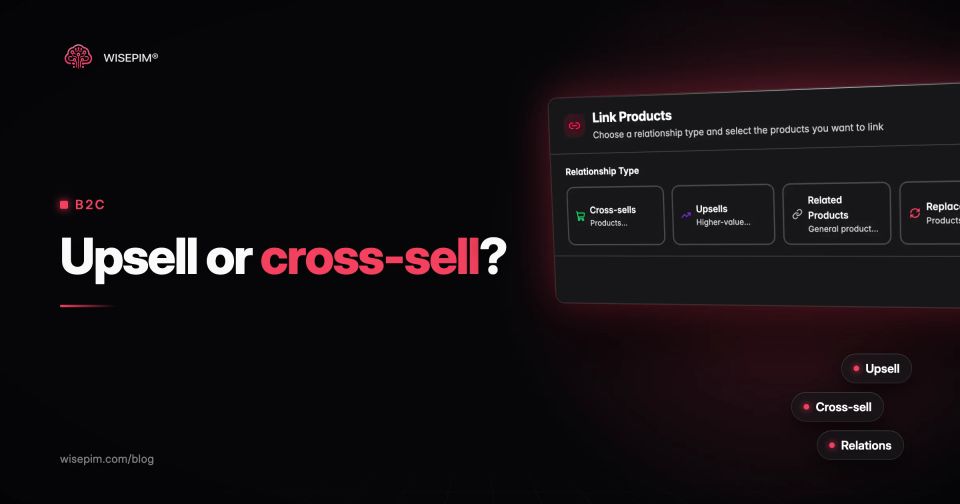
In WISEPIM, the Relationships tab on each product holds cross-sells, upsells, related products, accessories, replacements, bundle items and variants, with a list view and a graph view. WISEPIM is a product data platform, not a recommendation engine: it does not pick or display offers on your storefront. It keeps the relations and the attributes behind them in one place, next to the rest of the product record.
Turning order data into cross-sell candidates
Manual relations cover what you know; order data shows what customers actually combine. Market basket analysis counts how often two products appear in the same order and compares that with how often each sells on its own, which is where confidence and lift come from. The product recommendations post works through the calculation.
WISEPIM's Cross-sell & Bundles analytics runs this on orders imported from Shopify, WooCommerce, Magento 2, CCV Shop or Lightspeed. It lists pairs bought together in at least a minimum number of baskets, the share of baskets with product A that also contain product B, and the lift. The report itself warns that a pair is a candidate to review, not proof that a bundle or discount will add sales. A pair you agree with can then be linked as a cross-sell on the product's Relationships tab.
A relation data audit before you switch on offer blocks
Run these checks on your top 50 sellers first. They take an afternoon and decide whether an upsell or cross-sell block will help or embarrass you.
Upsell and cross-sell data audit
Measuring upsell take rate and cross-sell attach rate
Measure the two separately, because they move different numbers. For upsells, track the take rate: the share of product page sessions where the shopper chose the higher tier, and whether total conversion on that product held up. For cross-sells, track the attach rate: the share of orders with the main product that also contain the suggested item, plus returns on those items, which reveal compatibility mistakes. Average order value is the combined result, not the place to diagnose either tactic. The conversion rate guide covers how to test changes like these without fooling yourself.
Whichever tool shows the offers on your store, it can only be as good as the relations and attributes it reads. WISEPIM keeps those relations, the compatibility and tier attributes, and the order pairs that suggest new ones in the same place as the rest of your product data.
