Category management is the practice of running each product category as a small business of its own, with a defined role, targets, a strategy and a regular review, instead of buying, pricing and promoting products one at a time. The standard method is an eight-step cycle: category definition, category role, category assessment, category scorecard, category strategy, category tactics, implementation and category review.
The model was built for supermarket shelves, but it transfers well to online retail. What changes is the shelf. Online, the space a category gets is its place in the navigation, its filters, its search results, its landing pages and its product feeds, and all of those run on product data. This guide walks through the eight steps with an online example and shows which data each step needs. For the short definition, see the category management entry in our dictionary. Procurement teams use the same term for grouping what a company buys, such as packaging or logistics, to manage suppliers and cost; this guide is about the retail meaning, the categories you sell.
Where the 8-step category management model comes from
Category management grew out of grocery retail in the late 1980s and early 1990s, when retailers and suppliers started treating groups of related products as strategic business units. The consultancy The Partnering Group says it formalized category management for retailers and consumer goods manufacturers when it was founded, more than 30 years ago.
The process spread through the Efficient Consumer Response (ECR) movement. In June 1995, Supermarket News reported on a category management report prepared by a subcommittee of the ECR Best Practices Operating Committee together with The Partnering Group. The ECR Community dates its 8-step approach to 1995 and names Dr. Brian Harris and Luc Demeulenaere as authors of the original ECR publications. In Europe, the reference text became the ECR Europe Category Management Best Practices Report of 1997, which the ECR Community lists as the first of its four major category management publications, the latest a 2020 review of current practice.
Step names vary a little between sources. NielsenIQ, for example, adds an alignment step zero between retailer and supplier and calls assessment the most time-consuming step. The sequence itself has stayed stable for three decades.
The eight steps in a physical store and in an online store
| 1. Category definition | Which products belong in the category and how shoppers choose between them | Products that share a shelf or an aisle | A branch of the category tree, its filters and the values each filter offers |
|---|---|---|---|
| 2. Category role | What job the category does for the retailer | Space, location and promotion priority | Position in the navigation, homepage and landing pages, depth of product data |
| 3. Category assessment | How the category performs against the market and the plan | Scanner sales, market share, shopper panels | Orders, margin, sessions, search queries, conversion, returns, data completeness |
| 4. Category scorecard | Targets and the metrics that track them | Sales, margin, share, out-of-stocks | The same, plus conversion rate, return rate and attribute fill |
| 5. Category strategy | How the category will deliver its role | Traffic, margin or image goals | The same goals, delivered through assortment, price and content |
| 6. Category tactics | Assortment, price, promotion and placement | Planograms and shelf space | Price rules, promotions, menu placement, filters, on-site search and feeds |
| 7. Implementation | Who does what, by when | Store resets and shelf changes | Re-categorizing products, filling attributes, category copy, feed updates |
| 8. Category review | What worked and what to change | Periodic category reviews | Reviews on a fixed cadence and before every season |
Step 1: define the category the way shoppers choose
A category definition says which products are in, which are out, and how the category splits into subcategories. The classic tool is the consumer decision tree: the order in which shoppers narrow down their options. Someone buying a barbecue usually decides on fuel type first, then size, then price, and only then brand. A retailer whose category tree starts with brand forces that shopper to work backwards.
Take a garden and outdoor webshop that wants to manage outdoor cooking as one category. In: gas grills, charcoal kettles, electric grills, pizza ovens, planchas, covers, tools and fuel. Out: garden furniture and patio heaters, even if the same shopper buys them, because they are compared against different products. The boundary follows substitution: products that compete for the same purchase belong together.
Decision tree for an outdoor cooking category
Online, this tree turns directly into structure. Fuel type becomes a subcategory or the first filter. Size needs a structured attribute such as cooking_area_cm2 or people_served, filled the same way on every product, or the filter shows half the range. How to build the tree itself, and which standard to map it to, is covered in our product taxonomy guide.
Step 1 also exposes the first data gap. In the average catalog in our State of Product Data report, 64% of products sat in no category at all when the data arrived in WISEPIM. A category you cannot select products for cannot be measured, let alone managed.
Step 2: give every category a role
Not every category should get the same attention. The most widely used role framework, as a Marketing Science study of destination categories describes it, has four roles:
- Destination: the categories you want to be the shopper's first choice for. They define the store and deserve the best prices, the widest range and the richest content.
- Routine: everyday needs where you aim to be one of the preferred options at a competitive price. Reliability matters more than depth.
- Seasonal or occasional: categories bought around a season or an event, such as barbecues in spring and summer or heaters in autumn. Timing is the whole game.
- Convenience: add-on products that complete a purchase and make the store a one-stop shop, often at a healthy margin.
Online, the role decides where effort goes. A destination category gets top-level navigation, a written category page, every filter its shoppers need and full translations for every market. A convenience category such as grill covers and cleaning brushes mostly needs correct compatibility data, so the products show up as add-ons on the right grill pages. We covered how those add-on links work in upselling vs cross-selling.
Step 3: assess the category with sales, search and data quality
The assessment compares where the category stands today with the market and with your own plan. A grocery category manager works from scanner data and market share. An online category manager can draw on more sources, most of them already in the shop and analytics tools:
- Sales and margin per category: revenue, units, gross margin and average selling price, compared with the previous period and the same period last year.
- Demand: the Search Console queries that lead to the category's pages, and which queries have impressions but no matching products. A query like small gas grill for balcony with clicks but no subcategory is an assortment signal.
- Conversion and traffic: sessions on category and product pages, add-to-cart and purchase rates per subcategory.
- Returns: return rate per subcategory and the recorded reasons, which often point at missing size or spec information.
- Data completeness: for each subcategory, the share of products with the filter attributes, images and translations the category needs.
One practical point: every product needs exactly one primary category, or the same sale gets counted twice in your roll-up. Fix that before you trust any category total.
Here is how that might read for the outdoor cooking example, with made-up but typical findings. Gas grills sell well but convert below the category average, and only about half of them carry a value for cooking area, so the size filter hides the other half. Pizza ovens get growing Search Console impressions for queries such as gas pizza oven, while the shop lists three models in a generic accessories subcategory. Grill covers have the highest return rate, and the recorded reason is that the cover did not fit. Each finding points at a different step: a data gap for step 7, an assortment gap for step 6 and a compatibility field for the convenience role.
WISEPIM is not a category analytics or space-planning tool. Its analytics report product performance, cross-sell pairs, data quality and Search Console queries, which covers several of the inputs above at product level; the roll-up per category and the comparison with market data stay in your own spreadsheet or BI tool.
Step 4: build a scorecard per category role
The scorecard turns the role into numbers. Pick three to five metrics per category, set a target for each and agree who owns them. The metrics should follow the role: judging a convenience category on traffic, or a destination category on margin alone, sets it up to fail. Our list of ecommerce KPIs has the formulas, and the inventory turnover calculator handles stock turns.
Example scorecard by category role
| Destination | Bring shoppers to the store | Category revenue growth, share of new customers, organic clicks to category pages | Filter attributes filled on 95% or more of products |
|---|---|---|---|
| Routine | Keep shoppers coming back | Units per order, repeat purchase rate, price position against two named competitors | Every product has price, stock and GTIN |
| Seasonal | Win the season | Sell-through by end of season, share of stock sold at full price | All products live with images and translations before the season starts |
| Convenience | Add margin to other purchases | Attach rate on related products, gross margin percentage | Compatibility attribute filled on every product |
The data readiness column is the one most scorecards leave out, and it is often the cheapest one to move. A target such as fuel type and cooking area filled on every grill can be finished in a week; a revenue target cannot.
Step 5: choose a category strategy that fits the role
The strategy states how the category will deliver its role over the planning period. Write it as one or two sentences that rule options out. For the outdoor cooking example: be the widest gas and charcoal grill range in the Benelux, with complete specs and comparison filters, and earn margin on accessories rather than on the grills themselves.
That one sentence already makes decisions. It says the grills compete on range and information, not on being cheapest. It says accessories carry the margin, which makes their compatibility data and their placement on grill pages a priority. And it gives the team a test for every later proposal: does this make the range wider, the information better, or the accessory attach rate higher?
Step 6: category tactics when the shelf is a screen
Tactics are where the strategy becomes concrete. The classic list is assortment, pricing, promotion and placement. In a physical store, placement means planograms and shelf space. Online, it means:
- Navigation and category pages: where the category sits in the menu, the order of its subcategories and the copy on the category page. Category paths, breadcrumbs and filter URLs affect SEO too.
- Filters: which attributes become filters, in which order, and whether every product carries a value for each.
- Sorting and search: default sort order, boosted products and the synonyms on-site search needs, such as bbq for barbecue.
- Channels and feeds: which products go to Google Shopping and marketplaces, with which titles and which category mapping per channel.
- Pricing and promotions: price position on the products shoppers compare most, channel prices, and bundles of a grill with a cover and tools.
Assortment decisions, which products to add and which to drop, are big enough for their own process. We cover SKU rationalization and assortment planning in separate posts later this week.
Steps 7 and 8: implement the plan and review on a fixed cadence
Implementation in an online store is mostly catalog work: moving products into new subcategories, filling the attributes the new filters need, writing and translating category descriptions, mapping categories to each channel's taxonomy and updating feeds. Put each task on a list with an owner and a date, because category plans usually stall here rather than in the strategy meeting.
The review closes the loop. Compare the scorecard with its targets, decide what to keep and what to change, and start again at the step that needs it, which is often step 3 rather than step 1. A quarterly review suits most categories. Seasonal categories need one well before the season, early enough to fix data and feeds, and one after it to record what sold through.
Keeping category data ready with a PIM
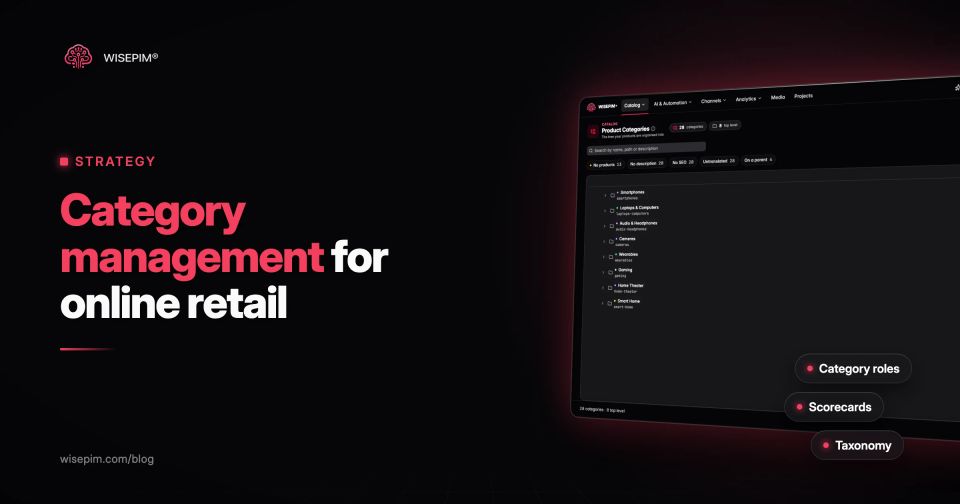
Most of the online work in steps 1, 6 and 7 happens in product data, which is where WISEPIM helps. It keeps one category tree with one primary category per product and sends that tree to each connected shop, as collections on Shopify or as a category tree on WooCommerce, Magento, Lightspeed and CCV Shop. AI categorization files products into the tree within rules you set per category, and AI category classification is 95%+ accurate. Category descriptions and SEO fields can be written and translated, and Quality Guard checks that the attributes your filters depend on are filled before products are exported.
If you are rebuilding the structure behind a category plan, start with managing categories in WISEPIM.
