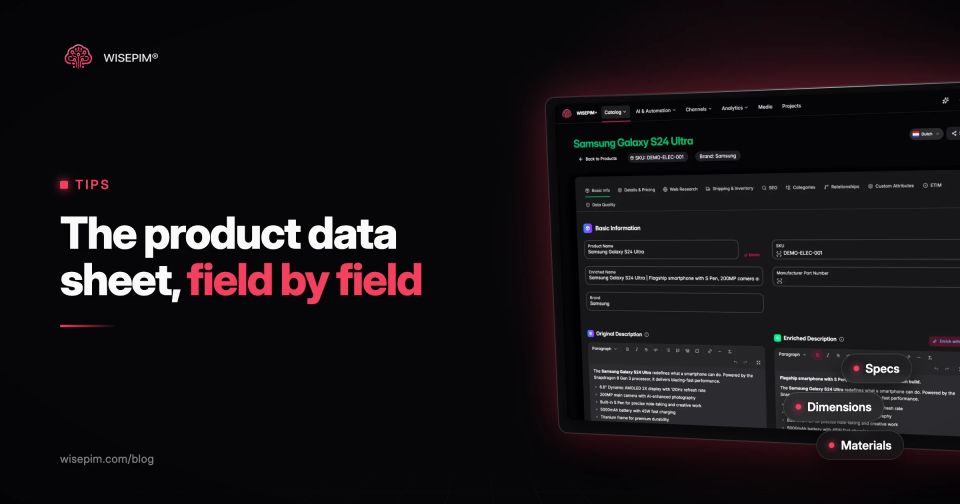
A product data sheet is a one- or two-page document that lists a product's identifiers, specifications, features, compliance details and ordering information in a fixed structure. It is also called a product information sheet, spec sheet or technical data sheet. Buyers, installers and resellers use it to check whether a product fits their need, and retailers and marketplaces use it as a source when they build their own listings.
A useful data sheet answers eight questions: what the product is, what it is for, why it is better, what its exact specifications are, what comes in the box, which rules it complies with, how to use and care for it, and how to order it. The template below covers all eight. The part most guides skip is where the content comes from: a data sheet should be generated from structured product data, not typed into a Word file that starts to drift from your webshop the day after you save it.
Six documents that get called a data sheet
Several documents share the name, and mixing them up causes real problems, because some of them are legal documents with a fixed format.
Six documents called a data sheet, and what each one is
| Product data sheet or spec sheet | A commercial and technical summary of one product or product family. No fixed legal format. This article is about this one. |
|---|---|
| Technical data sheet (TDS) | Mostly a synonym, used more in chemicals, building materials and industrial parts, with more weight on performance values and test methods. |
| Safety data sheet (SDS) | A legal document for hazardous substances and mixtures under the EU REACH regulation. It has 16 fixed sections, from identification and hazards to transport and regulatory information, set out in Annex II as amended by Regulation (EU) 2020/878, which applies from 1 January 2021 (EUR-Lex). A product data sheet never replaces it. |
| EU product information sheet for energy labelling | For appliances, displays, light sources and other product groups with an EU energy label, the product information sheet (formerly the product fiche) holds the public data of the model registered in the EPREL database. Suppliers must give dealers the electronic label and product information sheet, and send them within five working days when a dealer asks (European Commission). |
| Sell sheet | A marketing one-pager with benefits, visuals and often pricing, light on specifications. |
| Product page | The online version. Ideally it shows the same data as the data sheet, generated from the same record. |
Our dictionary has short definitions of the product data sheet and of technical specifications if you need to align terms with a supplier or a retailer.
Product data sheet template: 8 sections and their fields
Copy this structure as your template. Use the same sections in the same order for every product in a family, so buyers can compare two sheets side by side. Fields marked as optional depend on the product type.
1. Identification
- Product name (brand + product type + key variant, for example capacity or color)
- Brand and manufacturer name
- SKU or article number, plus the manufacturer part number (MPN)
- GTIN or EAN (see GTIN vs UPC vs EAN for which one you need)
- Model or series name
- Sheet version number and date
2. Summary and intended use
- Two or three sentences on what the product is and who it is for
- Applications or use cases, and situations it is not meant for
3. Key features and benefits
- Three to six bullets, each tied to a fact from the specifications ("keeps drinks cold for 24 hours" rather than "great insulation")
4. Technical specifications
- Dimensions as length × width × height with the unit (mm or cm, one choice for the whole range)
- Weight, net and if relevant gross
- Materials per component
- Performance values: capacity, power, output, operating temperature, protection rating, battery life
- Compatibility: fits, connects to, replaces
5. Contents and variants
- What is in the box
- Available variants (sizes, colors, capacities) with their own SKU and GTIN
- Compatible accessories and spare parts
6. Compliance and certification
- Markings, declarations and certificates that apply to the product type
- Energy class and EPREL registration number, where the product has an EU energy label
- A reference to the safety data sheet, where the product is a hazardous substance or mixture
- Warranty terms
7. Use, care and safety
- Short usage or installation steps, or a link to the full manual
- Care and maintenance instructions
- Warnings and age restrictions
8. Ordering and logistics
- Order unit and minimum order quantity
- Inner pack, carton quantity, carton dimensions and weight, units per pallet
- Country of origin and customs code (see the HS code guide)
- Lead time and contact details for orders
The Nordvale insulated bottle, filled in
Here is the template filled in for an illustrative product, an insulated steel bottle from a fictional brand called Nordvale. Notice that every value has its own field and its own unit. That is what lets the same data feed the PDF, the product page and a marketplace listing.
Nordvale bottle data sheet, section by section
| Identification | Nordvale Insulated Steel Bottle 750 ml, Matte Black. SKU NV-BTL-750-BLK. MPN 750-BLK-02. GTIN-13 printed in full on the real sheet. Series: Nordvale Trail. Sheet version 3, 4 June 2026. |
|---|---|
| Summary | A double-walled vacuum bottle for daily commuting, hiking and sport. Not suitable for carbonated drinks. |
| Key features | Keeps drinks cold for 24 hours and hot for 12 hours; leak-proof screw lid; powder-coated grip that does not sweat. |
| Specifications | Capacity 750 ml; height 265 mm; diameter 74 mm; empty weight 380 g; body 18/8 stainless steel; lid polypropylene; insulation double-wall vacuum. |
| Contents and variants | Bottle with lid. Colors Matte Black, Sage and White; capacities 500 ml, 750 ml and 1,000 ml, each with its own SKU and GTIN. |
| Compliance | Food-contact compliance statement from the manufacturer on file; 2-year warranty. |
| Use and care | Rinse before first use; hand wash only; do not freeze; do not microwave. |
| Ordering and logistics | Order unit 1; carton of 24; carton 400 × 330 × 280 mm, 10.2 kg; country of origin listed per batch; HS heading 9617, which covers vacuum flasks and other vacuum vessels (UK Trade Tariff). |
One sheet, four destinations: product page, feed, marketplace, B2B
A data sheet built on separate fields is not only a PDF. The same values map almost one to one onto the fields your sales channels ask for, which is why it pays to get the sheet's structure right first. In the Google feed, the item group links the 500 ml, 750 ml and 1,000 ml versions. On marketplaces, the EAN ties your offer to the right catalog product: bol requires one for every item, per its supplier help, and category attributes such as capacity, material and dishwasher safe come straight from section 4.
One product record, five outputs
If a value is missing on the data sheet, it is usually missing in all of these places at once. That makes the data sheet template a practical completeness checklist for the whole catalog.
How to create a product data sheet, step by step
- Decide who reads it. A B2B buyer wants carton quantities and lead times, an installer wants dimensions and wiring, a consumer wants care and warranty. If one sheet serves several readers, keep the order of the template and vary the depth.
- Define one template per product family. Bottles share capacity and insulation; drills share voltage, torque and chuck size. In PIM terms, that is an attribute set per family. The attribute modeling guide shows how to set one up.
- Collect the data from the source. Supplier spreadsheets, test reports, certificates and packaging artwork. Write down where each value came from, so you can check it when a supplier changes a component.
- Standardize values and units. Decide "mm" or "cm", "Matte Black" or "Black matte", "18/8 stainless steel" or "stainless steel 304", and apply it to every product. The guide to attribute standardization covers value lists and units.
- Store every specification as its own attribute. A spec that only exists inside a paragraph cannot be filtered on your webshop, mapped to a marketplace field or checked for gaps.
- Write the summary and feature bullets from the specs. Every claim on the sheet should point to a value in section 4.
- Add visuals. A packshot, a dimension drawing and, where useful, pictograms for care or safety.
- Generate the PDF from the master record and version it. Put a version number and date in the footer, and publish the same data to the product page and feeds at the same time.
- Review on every change. When a supplier changes a material, update the record, regenerate the sheet and replace the old file wherever it is linked.
Eight data sheet errors buyers catch
- Specs typed into Word or InDesign. The sheet becomes a second copy of your data and drifts from the webshop. When the PDF says 380 g and the product page says 400 g, buyers notice. In Salsify's 2025 consumer research (Salsify sells PIM software), 54% of shoppers said they had dropped a purchase because of conflicting information (Salsify).
- Mixed units. "0.75 L" on one sheet and "750 ml" on the next makes the range impossible to compare.
- Missing identifiers. Without a GTIN and MPN, a retailer cannot match your sheet to the product in their own system.
- No version or date. Three versions of the same sheet circulate and nobody knows which one is current.
- Claims without numbers. "Long battery life" tells an installer nothing; "8 hours at 50% load" does.
- One sheet for all variants without a variant list. The buyer cannot see which SKU has which capacity or color.
- English only. If you sell in the Netherlands, Germany or France, the sheet needs the buyer's language as well, and translations must come from the same master record.
- PDF as the only format. Retailers and marketplaces import structured files. Keep the data in a form you can export as CSV or through an API, with the PDF as one output of it.
Data sheets as an output of your product data
Once every specification lives as an attribute, the data sheet stops being a document you maintain and becomes a view of data you already maintain. The same record produces the PDF, the product page, the marketplace listing and the feed, and a change in one place reaches all of them.
In WISEPIM, the product editor has a Product Sheet export that downloads a PDF built from that product's data. One of its preset styles, Technical Datasheet, suits specification-heavy products. Before you export, Quality Guard flags products with missing or inconsistent attributes, and AI enrichment can fill attributes that are only described in the supplier's text, for you to review. The Quality Guard page shows how the checks work, and managing attributes explains how to set up attribute sets per product family.
