Sanitary ware, heating and ventilation
PIM for Plumbing, Heating and HVAC
ETIM data, specs and documents ready before buyers check
For manufacturers, suppliers and wholesalers of sanitary ware, heating and ventilation products. WISEPIM turns manufacturer files and ERP exports into ETIM-classified articles and BMEcat feeds.
- 70+ languages
- BMEcat 2005 with ETIM
- ETIM 10.0 model
Key features
ETIM classes and features
Adopt ETIM classes as families and see which features are missing.
Documents and accessories
Datasheets and certificates as file attributes, with accessories and successors linked.
Feeds for wholesale
BMEcat 2005 with ETIM, CSV, Excel, XML and Brand Portals.
Who it's for
Built for installation catalogs like yours
WISEPIM fits manufacturers, suppliers and wholesalers that pass technical product data on to wholesale, installers or their own B2B shop.
Built for you if
- You carry 5,000 to 250,000 articles with connection sizes, pressure ratings, materials and approvals.
- Wholesalers or a data pool ask you for ETIM-classified data, or you need it from your own manufacturers.
- Manufacturer files arrive as BMEcat, Excel or PDF price lists, each in its own layout.
- You supply 25 or more wholesalers, buying groups or installers, or run your own B2B portal.
- Your wholesalers or installers sit in 3 or more countries, or need your data in 3 or more languages.
- You run Magento 2, Shopify Plus, Shopware or Akeneo, or an ERP with a webshop on top.
Probably not yet if
- You need a direct 2BA connection or a ready-made DATANORM or FAB-DIS file. WISEPIM offers neither today; it exports BMEcat 2005, CSV, Excel and custom XML.
- You have under 2,000 articles with few specs. Start on the free plan and grow into it.
- You just started a PIM migration. Finish it first, then add WISEPIM as a layer next to it.
Not sure? Send one manufacturer file to the free data readiness check, or book a demo and bring it along.Check one file free
Why installation suppliers look for a PIM
Where installation product data breaks
A valve, a radiator or a pump carries more specs than most products, and every link in the chain from manufacturer to wholesaler to installer wants them in a different shape.
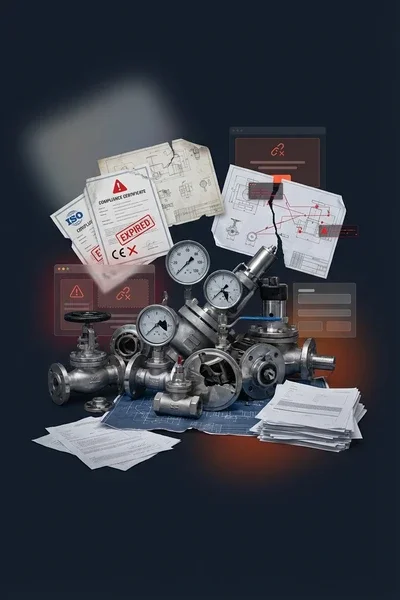
ETIM classes nobody has assigned
Wholesalers and data pools expect an ETIM class with features and values per article. Your ERP holds a line like Ball valve 1/2" FF PN25 brass.
Specs installers cannot filter
Connection size, thread type, pressure class, temperature range and material arrive in mixed units and spellings. One wrong value hides the article from a filtered search.
Short texts with hard limits
German SHK wholesale works with two short text lines of 40 characters each. Marketing names do not fit, and every manufacturer abbreviates differently.
Spare parts and successors drift
When a boiler or mixer tap is discontinued, the successor, accessories and spare parts have to follow. In spreadsheets those links break first.
Documents spread over shared drives
Installation manuals, datasheets and declarations of conformity sit in folders. Wholesalers publish whichever version they received last.
Every market, every language
Belgian, German and French buyers need the same specs in their own language, and they need them again after every change.
How WISEPIM solves it
What a plumbing and HVAC PIM does
Six jobs WISEPIM takes off your product data team, each backed by a feature you can open today.
ETIM classes on your own families
WISEPIM suggests the ETIM class for each product family and the ETIM feature for each of your attributes. Nothing is adopted until someone confirms it, and each article then shows a conformance score against its class.
Wholesaler ETIM requirements become fields you can check.
Specs with units and permitted values
Typed attributes, option lists, ranges and unit of measure code sets per family. Value merging turns spelling variants of the same material or thread type into one value.
Installers can filter on every spec in your range.
Manufacturer files in one shape
BMEcat imports read ETIM features into your attributes and fill only empty fields, so next month's file adds what is missing without overwriting your team's corrections. Your own supplier glossary decodes terse codes such as FF or MS, and an import that went wrong can be rolled back.
Re-import next month's manufacturer file without losing your own edits.
Short texts that fit the limit
Template strings build short texts from your attributes, and a Quality Guard rule with a maximum length flags every text that runs over, so you can fix it before the feed goes out.
You find an over-long short text before your wholesaler does.
Documents and successors per article
Keep datasheets, manuals and certificates as file attributes. Link accessories, replacement items and related products, and the BMEcat feed writes them as article references.
A discontinued model points buyers to its successor.
One catalog for every buyer format
Feed Hub builds BMEcat 2005 with ETIM features and custom XML on a schedule. Export templates give each buyer its own CSV or Excel layout, and Brand Portals add a browsable catalog with a PDF datasheet per product.
A new wholesaler means a new feed, not a new spreadsheet.
In the product
Every ETIM class, feature by feature
Open a class to see every feature ETIM defines for it, in ETIM's own order: which ones are required, the data type, the unit and the permitted values.
Compared
WISEPIM next to ERP and Excel
Your ERP stays the system of record for orders, stock and costs. The question is where sellable technical data should live.
| What you need | WISEPIM | ERP article data | Excel per wholesaler | Enterprise PIM suites |
|---|---|---|---|---|
| ETIM classification | ETIM 10.0, confirmed suggestions, conformance score | Rarely built in | Typed in by hand | Usually, sometimes as a module |
| Short texts with limits | Built from attributes, length-checked | One text field, often cut off | Rewritten per buyer | Possible with configuration |
| Accessories and successors | Linked, written as BMEcat references | Partly, in the article master | Lost when files are copied | Usually supported |
| Buyer formats | BMEcat with ETIM, CSV, Excel, XML, portals | Custom exports per partner | One file per buyer, by hand | Through syndication modules or partners |
| Price | Free up to 100 products, then plans with public prices | Already paid for | Free, but paid in hours of work | Usually quoted on request |
WISEPIM has no ERP connector, no 2BA connection, no ETIM xChange export and no DATANORM or FAB-DIS template. ERP data comes in as CSV, Excel or XML files, or through the REST API on the Pro plan and up.
Compare the best PIM softwareSetup path
From manufacturer file to wholesale feed
Most teams start with one product group, such as valves or radiators, and one buyer format. How fast it goes depends on how clean your source data is.
Import a manufacturer file or ERP export
First day
Upload CSV, Excel, XML or BMEcat. WISEPIM suggests the column mapping, and a BMEcat file brings its ETIM features into your empty fields.
Classify one product group in ETIM
First week
Adopt the ETIM classes you sell as product families. You confirm the class once per family and each feature once per attribute, not once per article. Then let AI fill the missing features on every article in that family.
Publish the first wholesale feed
First weeks
Set up a BMEcat 2005 feed with ETIM features in Feed Hub, or open a Brand Portal for your buyers. Put it on a schedule and add the next buyer from the same data.
The standards
What your buyers' systems expect
Installation wholesale runs on shared data standards. These are the figures behind them, from the organisations that publish them.
- new classes in ETIM 10.0, the current ETIM release
- 119
- ETIM International, 2024
- characters for an SHK short text: two lines of 40, no marketing language
- 80
- SHK data quality guideline DQR 11.0, 2025
FAQ
Plumbing and HVAC PIM questions
What manufacturers and wholesalers in installation technology ask before they move their product data.
Still have questions?
Can't find the answer you're looking for? Please get in touch with our team.
Book a demoGive every wholesaler the same specs.
Start free with one product group, or book a demo and bring one of your own manufacturer files.
 Maintained byDiego NijboerCo-Founder & CTO