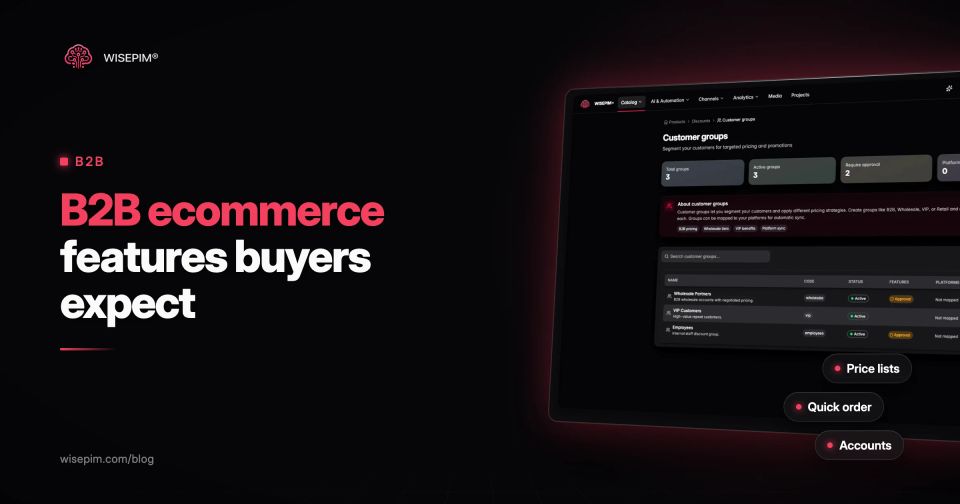
B2B ecommerce is the online sale of goods or services from one business to another: a wholesaler selling to installers, a manufacturer selling to retailers, a distributor feeding a hospital's procurement system. The buyer is a company account rather than a person, prices are often negotiated, orders are larger and repeat, and payment usually runs on invoice terms instead of a card at checkout.
That changes the feature list. The B2B ecommerce features buyers expect fall into four groups: pricing and ordering (customer-specific prices, quantity breaks, quick order by SKU, quotes), accounts and approvals (company accounts, roles, purchase order approval, payment on account), procurement integration (punchout catalogs and catalog files such as BMEcat) and product information (technical attributes, classification such as ETIM, and downloadable data sheets). The first three are mostly platform features. The fourth is product data, and it decides whether the other three are usable.
Four ways businesses buy from you online
B2B ecommerce is not one storefront. Most wholesalers and manufacturers end up running several of these models side by side:
- A B2B webshop or customer portal: buyers log in and see their own prices, order history and invoices. This is what most people mean by a B2B webshop.
- A hybrid store: one platform serves consumers and logged-in business customers, with different prices and rules per customer group.
- Marketplaces and buying platforms: business buyers search a marketplace or a sector platform where you list your range next to competitors.
- Procurement integration: the buyer never visits your site. Your catalog appears inside their purchasing system through a punchout session or a catalog file they import.
Buyers move between these freely. McKinsey's B2B Pulse survey found that B2B buyers use an average of ten channels when they buy (McKinsey, 2024). The practical consequence: the same article number, price break and data sheet has to appear correctly in every one of them. We covered the systems side of that in unified commerce.
Seven buying habits that shape the B2B feature list
Each difference below explains one or more features later in this post. If a platform demo skips one of them, ask how it is handled.
- The customer is an account, not a person. One company has several buyers, several delivery addresses and sometimes several cost centers.
- Prices are agreed, not listed. A contractor pays a different price than a walk-in customer, and a framework contract can fix prices for a year.
- Units matter. A product is sold per piece, per box of 12 or per pallet, with minimum order quantities and fixed increments.
- Orders repeat. The same 40 article numbers get reordered every month, so speed beats browsing.
- Someone approves. Orders above a set amount need a manager's sign-off before they become a purchase order.
- Payment is on terms. Invoices with 30 or 60 day terms and credit limits replace card payment.
- The product is judged on specifications. A buyer checks rated current, material grade or certification before price. Missing specs end the order, or turn it into a phone call.
12 B2B ecommerce features, grouped by the job they do
Pricing and ordering
- 1. Customer-specific prices and catalogs. Each account sees its own prices and, where needed, only the range it may buy. Shopify B2B calls these catalogs and assigns them to companies; Adobe Commerce B2B calls them shared catalogs (Adobe Experience League).
- 2. Volume pricing and quantity rules. Price breaks that lower the unit price at higher quantities, plus minimums, maximums and order increments. Shopify allows up to 10 price breaks per product in a B2B catalog, and quantity rules with a minimum, maximum and increment (Shopify Help Center).
- 3. Quick order by SKU. A form where the buyer types or pastes article numbers and quantities, or uploads a CSV, instead of browsing category pages.
- 4. Reorder and requisition lists. Saved lists of regular items that go to the cart in one step.
- 5. Quotes. A request-for-quote flow for large or custom orders, with a negotiation history the sales rep and buyer both see.
Accounts, approvals and payment
- 6. Company accounts with roles. Several buyers under one company, each with permissions: who can order, who can see prices, who can pay.
- 7. Purchase order approval rules. Orders above a value or outside a budget wait for approval before they are placed.
- 8. Payment on account. Invoice payment with credit limits, terms per account and tax exemption where it applies.
Procurement integration
- 9. Punchout catalogs. The buyer opens your catalog from inside their procurement system, fills a cart and returns it as a requisition. See the punchout catalog entry for the flow.
- 10. Catalog files and feeds. Structured exports that a customer imports into its own system, such as BMEcat XML in German-speaking markets, or CSV and Excel templates a buying group prescribes.
Product information
- 11. Technical attributes and classification. Specifications as separate, filterable fields, organized by a standard such as ETIM, ECLASS or UNSPSC, so search filters and customer systems can read them.
- 12. Data sheets and documents. Downloadable technical data sheets, declarations of conformity, safety data sheets and installation manuals attached to the product.
Shopify B2B, Adobe Commerce and Magento Open Source compared
Feature coverage differs a lot between platforms, so compare against your list of twelve rather than a vendor's marketing page. A short reading of the documentation, as of this post's date:
Native B2B features in Shopify, Adobe Commerce and Magento Open Source
| Shopify B2B | Companies with locations, catalogs that set prices and product availability per company, quantity rules and volume pricing, per-company payment and shipping settings | Quick order, quotes and punchout, typically through apps or custom work | Shopify Help Center |
|---|---|---|---|
| Adobe Commerce B2B | Company accounts and hierarchies, shared catalogs with custom prices, Quick Order by name or SKU, negotiable quotes, purchase order approval rules, requisition lists and Pay on Account; the widest native set of the three | Adobe Experience League | |
| Magento Open Source | Customer groups, and promotional and tier prices per customer group in Advanced Pricing | Company accounts, quotes and shared catalogs, through the commercial B2B module or extensions | Adobe Experience League |
| WooCommerce and Lightspeed | Most B2B behavior, through extensions and wholesale add-ons; check each of the twelve features against a named extension |
None of these platforms writes your technical specifications for you. Features 11 and 12 depend on what you load into them.
One circuit breaker, record by record: the fields B2B buyers check
Take a product an electrical wholesaler sells thousands of times a month: a 1-pole, 16 A, type B miniature circuit breaker. A consumer store could get away with a title, a photo and a price. A B2B buyer, or the buyer's procurement system, needs this:
- Identifiers: your article number, the manufacturer part number and the GTIN, so quick order, punchout and the buyer's ERP all match the same item.
- Classification: ETIM class EC000042, Miniature circuit breaker (MCB), in group EG000020 Circuit breakers and fuses (ETIM International).
- Class features: release characteristic B, number of poles 1, rated current 16 A, rated operational voltage, rated short-circuit breaking capacity Icn according to IEC 60898-1, and width in number of modular spacings. Each as its own field with a unit, not a sentence in the description.
- Sales and order units: sold per piece, packed per 12, minimum order 1, increment 1. Without this, a price break of "from 120" means nothing.
- Price structure: list price, price breaks by quantity, and any customer group price.
- Documents: technical data sheet PDF, declaration of conformity, installation instructions.
- Relations: compatible comb busbars, auxiliary contacts and the 2-pole or 20 A siblings, so the buyer can complete the order.
Every row on that list is a feature somewhere else. The identifiers make quick order work. The ETIM features drive filters on the webshop and the buyer's import. The units make quantity rules correct. The documents are what a specifier downloads before the product is allowed on a project. If you need a template for the document side, our post on product data sheets lists the sections and fields.
Punchout, BMEcat and ETIM in plain terms
These three names come up in almost every B2B request for proposal, and they are often confused. They solve different problems:
- Punchout is a live session. The buyer's procurement system opens your shop, the buyer fills a cart, and the cart returns to their system as a requisition for approval. The common protocols are cXML, which cXML.org describes as a protocol for business documents between procurement applications, e-commerce hubs and suppliers and which includes PunchOut, and SAP's OCI.
- BMEcat is a file. It is an XML catalog format from the German purchasing association BME that carries articles, prices, order units, documents and classification features in one document. Customers import it into their own system on a schedule.
- ETIM is a classification model. ETIM International maintains it as the classification standard for technical products: each class defines which features a product has and which values and units are allowed. ETIM features usually travel inside a BMEcat file. Our ETIM guide covers the model in more depth.
A buyer who asks for "a BMEcat with ETIM 10" wants a file in which every article carries its ETIM class and feature values for that release. If your attributes are free text, that file cannot be produced without first mapping them.
A B2B ecommerce feature checklist for platform selection
Use this list in demos. For each line, ask the vendor to show it on your data, not on their sample store.
B2B platform demo checklist
Six B2B webshop launches that stall on product data
These are the problems we see most often when a wholesaler moves its catalog online. Each one breaks a feature that worked fine in the demo.
- Specs live in the description. "16A B-curve 1P 6kA" in one text block cannot drive a filter or an ETIM export.
- Units are ambiguous. The ERP price is per box, the shop shows it per piece, and the price break triggers at the wrong quantity.
- Article numbers disagree. Your number, the manufacturer number and the GTIN are mixed across systems, so quick order and punchout carts fail to match.
- Data sheets are stale. The PDF on the product page is two revisions old, or links to the manufacturer's site that has since moved it.
- One catalog for every customer. Restricted products and contract prices are handled by phone because the platform was set up with a single price list.
- Catalog files are built by hand. Someone rebuilds the BMEcat or the buying group's Excel every quarter, and every rebuild introduces new errors.
Feeding B2B channels from one product record
Most of the twelve features belong in your commerce platform or ERP: company accounts, approvals, quotes, payment terms, punchout and customer-specific catalogs. WISEPIM does not replace those. What a PIM does is keep the product side of B2B complete, so those features have something correct to work with. In WISEPIM, that covers four things that apply here.
First, the Discounts section stores customer groups and volume discounts with quantity tiers, scoped to products, categories or the whole catalog. For Magento 2, tiers are sent as tier prices for the customer group you map them to.
Second, products can be classified in ETIM, with a conformance check per product that shows which required class features are valid, missing or invalid, and an option to fill missing features with AI. Third, Feed Hub exports BMEcat 2005 files with ETIM features, pinned to an ETIM release so a customer's import keeps matching. Fourth, the Product Sheet option in the product editor lays out a product's data in a template and exports it as a PDF data sheet. For the wider picture, see PIM for B2B and our guide to PIM for distributors.
