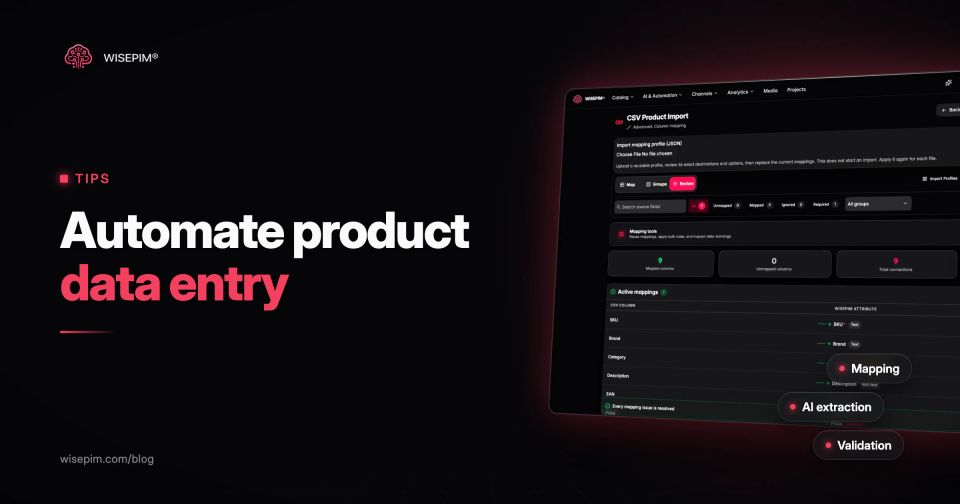
Data entry automation means software moves information into a system so nobody has to retype it. For a product catalog, that comes down to five linked steps: import the supplier file in whatever format it arrives, map its columns to your fields once and reuse that mapping, let AI pull attributes out of descriptions, photos and web pages, check every record against validation rules before it goes live, and send only the uncertain values to a person.
This guide is about that product-data version. It is not about robotic process automation for data entry, where bots click through screens the way a person would. RPA copies keystrokes. A product data pipeline works on the data itself, so it can also understand what a value means and reject it when it is wrong.
What keying in one new product really involves
Take a single cordless drill from a tool wholesaler. Before it can sell, someone has to enter the SKU and EAN, write a title and description, fill technical attributes such as voltage, battery capacity, chuck size and torque, pick a category, attach images, set the price and weight, and translate the text for every market. That is 20 or more fields, and most of the information is already sitting in the supplier's file, in a PDF datasheet or on the manufacturer's product page.
The structured fields are the ones that stay empty. When WISEPIM analyzed 50 product catalogs at the moment they were imported, before any enrichment, the median attribute in the 32 catalogs that use attributes was filled on just 1.9% of products, and 81% of attributes were filled on less than a quarter of products. Titles and prices get filled because nothing sells without them; voltage, material and compatibility get skipped, and those are the fields that filters, feeds and comparison tables depend on.
Five stages from supplier file to published product
An automated product data entry pipeline
Each stage removes one kind of typing. Mapping removes copy and paste between spreadsheets. Normalization removes the reformatting of numbers and units. Extraction removes reading a description and filling attribute fields by hand. Validation removes the final proofreading pass, and review keeps a person on the decisions that need judgment.
Stage 1: accept supplier data in the format it arrives
Suppliers send CSV exports, Excel workbooks with several sheets, XML feeds, links to a feed URL, or nothing but a webshop you are allowed to copy from. An automated intake handles each of these without asking the supplier to change their system. The one format to push back on is the PDF price list: it is made for reading, not for importing, so ask for the same data as CSV or Excel and keep the PDF datasheet as a source for attribute extraction.
Excel causes the most silent damage. Microsoft notes that Excel removes leading zeros and converts large numbers to scientific notation, so a barcode column in General format can lose its leading zero or turn into 9.50600E+12 before your import starts. The dirty data post covers repairing barcodes that already went through a spreadsheet. In an automated intake, stop them at the door instead: ask suppliers to format barcode columns as text, and use an importer that rejects a broken number rather than storing it. WISEPIM's CSV import flags an EAN in scientific notation and asks you to format the column as text and export the file again.
The sample delivery used in this guide
The examples below follow one row from a European tool supplier's Excel file: Art. no. KB-4471, EAN code 9506000134352 (GS1's demonstration number), Description short "Cordless drill 18V 2x2.0Ah case", Price excl. VAT "89,95", Weight "1,6 kg", Colour "zw", and a long description of about 80 words with the specifications buried in running text.
Stage 2: map supplier columns once and reuse the mapping
Mapping tells the import which supplier column fills which of your fields, and which transformation runs on the way in. Done once per supplier and saved, it turns every later delivery into a re-run. The table shows what that means for the sample row.
Mapping the KB-4471 row to catalog fields
| Art. no. | KB-4471 | SKU | None, used as match key |
|---|---|---|---|
| EAN code | 9506000134352 | EAN / GTIN | Keep as text, check digit test |
| Description short | Cordless drill 18V 2x2.0Ah case | Supplier title (raw) | Kept for reference, rewritten later |
| Price excl. VAT | 89,95 | Cost price | Decimal comma to decimal point |
| Weight | 1,6 kg | Weight + unit | Split into 1.6 and kg |
| Colour | zw | Color | Value map: zw to Black |
| Long description | 80 words of running text | Description (source) | Input for AI extraction |
Two decisions in the mapping matter more than the column pairs. The first is the match key: if a supplier reuses article numbers across ranges, match on EAN first so an update lands on the right product. The second is what an update may overwrite. Once your team has rewritten titles and descriptions, the next supplier file should refresh price, stock and weight, and leave the enriched text alone.
In WISEPIM's product import, a dropped CSV or Excel file is mapped automatically against your fields, missing attributes can be created as part of the import, and the mapping is saved as an import profile for the next delivery from the same supplier. You can also choose to match on EAN before SKU, or to update existing products only and skip new rows.
Stage 3: let AI extract attributes from text, photos and web pages
This is the step that used to need a person reading every description. A language model reads the supplier's running text and returns structured values. From the KB-4471 long description, an extraction run would fill:
- Voltage: 18 V
- Battery capacity: 2.0 Ah, batteries included: 2
- Chuck size: 13 mm, keyless
- Maximum torque: 45 Nm
- Gear speeds: 2
- Carry case included: Yes
Three rules keep extraction trustworthy. For dropdown attributes, the model may only choose from the options you already use, so "Black", "black" and "zwart" do not turn into three filter values. When the source text does not state a value, the field stays empty; a guessed torque figure is worse than a blank one. And extraction fills gaps by default, so values a person already checked are not overwritten.
Text is not the only source. When the supplier description is thin, a web lookup by EAN, MPN or brand and model can collect the specifications from public pages. WISEPIM Web Research works this way and writes back only the fields you switch on, with overwriting off until you enable it. For catalogs that only exist as a webshop, WISEPIM can import products from a category page, a sitemap or a list of URLs. The Fill the gaps job in Catalog Jobs goes one step further: it reads the product photo to fill empty attributes, and any answer below the confidence threshold you set waits in the review queue instead of being applied.
Categories belong in this stage too. Placing 500 new products in a taxonomy by hand is slow, and two colleagues rarely place them the same way. WISEPIM's AI category classification is 95%+ accurate; for attributes and descriptions there is no comparable figure, so plan a review sample instead.
Stage 4: validation rules that hold back incomplete products
Automated entry without validation just produces errors faster. Rules run on every record after extraction and decide whether it may publish, should warn, or must stop. Google Merchant Center, for example, requires an id, title, description, link, image link, availability and price for every product, and caps titles at 150 characters, so those make natural blocking rules for a Shopping feed. The data validation guide explains rule types in more detail. A starting set for supplier imports:
Validation rules to run before a supplier import publishes
The check digit rule is cheap and catches more than people expect. GS1 publishes the check digit calculation: weight the digits alternately by 3 and 1 from the right, sum them and take the difference to the next multiple of ten. A barcode that fails it was mistyped or truncated, whatever the supplier says.
In WISEPIM, these checks are Quality Guard rules. Each rule targets a field and a set of products and either blocks, warns or skips; products that fail a blocking rule never reach your channels. Rule packs per channel and an AI rule generator save writing the common ones yourself.
Stage 5: decide which values a person still reviews
Full automation is the wrong goal for product data. The aim is that people only see the records where their judgment adds something. Review these by default:
- New option values an extraction wants to add to a dropdown attribute, before they become filter values.
- Safety, legal and certification claims, such as IP ratings, CE marking or age warnings, which must come from the supplier, not from inference.
- Numbers with units on the first run of a new supplier, where a misread 2.0 Ah or 13 mm can repeat across a whole range.
- A sample of every new supplier's first delivery, for example 20 products, before you let the same mapping and prompts run unattended.
After a few clean deliveries from the same supplier, shrink the sample. Keep the rules running permanently; they are what lets you stop reading every record.
Chaining the stages so the next delivery needs no clicks
Once each stage works on its own, connect them. A typical chain: a schedule fetches the supplier feed from its URL every night, the saved mapping imports it, an after-import trigger selects the newly imported products, cleanup and extraction run on them, and validation decides what publishes. WISEPIM automations support this with schedule and after-import triggers and a URL import node for CSV, Excel and XML feeds.
To judge whether the chain pays off, compare the time per delivery before and after. As an example with assumed numbers: if keying one product by hand takes 8 minutes and a supplier sends 300 new products a month, that is 40 hours of entry. If the automated chain leaves 15% of products for review at 2 minutes each, the same delivery needs 1.5 hours of attention, plus the one-off work of building the mapping and rules. Measure your own minutes per product before you start, or you will have nothing to compare against.
Six ways automated product entry goes wrong
- The supplier renames a column. "Price excl. VAT" becomes "Net price" and the saved mapping silently skips it. Have the import report unmapped columns and stop on a missing required one.
- A refresh overwrites enriched text. The second delivery replaces your rewritten descriptions with supplier copy. Restrict updates to commercial fields.
- Free-text attributes collect spellings. Letting AI write into a text field instead of a dropdown creates "stainless steel", "Stainless-steel" and "RVS" for one material.
- Publishing runs before rules exist. Switch on auto-publish only after the blocking rules are in place.
- Matching on a reused SKU. Two products from different ranges merge into one record. Match on EAN where the supplier's article numbers are not stable.
- Nobody owns the exceptions. A review queue that nobody empties turns into a second backlog. Assign one person per supplier.
Cleaner files start with a data contract per supplier: the columns, units, allowed values and barcode format you expect, sent before the first delivery. The dirty data post lists what goes in one. WISEPIM covers the stages in this post in one place: import with saved mappings, AI extraction and research, Quality Guard rules and automations. The free plan (100 products) is enough to test the import and AI extraction on one supplier file; Web Research, automations and Quality Guard come with the paid plans.
