A dealer content audit is a sample check of what your dealers and resellers actually show for your products: whether the product is listed at all, and whether the article number, specs, images, documents and lifecycle status match your current master data. You do not need a monitoring tool to start. Five dealers, ten products each and a fixed scoring table fit in one afternoon, and they tell you more than a year of complaints from the field.
The point of the audit is not to catch dealers out. Most wrong content on a dealer site came from you: a spreadsheet sent once in 2023, a datasheet that was updated without telling anyone, a feature value that was never in your file. So the method below ends with a root-cause step, and the conclusion is usually to fix your own data delivery rather than send fifty emails. It is a narrow version of a product content audit, aimed at channels you do not control.
Build the reference record before you open a dealer site
An audit compares two things, so first fix what correct means. For each product in the sample, export one reference record from your ERP, PIM or master spreadsheet, as it stands today:
- Your article number and GTIN, plus the type designation printed on the product.
- The current product name in each language your dealers sell in (for a Benelux dealer network, at least Dutch and French).
- The classification and key features: for technical products the ETIM class and the five to eight features buyers filter on, with values and units. ETIM International describes its model as factual product information as specified by the producer, so these values start with you.
- The current main image, by file name or a thumbnail, so an old packaging shot is easy to spot.
- Document versions: datasheet, installation manual and declaration of conformity, with their date or revision code.
- Lifecycle status: active, phasing out or discontinued, and the successor article for discontinued items.
If you cannot fill this record for a product, stop there and note it: a dealer cannot show data you never had. The reference record is also what a good product specification sheet is built from, so the work is not wasted.
Pick five dealers and ten products that will expose problems
A random sample of your best sellers at your biggest dealer will look fine and teach you nothing. Choose a sample that stresses the places where content goes stale.
Five dealers: the dealer with the most online sales of your range, a wholesaler's webshop, a regional dealer or installer-focused shop, a marketplace seller account if you sell through one, and one dealer you already suspect. Ten products: three best sellers, three launched in the last twelve months, two whose specs, packaging or images changed in the last year, and two discontinued in the last year that have a successor. That gives 50 page checks.
To find each page, search the dealer's own site search by your article number first, then by GTIN, then by product name. If the dealer's search fails, try Google with the site: search operator, for example site:dealer-example.com plus your article number. Google notes that a site: query does not necessarily return every indexed URL, so a miss there is not proof the page is absent. Record the URL, the date and a screenshot of every page you score; content changes, and a dated screenshot settles any later discussion.
The audit afternoon, hour by hour
- 1
13:00
Fix the sample
Choose the five dealers and ten products, and write them into one sheet with 50 rows.
- 2
13:30
Export reference records
One row per product with identifiers, names, key features, image, document versions and lifecycle status.
- 3
14:00
About two and a half minutes per page: find it, screenshot it, score the eight checks.
Do one dealer at a time, so you learn its page layout once. - 4
16:05
Score and tag root causes
Total each dealer, then tag every failed check with where the error started.
- 5
16:45
Write the one-page summary
Dealer scores, the three most common failures and the fixes on your own side.
Eight checks per dealer page, scored 0 to 2
Score every page on the same eight checks. Two points means it matches your reference record, one point means partly right, zero means wrong or missing. Keep the scale this coarse: a 1 to 10 scale turns an afternoon into a debate.
Set up the sheet before the first dealer: one row per page, with columns for dealer, product, URL, check date, screenshot file name, the eight scores, the page total, a root-cause tag per failed check and a free note. Filling the same columns 50 times is what makes the results comparable between dealers and between quarters.
Dealer page scorecard: eight checks, 16 points per page
| 1. Findable | Found by article number or GTIN | Found only by name | Not found | Article number or GTIN missing from your delivery |
|---|---|---|---|---|
| 2. Identifiers | Your article number and GTIN shown and correct | One of them shown | Wrong or none | Dealer's own SKU replaced yours; GTIN never sent |
| 3. Name and type | Current name and type designation | Old name, right product | Wrong product or variant | One-off spreadsheet never updated |
| 4. Key features | All key features present, right values and units | Some missing or unitless | Missing or wrong | Features not in your file, or unmapped at import |
| 5. Main image | Current image of this variant | Right product, old packaging | Wrong product or placeholder | Image sent once by email or link that changed |
| 6. Documents | Current datasheet and manual | Outdated revision | None | Documents updated on your site, not in the delivery |
| 7. Lifecycle | Status right, successor linked | Discontinued but no successor | Sold as available when discontinued | No discontinued flag or successor field delivered |
| 8. Manufacturer and safety info | Manufacturer name, address and warnings shown | Partly shown | Missing | Never part of the data you supply |
Check 8 applies to dealers that sell to consumers. Under Article 19 of the General Product Safety Regulation, an online offer must show the manufacturer's name and postal and electronic address, information that identifies the product (including a picture and its type), and any warning or safety information. The dealer is responsible for its offer, but it can only show what it receives; the GPSR guide covers the full duty. For purely B2B trade counters, replace the check with whatever your trade requires, such as the declaration of conformity.
From 50 page checks to one score per dealer
Each page can score 16 points, so ten pages give a dealer a maximum of 160. The dealer score is its points divided by 160. In the illustrative result below, Dealer C scored 98 of 160 points, which is 61%.
Illustrative audit result: content score per dealer
Illustrative example| Category | Content score |
|---|---|
| Dealer A (141 of 160) | 88% |
| Dealer B (118 of 160) | 74% |
| Dealer C (98 of 160) | 61% |
| Dealer D (83 of 160) | 52% |
| Dealer E (56 of 160) | 35% |
The dealer score is the number management asks for, but it is the least useful output. Sort the sheet the other way as well: per check, how many of the 50 pages failed? If check 4 fails on 30 pages across all five dealers, you do not have five bad dealers, you have one missing set of feature values.
Tag every failure with the place it started
For each check that scored 0 or 1, add one tag. Five tags cover almost everything:
- Never delivered: the data is not in anything you send. Features, successor articles and manufacturer address are the usual suspects.
- Delivered once, never updated: the dealer imported a spreadsheet or PDF price list at the start and has no route to receive changes.
- Lost in the dealer's import: your file had it, but the dealer's import dropped or mismapped it. Typical: a value in millimeters read as centimeters, or a feature column with no matching field.
- Delivered late through an intermediary: the dealer takes your data from a wholesaler or a data pool, and that copy lags behind yours. In a pool such as 2BA, manufacturers and wholesalers deliver their own classified data, so the copy a dealer pulls is only as current as your last delivery.
- Edited by the dealer: someone rewrote the name or replaced the image by hand. Rare, and the only tag where the fix is purely theirs.
Then apply one rule: if the same failure shows up at three or more of the five dealers, the cause sits on your side. Either the data was never delivered, or the way you deliver it does not survive contact with real dealer systems. Errors that appear at one dealer only are worth a private message to that dealer, with its own screenshots and score.
One failed page, traced end to end
An illustrative example shows how the tags work in practice. A manufacturer of LED panels audits Dealer D and finds its 60 x 60 cm panel scoring 10 of 16 points. The page lists the panel under the dealer's own SKU without the GTIN (check 2: 1 point), shows the 2024 datasheet although revision C with a new driver is current (check 6: 1 point), lacks color temperature and has the luminous flux without a unit (check 4: 0 points), and the predecessor model, discontinued in spring, is still for sale with no link to the panel (check 7: 0 points).
Tagging tells a different story than the score. The GTIN and the color temperature were never in the manufacturer's price file: never delivered. The datasheet link pointed to a file name that changed with revision C: delivered once, never updated. The unitless flux came from a column header that said only "Flux", which the dealer's import read as text: lost in the import, but caused by an ambiguous file. And the discontinued predecessor was never flagged, because the price file had no status column at all. Of four failures, the dealer could have prevented none.
Check whether the same four problems appear at the other dealers. If the price file is the shared cause, adding a GTIN column, a unit in every feature header, a status column with successor article and stable document links fixes all of them at once, at every dealer that imports the file.
Fix the source: one maintained delivery instead of fifty dealer emails
Chasing dealers page by page fixes today's screenshot and nothing else. The next price list or product launch brings the same errors back. The durable fix is a single maintained data delivery that every dealer can take from, in the format it can use.
- One master record per product with every field from your reference record, including key features, document versions, lifecycle status and successor. If the audit found a field missing, it goes into the master record first.
- A delivery per dealer type. Larger dealers and wholesalers take files or data pools: in technical trades often a BMEcat file with ETIM features or, in the Dutch installation trade, the 2BA data pool; in retail sometimes GDSN. Smaller dealers need something they can open without an integration: a live catalog link or a spreadsheet that is always current.
- A change routine. New products, changed specs and discontinued items go out on a fixed cadence, with the successor article for every discontinued one, so dealers can update without asking.
- One place dealers are told to look. Tell every dealer where the current data lives, and stop sending one-off attachments that become the next stale copy.
- The same audit next quarter. Rerun it with the same five dealers and ten products, plus two new launches. The per-check failure counts show whether the source fix worked.
The guide to product data for dealer networks goes deeper into choosing formats per dealer type and keeping a whole network in sync.
Giving smaller dealers a live catalog with Brand Portals
WISEPIM does not crawl dealer sites; the audit above stays a manual afternoon. Where it helps is the fix. Quality Guard rules and, with the Classification module, the ETIM Conformance score ("X of Y class features are valid") show which products would fail checks 1, 2, 4 and 5 before the data leaves your catalog. For dealers and wholesalers that take files, Feed Hub exports a BMEcat 2005 (ETIM) file, and Product Sheet produces a PDF for one product at a time.
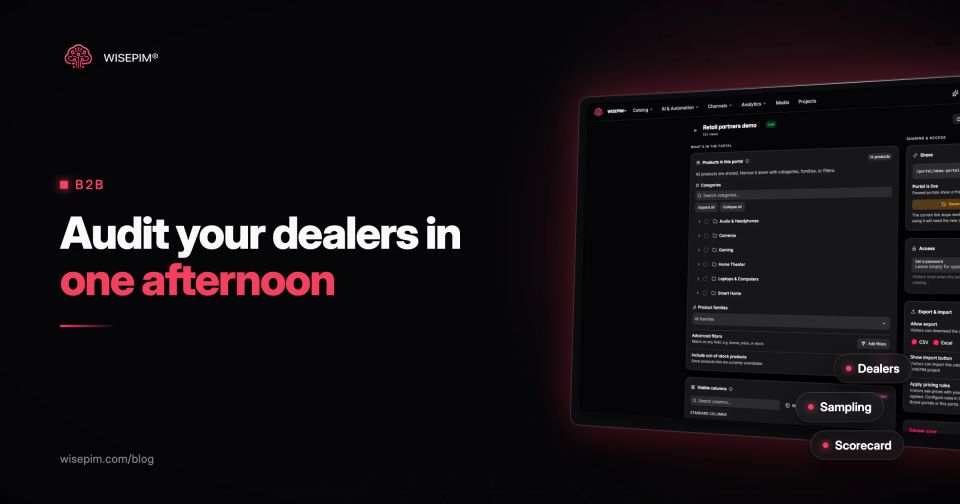
For smaller dealers, Brand Portals give that one place to look: a live, read-only catalog behind a link, with an optional password and the columns you choose. Dealers download it as CSV or XLSX, or, if they use WISEPIM themselves, bring it in with Import this catalog. Because the portal reads your current catalog, a corrected feature value or a new successor is there the next time a dealer opens the link. A portal does not produce BMEcat or PDF files; those come from Feed Hub and Product Sheet.