A product specification sheet (spec sheet) is a one- or two-page document that lists the measurable facts about a product: identifiers, dimensions and weights, materials, performance values, compliance marks and packaging details, each with its unit. Buyers, installers, retailers and marketplaces use it to check whether a product fits before they order or list it.
The structure is the same in every industry, but the fields that matter are not. A buyer of a sofa needs seat height and parcel sizes, a buyer of a power bank needs watt-hours and input voltage, and a food wholesaler needs allergens and nutrition per 100 g. This guide gives the must-have fields for electronics, furniture, apparel and food, a template you can copy, and the way to produce spec sheets from structured attributes instead of retyping them. For the broader commercial data sheet with features, benefits and ordering details, see our product data sheet guide.
Spec sheet template: a fixed core plus a category block
Use the same order for every product in a family so buyers can lay two sheets side by side, and write each line as a label and a value with its unit, never as a sentence. A spec sheet leaves out what a sales document carries: no feature bullets, no prices, no ordering terms.
- Header: your logo, product name, brand, SKU, manufacturer part number (MPN), GTIN, sheet version and date.
- Variant definition: the attributes that make this version different, such as color, size or capacity.
- Product image: one clean packshot, front view, on a plain background.
- Key specifications: the category block described below, grouped under subheadings such as Power, Battery and Connectivity.
- Dimensions and weight: product and packed, with units in the label (Width (cm), Weight (kg)).
- Materials and care: per component, not one line for the whole product, followed by care or cleaning instructions.
- Compliance: marks and declarations with the standard or regulation they refer to, test reports, and the legal fields for the category.
- Logistics: country of origin, HS code, pack quantity, carton or parcel dimensions and weight.
- Footer: company name, contact details, and a line saying that specifications may change and which version this is.
Sections 1 to 3 and 5 to 9 look the same in every industry. Section 4 is the one that changes: the technical specifications that describe what the product does and how it is built. The next four sections cover what that block needs in four common categories.
Electronics: power, connectivity and conformity
Electronics spec sheets are read by people comparing models line by line, so every value must be a number with a unit, never a phrase like "long battery life". The fields buyers look for first:
- Power: input voltage and frequency, rated power in W, charger or adapter included (yes or no), plug type.
- Battery: chemistry (for example lithium-ion), capacity in mAh and Wh, charging time, whether it is replaceable.
- Connectivity: ports with their standard (USB-C, HDMI 2.1), wireless standards (Wi-Fi, Bluetooth version).
- Performance: the two or three values that define the product type, such as screen size and resolution, storage, noise level in dB.
- Environment: operating temperature range and ingress protection (IP) rating where relevant.
- Conformity: CE marking and the directives it covers, plus the energy class and EPREL registration for product groups with an EU energy label.
Our CE marking guide explains which directives apply to which electronics. The product information sheet that comes with an EU energy label is a separate regulated document; reference its EPREL registration on your spec sheet rather than copying it.
Furniture: dimensions, materials and parcels
Furniture buyers need to know whether a product fits the room, the door and the delivery van. A furniture spec sheet therefore carries more dimensions than most categories:
- Overall dimensions: width, depth and height in cm, plus the functional heights: seat height, armrest height, table top height, or bed length and width.
- Load and use: maximum load per seat or shelf in kg, and whether the product is intended for home or contract use.
- Materials per component: frame, top, legs, upholstery fabric, filling, with finish and color name.
- Assembly: assembly required (yes or no), tools needed, number of people, estimated time.
- Packaging: number of parcels, and for each parcel its dimensions and gross weight. A sofa shipped in three boxes needs three rows.
- Care and safety: cleaning instructions, wall-fixing requirement for tall cabinets, and the test standard and report number where you have one.
Apparel: the retail spec sheet versus the tech pack
In fashion, "spec sheet" can mean two different documents. The tech pack is a manufacturing document: points of measure, grading rules between sizes, stitching, trims and a bill of materials. The retail spec sheet is what buyers and marketplaces receive, and it holds far less:
- Fiber composition in percentages per part (shell, lining), for example 80% merino wool, 20% polyamide.
- Care instructions as text and as care symbols.
- Size range and size chart with garment measurements in cm per size, plus fit (slim, regular, relaxed).
- Color name as the brand calls it and a standardized color value for filters.
- Country of origin, season and gender or age group where a channel asks for it.
For wholesale buyers, many of these values also appear per style on a line sheet, next to wholesale price, minimum order and delivery window. The spec sheet holds the detail the line sheet has no room for.
Fiber composition is a legal field in the EU, not a nice-to-have. The Textile Regulation (EU) No 1007/2011 requires the composition to be shown in catalogues and trade literature as well as on the label, clearly visible before purchase, including when the purchase is made online (Article 16).
Food: allergens, nutrition and shelf life
Food specification sheets are the most regulated of the four, because most of the label must also appear online. Under the Food Information to Consumers Regulation (EU) No 1169/2011, Article 9 lists the mandatory particulars: name of the food, ingredient list, allergens from Annex II, quantity of certain ingredients, net quantity, date of minimum durability or use-by date, storage conditions, the food business operator's name and address, and origin where required. Article 30 sets the nutrition declaration: energy value and the amounts of fat, saturates, carbohydrate, sugars, protein and salt.
For prepacked food sold at a distance, Article 14 requires all mandatory information except the durability date to be available before the purchase is concluded. A food spec sheet for retailers adds what the shopper never sees: shelf life from production and guaranteed on delivery, storage and transport temperature, the pack hierarchy with a GTIN per level (consumer unit, case, pallet), and pallet configuration.
Must-have spec fields by category
| Electronics | Input voltage, power in W, battery Wh, ports, IP rating | Box dimensions, weight, battery shipping class | CE marking, energy class and EPREL registration where applicable |
|---|---|---|---|
| Furniture | W x D x H in cm, seat height, max load in kg, materials per part | Number of parcels, dimensions and weight per parcel | Test standard and report number where available |
| Apparel | Fiber composition in %, size chart in cm, fit, care symbols | Folded or hanging, pack quantity | Fiber composition before purchase (Regulation 1007/2011) |
| Food | Ingredients, allergens, nutrition per 100 g, net quantity | Shelf life, storage temperature, case and pallet GTINs | Mandatory particulars before purchase (Regulation 1169/2011) |
Filled in: the key specifications of a 10,000 mAh power bank
Here is section 4 of the template for an illustrative power bank from a fictional brand, Voltra, SKU VT-PB10-BLK, GTIN 9506000134352 (GS1's demonstration number). Notice that each line is one attribute, and that the battery is stated in both mAh and Wh, because airlines and carriers set their limits in watt-hours.
- Battery chemistry: lithium-ion polymer
- Rated capacity (mAh): 10,000
- Energy (Wh): 37 (10,000 mAh x 3.7 V nominal)
- Input (USB-C): 5 V / 3 A
- Output, USB-C PD (W): 20
- Ports: 1 x USB-C in/out, 1 x USB-A out
- Charging time with 20 W adapter (h): 3
- Operating temperature (°C): 0 to 35
- Weight (g): 210
- Dimensions (mm): 102 x 64 x 24
- Cable included: USB-C to USB-C, 30 cm; charger not included
A buyer comparing three power banks can read these lines straight across. Written as a paragraph ("a powerful 10,000 mAh battery that charges your phone fast"), the same data answers none of the questions a buyer or a carrier will ask.
If you need a commodity code for the logistics block, the HS code finder suggests headings from a product description, which you then confirm against the customs tariff.
Spec tables on the product page
The same values usually appear a second time as a specification table on the product page, and that copy often gets less care than the PDF. In the Baymard Institute UX benchmark, 64% of e-commerce sites had spec sheet performance rated poor or mediocre, and 30% had severe issues with specs across products of the same type.
Baymard's recommendations line up with the template above: a single-column table with labels on the left, related specs grouped under subheadings with the most important first, short explanations for technical terms, and the same label, order and unit for an attribute across every product of the same type. When the page table and the PDF read from the same attributes, they cannot disagree. Our dictionary entry on the product detail page covers the rest of the page.
Attribute modeling that turns records into spec sheets
A spec sheet typed into a word processor starts to drift from the webshop the day it is saved. Treat the sheet as an output instead: every value lives once as an attribute on the product record, and the sheet is rendered from that record. Three modeling decisions make that work. First, one family per category, each with its own attribute set: the electronics family carries battery capacity, the furniture family carries seat height. Second, attribute groups that match the sheet sections, so Power, Dimensions and Materials become headings on the page automatically. Third, typed fields with units: numbers stored as numbers, units fixed per attribute, choices stored as select values so "Grey" and "Gray" do not both appear. Our attribute modeling guide covers these choices in depth.
What the WISEPIM Product Sheet export puts on the page
In WISEPIM, the product editor opens the Product Sheet Designer, which builds a PDF for that product from its record. You choose which sections appear and in what order: a product header with image, SKU, EAN, brand and categories; pricing; description; dimensions and weight; a specifications table that can be grouped by attribute group; and a shipping and customs block with country of origin, HS code and dangerous goods status. Style presets include a Technical Datasheet layout for specification-heavy products, the page size can be A4, Letter or Legal, and you can add your logo, a certificate of authenticity block or a custom text note before downloading the PDF.
Check two sections before a sheet leaves the company. In the default template, Pricing is switched on and shows regular, special and cost price, and an SEO Information section prints the meta title, description and keywords. Turn off Cost (or the whole Pricing section) and the SEO section in the designer before you download.
Checks before a spec sheet goes to a buyer
Most spec sheet complaints come from data that was missing or inconsistent long before the PDF was made. Run these checks on the product record, not on the finished document.
Spec sheet release checks
Completeness checks scale better as rules than as a manual review. Quality Guard in WISEPIM flags products where required attributes are empty or invalid before they are exported, and the attribute list shows how full each field is across the catalog.
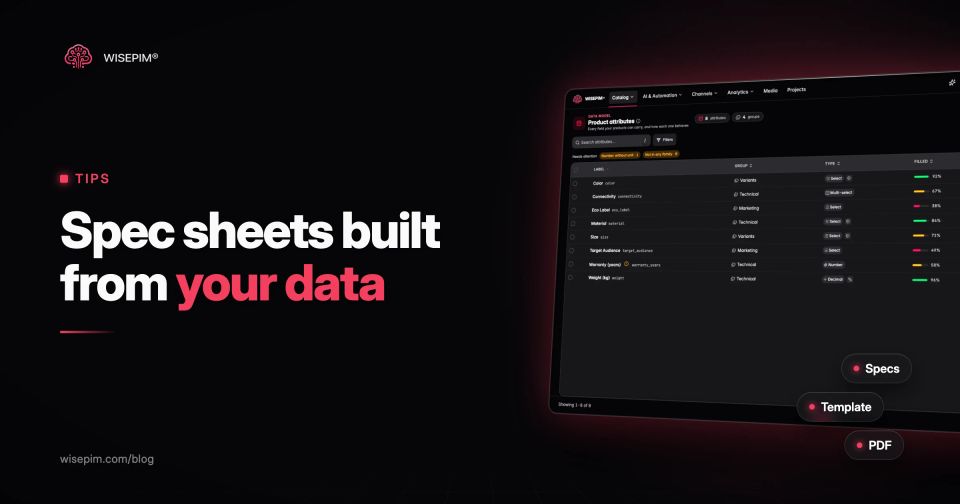
The fill rate per attribute is the fastest way to find which sheets will come out with gaps: a Warranty (years) field filled on 58% of products means four in ten sheets miss that row. The attribute management setup defines which fields each family needs, so fixing the record once fixes the spec sheet, the product page and the feed together.
