The European Accessibility Act (EAA) is Directive (EU) 2019/882, an EU law that sets accessibility requirements for a list of products and services, including e-commerce. EU countries had to apply their national versions from 28 June 2025. Since then, an online store that sells to consumers in the EU has to make its website and app usable for people with disabilities, unless it qualifies for an exemption, such as the one for microenterprises.
For product content, the practical consequences are concrete: product images need text alternatives, information that only exists in an image (a size chart, a spec table, an ingredient label) needs a text version, videos with instructions need captions, and the accessibility information a manufacturer gives about a product must reach the shopper. This post explains who the law covers, what the directive actually says, how the Netherlands implemented it, and gives a field-by-field checklist for your catalog.
The European Accessibility Act in short
- The law: Directive (EU) 2019/882 on the accessibility requirements for products and services, adopted on 17 April 2019. As a directive, it works through national laws in each EU country.
- From when: member states had to apply their national measures from 28 June 2025 (Article 31).
- Which services: e-commerce is one of six service groups in Article 2(2), next to electronic communications, audiovisual media access, passenger transport, consumer banking and e-books.
- What e-commerce means: services provided at a distance, through websites and mobile device-based services, by electronic means and at the individual request of a consumer, with a view to concluding a consumer contract (Article 3).
- Exemption: microenterprises that provide services are exempt from the accessibility requirements (Article 4(5)).
- Enforcement: each country sets its own penalties, which must be "effective, proportionate and dissuasive" (Article 30). In the Netherlands, the ACM supervises webshops.
Four scope questions: consumers, size, location and content
Work through these questions in order. They follow the directive's own definitions.
- Do you sell to consumers? The e-commerce definition is tied to concluding a consumer contract. A store that only sells to businesses falls outside that definition. If you sell to both, the consumer-facing service is in scope.
- Are you a microenterprise? The directive defines one as an enterprise that employs fewer than 10 persons and has an annual turnover or an annual balance sheet total of no more than EUR 2 million. Microenterprises providing services are exempt. Both conditions matter: a team of 8 with EUR 3 million turnover and a balance sheet above EUR 2 million is not a microenterprise.
- Do you sell to consumers in the EU from outside it? The Dutch implementation defines a service provider as anyone who provides a service on the EU market or offers to provide a service to consumers in the EU. Being based outside the EU does not by itself put a store out of scope.
- Is all of your content covered? Not quite. Article 2(4) excludes, among others, pre-recorded audio and video published before 28 June 2025, office file formats such as PDFs published before that date, and third-party content that you neither fund, develop nor control.
Is your store in scope of the EAA?
Two more provisions are worth knowing. Article 14 lets a provider rely on a "disproportionate burden" for specific requirements, but the assessment must be documented, renewed at least every five years, and cannot be used if you received funding meant to improve accessibility. Article 32 gives a transitional period until 28 June 2030 for services provided with products that were lawfully used before 28 June 2025. Neither is a general postponement for webshops.
What the directive requires from an online store
The requirements sit in Annex I. Section III applies to all services in scope, and Section IV point (g) adds three items for e-commerce. In plain terms:
- Accessible website and app: websites, related online applications and mobile apps must be accessible "by making them perceivable, operable, understandable and robust", the same four principles WCAG is built on.
- Information in usable formats: information about the service must be available via more than one sensory channel, in text formats that assistive technology can turn into other formats, and any non-textual content must be supplemented "with an alternative presentation of that content".
- Accessibility information about what you sell: e-commerce services must provide the information concerning the accessibility of the products and services being sold, when the responsible economic operator provides it.
- Identification and payment: login, security and payment functions must be perceivable, operable, understandable and robust.
- Support: where you offer help desks or customer service, they must give information on the service's accessibility in accessible ways.
- An accessibility statement: Article 13 and Annex V require you to publish information on how your service meets the requirements, in your general terms and conditions or an equivalent document. A common way to do this is an accessibility statement page.
The directive's Annex II gives non-binding examples. For websites it mentions "providing text description of pictures", keyboard access, giving users enough time to read and compatibility with assistive technologies. For e-commerce it gives this example of the product information duty: ensuring that available information on the accessibility features of a product is not deleted.
What the EAA means for product content
Checkout bugs and keyboard traps are a job for developers. A large share of the remaining work, though, sits in the catalog: thousands of images, videos, documents and descriptions that your team or your suppliers create. Here is what each type of product content needs.
Alt text that describes each product photo
Every informative product image needs a text alternative, usually the alt attribute. EN 301 549, the European standard for ICT accessibility, requires web pages to meet WCAG 2.1 success criterion 1.1.1 Non-text content. A screen reader user who hears "IMG_4471.jpg" or the product title repeated five times learns nothing about the product.
Good product alt text describes what the image shows that the title does not. For a gallery of a 3-pack of merino crew socks, size 43 to 46:
- Weak: "Merino socks" on all five images.
- Better, image 1: "Three merino crew socks in navy, grey and black, laid side by side."
- Better, image 2: "Close-up of the reinforced heel and toe in a darker shade."
- Better, image 3: "Sock worn with a low sneaker, cuff ending just above the ankle bone."
- Decorative image (a texture background): empty alt text, so screen readers skip it.
The W3C's alt text decision tree is the quickest way to settle edge cases: images that repeat nearby text get an empty alt, images in links describe where the link goes, and images with text in them repeat that text unless it already appears on the page. Our dictionary entry on alt text and accessibility management covers how to manage this at catalog scale.
Information that only exists in an image
We see this problem in a lot of catalogs. Size charts uploaded as JPGs, spec tables pasted as screenshots from a supplier catalog, nutrition and ingredient labels shown only as packaging photos, energy labels without the class in text. Alt text is a poor fit for a 40-cell size chart. Put the information in text on the page, as structured attributes, and keep the image as a visual extra. That also makes it readable for search engines and easier to translate.
Color, swatches and variant pickers
A color swatch that shows only a colored circle tells a screen reader user nothing unless it has a text name, and WCAG 1.4.1 Use of color says color must not be the only visual means of conveying information. Each variant needs a color name in text, which means a clean color attribute per variant: "navy", not "#1F2A44" or "col. 07". The same goes for descriptions that rely on sight alone, such as "see the shape in the photo".
Video and documents
The directive's examples include "including subtitles when a video with instructions is provided". Assembly and how-to videos published from 28 June 2025 should have captions (WCAG 1.2.2). Older pre-recorded media is excluded, but re-uploading or editing an old video may count as publishing it again. The same logic applies to PDF manuals and data sheets: new ones should be accessible documents, or the key information should also be on the page as text.
Accessibility information about the product itself
Point (g)(i) of Section IV is the duty most specific to retail. If a manufacturer states accessibility features, such as screen reader support on an e-reader, hearing aid compatibility on a phone, or tactile markings on a kitchen appliance, that information has to reach the shopper and must not be dropped on the way from supplier file to product page. In catalog terms: give it an attribute, map it in your imports, and make sure your shop template displays it. Do not write accessibility claims the manufacturer has not made.
Clear, consistent product text
Annex I asks for information presented in an understandable way, and Annex II gives the example of "using the same words in a consistent manner". For product content, that means one term per concept across the catalog (not "length", "lengte" and "L" for the same field), units written out consistently, and descriptions that state facts before marketing language. If you sell in several languages, the alt text and descriptions should exist in each language, and the page should declare its language correctly. Our post on multilingual SEO covers the language setup.
Field-by-field checklist for your catalog
Use this list to audit a category before you audit the whole store:
Catalog accessibility audit per category
How the Netherlands implemented the EAA
The Dutch implementation act (Implementatiewet toegankelijkheidsvoorschriften producten en diensten) spreads the directive over several laws. For webshops, the rules are in a new section of the Dutch Civil Code, articles 6:230fa to 6:230fd BW. Article 6:230fb requires a provider of e-commerce services to consumers to design and provide them in line with Annex I, Sections III and IV(g), and Annex V of the directive, publish the required information, keep it up to date and take corrective action when the service does not comply. Article 6:230fc exempts businesses with fewer than 10 employees and an annual turnover or balance sheet total of no more than EUR 2 million.
The ACM supervises the accessibility of webshops. Shortly before the rules took effect, the ACM said it would first focus on critical accessibility problems with a large negative impact on people with disabilities, and take into account the effort a company makes to comply. In March 2026 it published tests of about 100 of the largest Dutch webshops plus large telecom and energy websites: on 61%, placing an order with assistive technology was impossible, and another 33% had serious problems. One example the ACM gave: an order button that cannot be clicked with the keyboard. Companies the ACM contacts that do not improve enough risk enforcement.
EN 301 549 and WCAG: which standard to follow
The directive itself does not name WCAG. It gives a presumption of conformity to services that meet harmonised standards published in the Official Journal of the EU. The European standard for ICT accessibility is EN 301 549. Its current version, V3.2.1, reflects WCAG 2.1 and requires web pages to meet the WCAG 2.1 level A and AA success criteria. It was written for the EU's public sector web accessibility directive; on the publish date of this post, a revised EN 301 549 intended as the harmonised standard for the EAA was still being prepared.
In practice, WCAG 2.1 level AA is the benchmark that accessibility audits and statements commonly use. For product content, these are the criteria that matter most:
WCAG 2.1 criteria that apply to product content
| 1.1.1 | Non-text content (text alternatives) | Alt text on every informative product image, in each language |
|---|---|---|
| 1.2.2 | Captions | Captions on instructional and product videos published from 28 June 2025 |
| 1.3.1 | Information and structure available as text | Size charts, spec tables and labels as text or attributes, not only as images |
| 1.4.1 | Use of color | A color name in text for every swatch and variant |
| 3.1.1 and 3.1.2 | Language of the page and of its parts | A correctly declared page language, with alt text and descriptions in each store language |
Fixing alt text across a large catalog
A store with 5,000 products and four images each has 20,000 alt texts to write, per language. That volume is why so many catalogs have none. A workable process:
- Export every image with its product ID, position and current alt text. Count the empty ones per category.
- Flag decorative images (backgrounds, spacers, brand badges repeated next to text) so they get an empty alt on purpose.
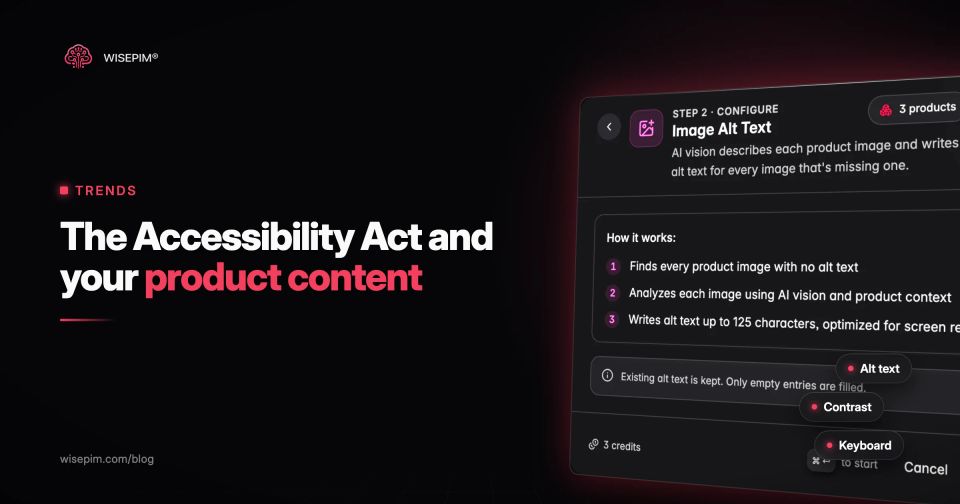
- Draft alt text from product data and the image. The attributes tell you material, color and size; the image tells you what is shown. AI can draft both together.
- Review a sample per category before publishing. Check that the text describes the image, not just the product, and contains no claims that are not in the product data.
- Translate for each store language, and push the alt text to the shop and channels from one source so it does not drift.
- Make it part of onboarding for new products: no image goes live without alt text or a decorative flag.
To test the idea on a few products, the free image alt text generator writes descriptive alt text from a handful of product attributes. For a whole catalog, WISEPIM's AI product enrichment can write image alt text in bulk alongside descriptions, attributes and translations, so you can review the drafts and push them to your store. Our guide to product image quality covers the rest of the image checklist, and our post on product page SEO shows how the same text work helps search.
