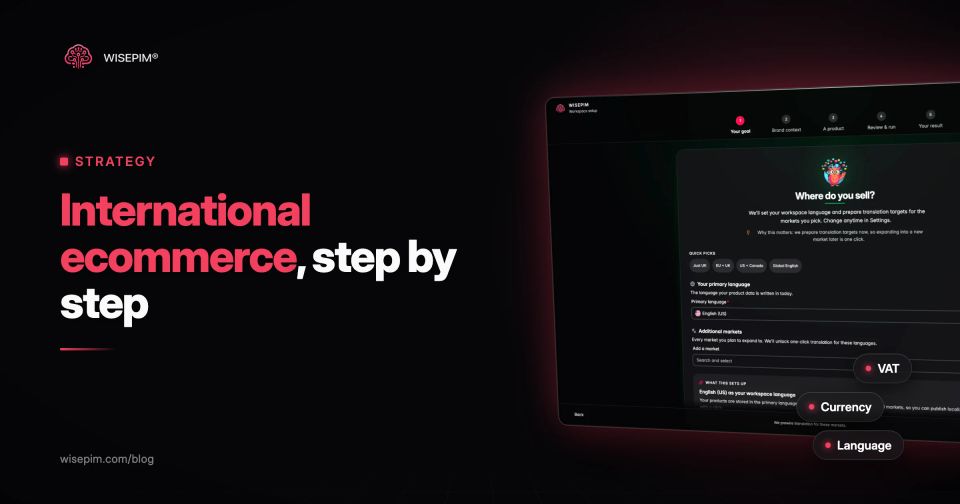
International ecommerce is selling online to customers in other countries. Cross-border ecommerce is the same activity seen from the order: the buyer and the seller are in different countries, so the parcel, the payment and often the tax obligation cross a border. For most small and mid-size stores the two terms mean the same thing, and the work comes down to seven decisions: which markets, which sales model, localized product data, prices and taxes, payments, shipping and returns, and local marketing.
This guide walks through those decisions in the order a store usually makes them, with the EU, UK and US rules that apply to a seller based in Europe, a worked example for one product in three markets, and a readiness checklist you can copy. The part most guides skip is product data: every market needs its own version of your catalog, and that is where most international launches stall.
Ship from home, list on marketplaces or go local
Before choosing markets, decide how you will reach them. Most stores combine these over time.
Three ways to reach a foreign market
| Ship from home (cross-border) | Your existing store ships to other countries from your own warehouse | The cheapest start | Longer delivery times and import rules to handle per destination |
|---|---|---|---|
| Sell on foreign marketplaces | List products on Amazon.de, Kaufland, Zalando or bol | The marketplace brings the traffic and trust | Translated, complete listings that meet each marketplace's data rules |
| Go local | A local entity, warehouse or fulfillment partner in the target country | Faster delivery and local returns | Fixed overhead; usually follows once a market has proven itself |
Step 1: choose markets from evidence, not ambition
Start with countries that already show demand and that you can serve well. Your own data shows where to look:
- Search Console: filter the Performance report by country to see where you already get impressions and clicks without any localized pages.
- Google Analytics 4: compare sessions and conversion rate by country and by browser language.
- Orders and customer service: foreign orders you already ship, and emails from customers asking whether you deliver to them.
- Marketplace data: if you sell on a marketplace that operates in several countries, check which of your products sell or get searched in the neighboring market.
Then score each candidate on the practical side: shipping cost and transit time from your warehouse, whether the market shares a language with one you already serve, how many products need to change (plugs, sizes, labeling), the competition for your main products and whether you can answer customer service in that language. For a Dutch store, Belgium (Flanders) is often the first step because the language is shared, followed by Germany as the largest market next door.
Launch one market fully before starting the next. A complete German version of 800 products beats a half-translated catalog in four languages.
Step 2: pick the sales model for each market
- One store with country settings: platforms such as Shopify (Markets), WooCommerce with multilingual plugins and Magento 2 with store views let you add languages, currencies and country-specific prices to one store. The lowest maintenance option for most mid-size catalogs.
- A separate store per country: more freedom for local assortment, pricing and design, but every product, price and update is multiplied. Only worth it when markets differ strongly.
- Marketplaces first: test demand on a local marketplace before building a localized store. Each marketplace has its own category tree, required attributes and title rules, so read the requirements before you list.
Whatever you choose, every channel needs the same product facts in the market's language, which brings you to the work that takes longest.
Step 3: localize your product data, field by field
Translating the theme and the checkout takes a day. Translating and adapting a catalog takes weeks, because every product has dozens of fields and many of them change per market, not only per language. Localization covers units, sizes, legal text and search terms, not just words.
The fields that change per market
- Title and description: translated and written with the words local shoppers search for. Socken, not a literal translation of a Dutch brand phrase.
- Attribute values: material, color, fit and care values translated as structured values (Wolle, Baumwolle), so filters work in every language.
- Units and sizes: centimeters vs inches, EU vs US vs UK shoe sizes, liters vs fluid ounces. Convert in fields, not inside description text.
- Size charts: per market, because sizing conventions differ by country.
- Prices: in local currency, and in the EU shown to consumers including VAT at the rate of the buyer's country once you pass the distance-sales threshold (see Step 4).
- Legal and safety text: warnings, ingredients, battery and electrical information in the official language of the destination country.
- Customs fields: HS code (a harmonized tariff code), country of origin and product weight, needed for every shipment that leaves the EU customs union.
- Identifiers: a GTIN (EAN) per variant, which marketplaces and price comparison sites in every country rely on.
- SEO fields: URL handle, meta title and meta description per language.
- Images: product photos without text baked in, or a version per language when text on the image matters.
The same sock pack for Germany, Belgium and the US
A Dutch store sells a 3-pack of merino crew socks and wants to sell to Germany, Belgium and the United States. The same product needs three different records:
One sock pack, three market records
| Germany | Merino Socken 3er-Pack, material 80 % Merinowolle, care text in German | 39–42 and 43–46 | Euros, including German VAT once the store passes the EU threshold | None: shipped from the Netherlands, and both countries are in the EU |
|---|---|---|---|---|
| Belgium | A Dutch (Flemish) version for Flanders and a French version for Wallonia and Brussels, with words checked for Flemish usage | The same EU sizes | Euros, with Belgian VAT once the threshold is passed | None: both countries are in the EU |
| United States | Merino Wool Crew Socks, 3-Pack, in English | US men's sizes of roughly 6.5–9 and 9.5–12 (check the brand's own chart, as conversions differ by manufacturer) | US dollars | HS code and country of origin on every shipment, and duties calculated per order |
Multiply that by every product and every variant, and the scale of the job is clear. This is why most international launches are limited by catalog work, not by the storefront.
Step 4: get prices, VAT and duties right
Tax rules decide how you price and what you show at checkout. A summary of the main rules for a seller based in the EU, as they stood in July 2026:
- Selling to consumers in other EU countries: a combined EUR 10,000 threshold applies to cross-border distance sales in the EU. Below it, you may charge your home VAT rate; above it, you charge the VAT of the buyer's country. The One Stop Shop lets you register in one country and declare all EU distance sales in a single return instead of registering in every country.
- Imports into the EU: the import scheme (IOSS) covers goods in consignments up to EUR 150. Since 1 July 2026, these low-value B2C imports are no longer duty-free: a temporary flat customs duty of EUR 3 applies to each item in the parcel, where goods with the same tariff classification count as one item, whatever VAT scheme the seller uses. The Council adopted it in February 2026 and it runs until 1 July 2028 (European Commission). It applies to goods shipped into the EU from outside it, not to sales between EU countries.
- Selling to the UK: for consignments of GBP 135 or less to Great Britain, the overseas seller charges UK VAT at the point of sale, which usually means registering for UK VAT. Above GBP 135, normal import VAT and customs rules apply.
- Selling to the US: since 29 August 2025, low-value shipments to the US no longer qualify for the duty-free de minimis exemption, whatever their country of origin (US Customs and Border Protection). The suspension stayed in place after the Supreme Court's February 2026 tariff ruling, CBP wrote it into its rules in June 2026, and a 2025 law ends the exemption permanently on 1 July 2027 (Federal Register). Every parcel goes through a customs entry and pays the duty that applies to the product, however low its value, so price and shipping terms need to account for that.
Then decide who pays the duties. With DDP (delivered duty paid), you collect duties and taxes at checkout and the customer pays nothing on delivery. With DAP (delivered at place), the carrier asks the customer to pay on arrival, which leads to refused parcels and unhappy buyers. Extra cost is the most common reason for abandoning a checkout: in Baymard Institute's survey of US shoppers, 40% of those who abandoned (leaving out people who were just browsing) said extra costs such as shipping, tax and fees were too high. Show the full price, including duties, before the last checkout step.
Step 5: offer the payment methods each market expects
Card payments are not the default everywhere. Dutch shoppers expect iDEAL, Belgian shoppers Bancontact, German shoppers often want to pay by invoice or PayPal, and US shoppers expect cards and digital wallets. Most payment providers support these local methods through one integration, so the work is mostly configuration. Check each market's top methods with your provider before launch and show them early, on the product page or in the cart, not only at the final step.
Step 6: plan shipping and returns per country
- Carriers and transit times: publish realistic delivery times per country on the product page and in the checkout.
- Shipping cost: a flat rate per country is easier to understand than a calculated rate; free-shipping thresholds can differ per market.
- Returns: say clearly where a return goes and who pays. A local return address, through a carrier or returns service, lowers the barrier for buyers abroad.
- Restricted products: batteries, aerosols, liquids and some cosmetics have shipping restrictions by carrier and destination. Mark them in your product data so they cannot be offered where they cannot be shipped.
Step 7: meet local product rules and market in the local language
Each market has its own product rules: language requirements for safety information and labels, packaging and recycling registrations, and category-specific rules for electronics, toys or cosmetics. Keep the required fields per market in your product data so a missing value blocks a listing instead of reaching the customer.
Marketing works the same way. Ads, product feeds and emails all draw on the localized catalog. A Google Shopping feed for Germany needs German titles and euro prices with the correct VAT, and a hreflang setup tells search engines which version belongs to which country. You can build the tags with our hreflang generator.
Cross-border shortcuts that cost you later
- Machine-translating the theme and leaving product data in the home language. Shoppers see a German menu and Dutch product descriptions, and search engines see a mixed page.
- Converting prices without checking VAT and rounding. EUR 19.95 including Dutch VAT is not automatically the right price in Germany or Belgium.
- Hiding duties until delivery. Refused parcels cost the shipping both ways and the customer.
- Keeping sizes in one convention. Size 43 means nothing to most US shoppers. Use converted fields and a market-specific size chart.
- Launching five markets at once. Each market adds customer service, returns and content work. Prove one, then add the next.
- Forgetting customs fields. Without an HS code and country of origin per product, every non-EU shipment needs manual paperwork.
International ecommerce readiness checklist
Use this per target country before you switch on sales:
Twelve checks before you switch on sales in a new country
Translating a catalog for a new market in weeks
Step 3 is where WISEPIM does most of the work. It imports your catalog from Shopify, WooCommerce, Magento 2, Lightspeed, CCV Shop and other connected platforms, translates titles, descriptions and attribute values with AI into the languages you sell in, and checks per language which fields are still missing. AI translation in WISEPIM is 95%+ accurate, and the translated data syncs back to your store or to Kaufland and Google Merchant Center. See translating products with AI for how it works.
Tackerplein used it to produce German translations in 6 weeks, instead of the 4 to 6 months an agency would have needed, and QUB entered the German market through a marketplace integration. If you are planning your next country, the international expansion page shows the full workflow, and the free plan lets you try it on 100 products.
