A request for quote (RFQ) is a document a buyer sends to one or more suppliers asking for a price on a product or service the buyer has already specified: the exact item, the quantity, the delivery terms and the deadline for answering. Suppliers reply with a quotation, the buyer compares the replies line by line and places a purchase order with the one that fits best.
Use an RFQ when you know what you want and only the price, lead time and terms are open. If you still need ideas on how to solve a problem, send a request for proposal (RFP); if you are only mapping which suppliers exist, start with a request for information (RFI). For an online wholesaler, the RFQ arrives as an email, a spreadsheet or a quote button in the webshop, and how fast you can answer it depends on whether the product data a buyer needs is already written down.
RFQ, RFP and RFI: what the buyer knows and what comes back
The three documents sit on one line from vague to exact. Many purchasing teams run them in sequence: an RFI to build a shortlist, an RFP to compare approaches, and an RFQ once the specification is fixed.
RFI vs RFP vs RFQ for product purchases
| RFI (request for information) | The problem, not the solution | Company profile, product range, capabilities | Fit for a shortlist | Which suppliers make compostable coffee cups at all? |
|---|---|---|---|---|
| RFP (request for proposal) | The goal and constraints | A proposed solution, plan and price | Approach, quality and price together | Propose a packaging concept for our new tea range |
| RFQ (request for quote) | The exact item, quantity and terms | Unit price, lead time, terms, validity | Mostly price and terms | Quote 1,200 white bath towels, 70 x 140 cm, 500 g/m², DAP Rotterdam |
You will also see RFT (request for tender) in public procurement and RFB (request for bid), which work much like an RFQ with stricter formal rules. In webshop language, "request a quote" usually means a lighter version of the same thing: a buyer who wants a price for a volume the list price does not cover.
Seven steps from specification to purchase order
A good RFQ process is boring on purpose. Every supplier gets the same questions in the same format, so the answers line up in one comparison sheet.
- Fix the specification. Write down the item exactly: dimensions, material, color, standards it must meet, packaging. If two suppliers could read it two ways, they will.
- Set the quantity and the price basis. State the total quantity, any split by variant (400 per color) and whether you want tiered prices for other volumes. Say per what unit you want the price: piece, carton or kilogram.
- Name delivery terms. Delivery address or port, the Incoterms rule, the date you need the goods, and whether partial shipments are fine.
- Choose suppliers. Three to five is a common range: enough to compare, few enough to answer properly. Include your current supplier if you have one; if you are still choosing between manufacturers, wholesalers and other supplier types, see our guide to product sourcing.
- Send one template with a deadline. Same form, same fields, a clear date for replies and one contact for questions. Share answers to questions with every supplier, not just the one who asked.
- Compare on total landed cost. Put the replies side by side and add freight, duties and payment terms to the unit price. The cheapest unit price is not always the cheapest delivered product.
- Award and confirm in writing. Turn the winning quote into a purchase order that repeats the quoted price, quote number, quantity and terms, and tell the other suppliers they were not selected.
Step six is where most comparisons go wrong. A EUR 4.10 towel delivered to your warehouse and a EUR 3.80 towel quoted ex works from a factory abroad are not the same price. Our guide to landed cost shows how to add freight, duties and handling per unit.
A request for quotation template you can copy
The checklist below covers what a supplier needs to give a price they will not have to revise later. Copy it into your own form or spreadsheet; each item becomes one field.
RFQ template: fields to include
If you sell wholesale yourself, read the list the other way around: these are the questions your buyers will ask you. Every field you can answer from your catalog is one email less per quote.
The product data a buyer needs before asking for a price
Buyers request quotes for products they found somewhere: a webshop, a line sheet, a PDF catalog or a marketplace. When that source leaves out the commercial facts, the quote request turns into a round of questions before anyone talks about price. These are the fields that matter most in B2B:
- Specifications as attributes. Dimensions, weight, material, capacity, power, compatibility. A product specification sheet is the classic format.
- Minimum order quantity and order multiples. Whether the minimum is per SKU, per color or per order changes the quote completely. See the guide to minimum order quantity.
- Pack sizes. Units per inner pack, per carton and per pallet, with carton dimensions and gross weight so the buyer can estimate freight.
- Lead time. Stock lead time and production lead time are different numbers. Publish both if you make to order.
- Incoterms and ship-from location. The ICC publishes the Incoterms 2020 rules as eleven three-letter trade terms, such as FCA and DAP, that split costs and risk between seller and buyer. A price without one is incomplete.
- Certificates and declarations. CE declarations of conformity, test reports, safety data sheets, origin certificates. Buyers in regulated categories cannot order without them.
- Customs data. HS code and country of origin, which the buyer needs to estimate duties.
- Price structure. List price, volume tiers and which customer group a buyer falls into. Our post on tiered pricing covers the formats.
Here is an illustrative example of how missing pack data breaks a quote. A hotel group asks for 1,000 white bath towels at 70 x 140 cm. The supplier packs 12 per carton and has a minimum of 300 per color. 1,000 is not a multiple of 12, so the supplier quotes 1,008 (84 cartons) and the buyer's purchasing system flags the quantity as wrong. Had the catalog shown "carton of 12, MOQ 300 per color", the buyer would have asked for 1,008 from the start, and the quote would have gone through on the first pass.
Request-a-quote flows in Shopify, Adobe Commerce and WooCommerce
Many B2B buyers start a quote in the webshop itself. The three platforms handle it very differently, and none of them builds the quote from your product data for you.
Shopify B2B: draft orders and Submit for approval
Shopify B2B runs on the Basic, Grow, Advanced and Plus plans, not on Starter or Retail (Shopify Help Center). It has no separate quote object: the quote is a draft order. Staff create a draft order for a company location, set a custom price on any line where the negotiated price differs from the catalog, lock the prices so a later price change does not alter the quote, and send the buyer an invoice. To let buyers start the request themselves, set a company location's order submission to Submit all orders as drafts for review. The buyer then sees a Submit for approval button at checkout, the order lands on your Drafts page with its prices locked, and it is complete only when you click Create order or the buyer pays the invoice (Shopify draft orders for B2B). Buyer-facing quote forms with back-and-forth negotiation come from apps in the Shopify App Store.
Adobe Commerce: negotiable quotes
Adobe Commerce with the B2B extension has a full quote workflow. Adobe's documentation describes negotiable quotes that an authorized company buyer requests from the shopping cart, or that a sales rep creates in the Admin. Seller and buyer go back and forth on quantities and discounts, the quote moves through statuses such as New, Open, Submitted, Ordered, Declined and Expired, and the buyer checks out at the agreed price. Adobe documents the B2B extension for Adobe Commerce only, on cloud infrastructure and on premises (Adobe B2B installation). Magento Open Source has no built-in negotiable quotes, so Open Source stores add a quote workflow through a third-party extension.
WooCommerce: quote extensions
WooCommerce has no quote feature in core. Extensions in the WooCommerce Marketplace add it; Request a Quote for WooCommerce by Addify, for example, can hide prices or replace the Add to Cart button by role, product or category, track quote statuses such as pending and accepted, and convert an accepted quote into an order.
A typical quote request flow in a B2B webshop
If you sell through a B2B marketplace instead of your own store, the marketplace usually provides the quote messaging and you supply the product data and the price.
Six reasons supplier quotes come back impossible to compare
- Different units. One supplier quotes per piece, another per carton of 12, a third per kilogram.
- Different Incoterms. An ex works price and a delivered price side by side look like a 20% gap that is really freight.
- Silent substitutions. The supplier quotes a 450 g/m² towel because the 500 g/m² one has a longer lead time, and the reply does not say so.
- Missing validity. A quote without an expiry date leads to a dispute when raw material prices move.
- Lead time without a start point. "6 weeks" from order, from deposit or from artwork approval can mean a month's difference.
- Tooling and sample costs left out. A one-off mold or print plate appears on the first invoice instead of the quote.
Most of these are fixed by the template above. The rest are fixed on the seller's side by publishing units, pack sizes and terms with the product, which is the same work you would do for wholesale and retail pricing.
What a supplier's quotation should contain in reply
If you are the one answering, a reply that mirrors the request gets compared fairly and accepted faster. Buyers drop quotes they cannot line up with the others, even when the price is good. Answer every field the RFQ asked for, in the buyer's order, and add these:
- Quote number and the buyer's RFQ number, so both sides refer to the same document.
- One price per line in the unit the buyer asked for, with your own unit in brackets if it differs (EUR 49.20 per carton of 12, EUR 4.10 per piece).
- Price breaks at the quantities the buyer named, and one step above, if you offer tiered prices.
- Any deviation from the specification, stated plainly next to the line it affects.
- Lead time with its start point, the Incoterms rule with its named place, payment terms and the validity date.
- Attachments the buyer will need to approve the order: spec sheet, certificates, safety data sheet, carton and pallet data.
Most of that list comes straight from product data. A supplier who keeps pack sizes, certificates and specs in one place can answer an RFQ in an hour; one who has to collect them from a factory email, a shared drive and a colleague's memory needs days.
Supplier product data that answers quote questions up front
WISEPIM has no RFQ or quoting feature: it does not receive quote requests, negotiate prices or create quotes. What it does is keep the product data behind a quote complete and shareable. MOQ, pack size, lead time, certificates and HS codes are attributes like any other, and Quality Guard can flag products where they are empty.
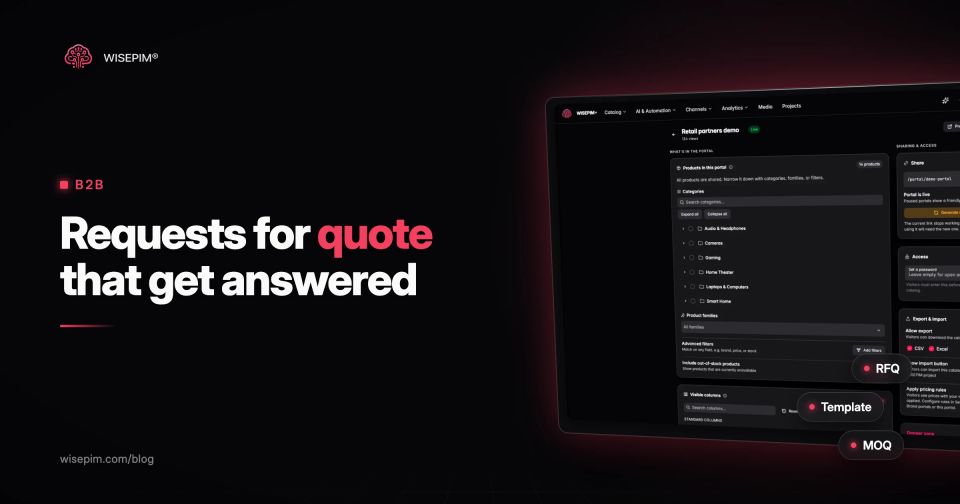
To share that data with buyers, Brand Portals publish a live, read-only catalog with the products and columns you choose, an optional password and CSV or Excel download. A portal can apply pricing rules scoped to it, so a trade buyer sees your wholesale prices rather than retail. For a single item, the Product Sheet export turns a product into a PDF with images, attributes and prices that you can attach to a quote.
The quote itself still happens in your webshop, ERP or quoting tool. A buyer who has already seen your pack sizes and lead times sends a better request, and you answer it from data instead of from memory.