A product launch checklist for an online store is the list of everything that has to be true before a new product goes live and gets promoted: identifiers and prices are correct, the attributes that filters and channels read are filled, images meet each channel's rules, titles and descriptions are written and translated, feeds carry the product, and someone has checked the live page on launch day. The short version is eight blocks, in this order: basics, attributes, images, copy and SEO, translations, channels and feeds, go-live checks, and a first-week review.
Most launch checklists you will find are written for software or campaign launches: positioning, PR, sales enablement, support scripts. Those matter, but in ecommerce the launch fails quietly in the product data. The campaign sends traffic to a page with one photo, empty filters and no listing on Google Shopping because the feed was rejected. This checklist covers that part.
A launch timeline that works back from the go-live date
Data work takes longer than teams expect, and some of it depends on people outside the team: suppliers send specs late, photographers need samples, and channels review products before they show them. Google Merchant Center, for example, says the initial review after you first upload products can take up to 3 to 5 business days for Shopping ads, and longer for other programs. Plan backwards from the launch date:
Product data timeline for a new product launch
- 1
6 weeks before
Request specs, GTINs, dimensions, compliance documents and images from the supplier.
Chase missing items now; this is where most delays start. - 2
4 weeks before
Fill attributes, write titles and descriptions, shoot or edit images.
Assign the product to its primary category before writing copy. - 3
3 weeks before
Translate copy, attributes and option values for every market you sell in.
Leave time for a native speaker to review legal and safety text. - 4
2 weeks before
Add the product to feeds as a hidden or out-of-stock item and fix every channel error.
A first upload to a channel takes extra days to review. - 5
1 week before
Lock the data, run quality checks and preview the page on mobile and desktop.
Late changes reset reviews on some channels. - 6
Launch day
Publish, set stock and price, and check the live page, feed status and checkout.
Test one real order end to end. - 7
First week
Watch feed diagnostics, indexing, conversion and the first returns.
Fix data gaps before scaling up ad spend.
Identifiers, prices and stock: the fields that block a listing
Start with the fields that stop a product from being listed at all. On Google, the product data specification requires an id, title, description, link, image link, availability and price for every product, and a brand for all new products except movies, books and music recordings. A GTIN is strongly recommended when one exists, and Google warns to provide it only when you are sure it is correct. Marketplaces have similar lists, and your own shop needs most of the same fields to show the product properly.
- SKU: unique, final and the same in the shop, the ERP or stock system and every feed. Changing a SKU after launch breaks links and reports.
- GTIN: the manufacturer's barcode number, checked for a valid check digit. Never reuse a GTIN from a similar product. Our guide to GTIN, UPC and EAN explains which one you need.
- Brand and MPN: brand exactly as the manufacturer writes it, MPN when there is no GTIN.
- Price, sale price and VAT: the price shown matches the feed and includes VAT where the market expects it. A launch discount needs an end date.
- Stock and availability: in stock, preorder with an availability date, or backorder. A product launched at zero stock gets traffic it cannot convert.
- Weight and dimensions: shipping costs, carrier rules and some marketplaces depend on them.
Attributes that filters, comparisons and channels read
A new product that is missing its filter attributes disappears the moment a shopper narrows the category. It also misses marketplace and Shopping queries that match on attributes such as size, color or material. Averaged across the 32 catalogs in our State of Product Data report that use attributes, 81% of attributes were filled on less than a quarter of products when the data arrived. New products added in a hurry are usually the emptiest of all.
Here is what launch-ready attribute data looks like for a hypothetical two-person trekking tent:
- primary_category: Tents > Trekking tents, plus a mapping to each channel's taxonomy
- capacity_persons: 2
- season_rating: 3-season (from a fixed list, not free text)
- weight_kg: 2.1 and packed_size_cm: 45 x 15 x 15
- waterproof_rating_mm: 3000 for the flysheet, with the floor rating in its own field
- color: standard color family green, with the brand's color name olive moss kept in a separate field
- material: polyester ripstop flysheet, nylon inner, aluminium poles
Copy the attribute set from a comparable product that already sells well, then check that every filter in the category has a value on the new product. If the product opens a new category, decide its filters before you write a word of copy; our post on category management covers how to define a category the way shoppers choose.
Safety and manufacturer details for EU listings
If you sell consumer products in the EU, a launch also has a legal checklist. Since 13 December 2024, Article 19 of the General Product Safety Regulation requires every online offer to show, clearly and visibly:
- Manufacturer: name or registered trade mark, plus a postal and an electronic address.
- Responsible person in the EU: name and addresses, when the manufacturer is established outside the Union.
- Product identification: a picture, the product type and any other identifier, such as a model number or batch.
- Warnings and safety information: in a language consumers in that country can easily understand.
For a new product from a new supplier, these are exactly the fields that arrive last, because nobody needed them before. Request them with the specs six weeks out, store them as fields rather than as text inside the description so every channel can use them, and include them in the translation run. Our GPSR guide covers the rules in more depth. This is general information, not legal advice.
Product images that pass channel rules
Images are what shoppers look at first: in Baymard Institute's testing, 56% of users' first action on the product page was to explore the images. They are also where new products are thinnest. In the average catalog in our State of Product Data report, 36% of products had no image when the data arrived, and the median catalog's median product had one.
- Main image: the exact product on a clean background, no promotional text, watermarks or borders, as the Google specification requires.
- Size: Google has announced a minimum of 500 x 500 pixels for all product images, enforced from January 31, 2027. Shoot for that now so launch images do not need replacing later.
- Format: JPEG, WebP, PNG, non-animated GIF, BMP or TIFF on Google; check each marketplace and your shop theme.
- Variant images: one set per color, with the first image of each variant showing that color.
- AI-generated images: Google requires metadata that marks them as AI-generated, such as the IPTC DigitalSourceType tag, and asks you not to strip it.
- Alt text: a short description of what is in each image, in every language you sell in.
Title, description and SEO fields for a new product page
Write the title from the attributes, not the other way round: brand, product type, the two or three attributes shoppers filter on, and the variant. Google allows up to 150 characters in the feed title, but the first words carry the weight, and many marketplaces are stricter. The description answers the questions a shopper would otherwise ask support: what is in the box, what it fits, how to care for it and what makes it different from the product next to it.
- Meta title and meta description: written for the search result, not copied from the product title.
- URL handle: short, readable and final before launch, because changing it later needs a redirect.
- Structured data: Google's merchant listing documentation requires name, image and an offer with price and currency, and recommends more, such as GTIN, brand and shipping.
- Internal links: the product appears in its category, in related products and, for a hero launch, on the homepage or a landing page.
Our product page SEO guide goes through each of these fields in detail.
Translations ready for every market on day one
A product that launches in English only on a Dutch, German and French store launches three weeks late in three markets. Translate everything a shopper reads or filters on: title, description, meta fields, alt text, attribute values and option names such as colors and sizes. Units and formats change too: decimal commas, centimeters rather than inches, and VAT-inclusive prices.
AI translation makes same-day launches realistic. In WISEPIM, titles, descriptions, SEO fields and attributes are translated in one run into the languages you select, against a dictionary for terms that must stay fixed, and AI translation is 95%+ accurate. Have a native speaker review safety warnings and legal text before launch regardless of how they were translated.
Channel requirements, feeds and the checks before export
Every channel reads the same product differently. Google Shopping wants a brand, a GTIN where one exists, and titles and images that follow its rules; a marketplace wants its own category and required attributes per category; your Shopify or WooCommerce store wants the product in the right collection with variant options. Our overview of channel requirements lists the fields per channel.
Add the new product to your feeds before launch, hidden or marked as out of stock if the channel allows it, so channel errors show up while there is still time to fix them. Then confirm three things on each channel: the product was accepted, it sits in the right category, and the price and availability match your shop.
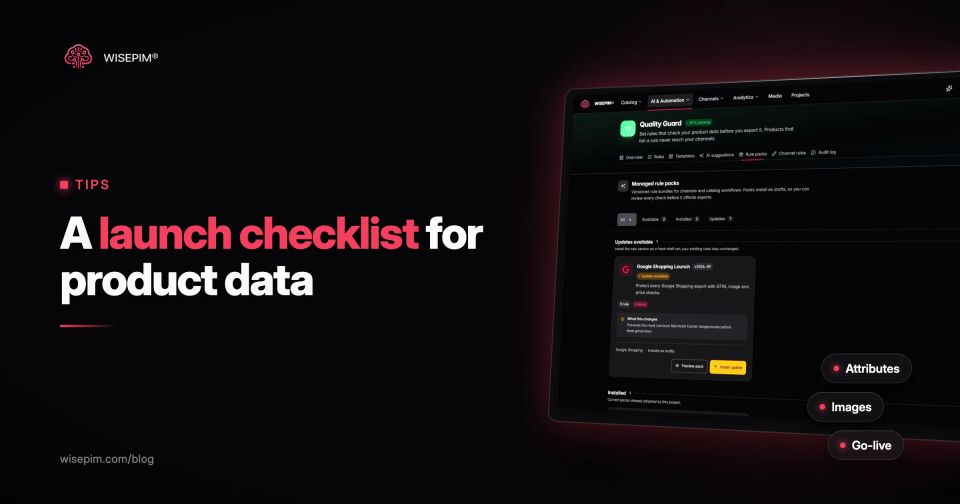
In WISEPIM, Channel Readiness scores each channel on the fields it requires and lists the products that are missing them. It is a check, not a feed. Quality Guard goes one step further: a product that breaks a rule set to Block stops at the export and waits in quarantine with the list of rules it missed, so a launch product without a GTIN or main image never reaches the channel.
The go-live checklist for launch day
Work through this list on the day itself, in order. Every item is a quick check if the work above was done; any item that fails is a reason to delay the promotion, not the publication.
Launch day checks for a new product
What to watch in the first week after launch
A launch is not finished when the page is live. In the first days, data problems show up as numbers: a product with traffic but few add-to-carts, a feed item that was accepted and then disapproved, a query in Search Console that shows impressions for a term your title does not use.
- Feed diagnostics: check Merchant Center and each marketplace daily for new warnings or disapprovals.
- Indexing: inspect the product URL in Google Search Console and request indexing if it is not yet crawled.
- Conversion: compare add-to-cart and purchase rates with similar products; a large gap usually points at images, price or missing information.
- Questions and returns: read customer questions and the first return reasons, and turn repeated ones into attributes or FAQ answers.
- Search terms: add the words shoppers actually use to the title, description or search synonyms.
That last point is where a PIM pays off on launches: the checks in this post become rules that run on every new product, not a list someone has to remember. See how Quality Guard scores, blocks and quarantines products before they reach your channels.
