A line sheet is the order document a wholesale brand sends to retail buyers: one row or tile per style, with the product photo, style number, colorways, sizes, wholesale price, suggested retail price, minimum order quantity and delivery window. A buyer uses it to decide what to order and how many. It is not a marketing piece. A lookbook sells the mood of a collection; a line sheet tells the buyer exactly what they can order, when it ships and what it costs.
Most brands still build line sheets by hand in InDesign, Canva or a spreadsheet, copying prices and photos from wherever the product data lives. That works for one collection. By the third season, with reorders, new colorways and a price change halfway through, the copies drift. The better route is to keep every line sheet field on the product record and generate the PDF, the spreadsheet and the online version from that one source. Below: the fields, a column-by-column template, the three formats and how to produce them from product data.
Line sheet, lookbook, catalog and order form: four wholesale documents side by side
Buyers receive several documents from the same brand, and the names get mixed up. The difference is what each one is for. A digital catalog or printed catalog presents the whole range with more story and context; a line sheet strips that back to what an order needs.
Four wholesale sales documents and what each one does
| Line sheet | Retail buyer | Decide what to order | Photo, style number, colorways, sizes, MOQ, delivery window | Wholesale and suggested retail |
|---|---|---|---|---|
| Lookbook | Buyer, press, consumers | Show the collection's look | Styled photography, outfits, short captions | Usually none |
| Catalog | Buyers and end customers | Present the full range | Product pages, story, specs, sometimes the whole assortment | Retail, sometimes none |
| Order form | Retail buyer | Place the order | Style, color, size grid with quantity boxes, totals | Wholesale |
Many brands merge the line sheet and the order form: a spreadsheet version of the line sheet with an empty quantity column per size, which the buyer fills in and returns. That combined file is the one buyers handle most, so its columns deserve the most care.
What goes on a wholesale line sheet, field by field
Line sheets look different from brand to brand, but the information is close to standard. Split it into a header that appears once and product fields that repeat per style.
The header: brand, season and who to call
- Brand name and logo, so a printed page still identifies you after it leaves the folder.
- Collection or season name, such as "Autumn/Winter 2027" or "Core range", plus the version date ("Version 3, 4 November"). Buyers keep old copies; the date tells them which one is current.
- Sales contact: rep name, email and phone, and where to send the order.
- Currency and tax basis: "Prices in EUR, excluding VAT". Without it, a buyer abroad has to ask before they can work out a margin.
Per style: identity, look and fit
- Style number or SKU for the style, and ideally the variant SKU per color and size on the spreadsheet version. Our dictionary entry on the SKU covers how to build readable codes.
- Style name: the short commercial name ("Merino Crew Sock"), the same name the buyer will see on invoices.
- Product image: one clean front shot per colorway on a plain background. A line sheet is not the place for lifestyle photos.
- Colorways with a color name and code ("NAV Navy, CHR Charcoal"), matching the image shown.
- Size range and size scale: "EU 36 to 46, sold in pairs 36-38, 39-42, 43-46". State the system (EU, UK, US) once.
- One-line description and material: "80% merino wool, 18% polyamide, 2% elastane". Buyers need fiber content for their own product pages and labels.
- GTIN (EAN or UPC) per variant on the spreadsheet version. Retailers scan barcodes at goods-in, and GS1 defines the GTIN as the identifier for each trade item, which in apparel means each color and size.
Per style: price, quantity and timing
- Wholesale price per unit or per pack, in the stated currency.
- Suggested retail price (also called MSRP or RRP). Many brands price at keystone, where the suggested retail price is twice the wholesale price; whatever your ratio, show both numbers so the buyer sees their margin without a calculator. Our guide to wholesale vs retail covers how the two price levels and volume tiers fit together.
- Minimum order quantity: per style, per colorway or per order. Say which. "MOQ 12 per colorway" and "MOQ 12 per style" are very different orders.
- Pack size or prepack: socks in packs of 6 per size, or a prepack ratio such as 1-2-2-1 across S-M-L-XL. Order multiples belong here too.
- Delivery window: the ship-start and ship-end dates for the style ("Ships 1 to 15 February"), and the cancel date after which an unshipped order may be cancelled.
- Availability flags: new, carry-over, limited, or "at once" stock for immediate delivery.
The terms page: payment, shipping and returns written once
Everything that applies to the whole order goes on one terms page at the end, not repeated per style. Keep it short and specific:
- Opening order minimum and reorder minimum, as a value ("EUR 500 opening order, EUR 250 reorders") or a unit count.
- Payment terms: proforma for first orders, net 30 after a credit check, accepted payment methods.
- Shipping terms: who pays freight, free-shipping thresholds, and for cross-border orders the Incoterms rule. The ICC Incoterms rules are eleven three-letter terms (Incoterms 2020 is the current version) that settle who carries which costs and risks while goods move, so writing "DAP" or "EXW" removes a long email thread.
- Damages and returns: how many days the buyer has to report damaged or wrong goods, and whether unsold stock can be returned (usually not).
- Exclusivity or territory rules, if you limit how many stores in one city can carry the line.
A line sheet template you can copy, column by column
The template below uses a fictional sock brand to show one row per variant, the layout that works best for the spreadsheet version and as the data source for a PDF. The last column says which product field feeds it, which is the part most templates leave out. Our free price list template and product catalog template cover the neighboring documents.
Line sheet template: one merino sock variant, with the product field behind each column
| Style number | NF-MER-CREW | Parent SKU | Style |
|---|---|---|---|
| Variant SKU | NF-MER-CREW-NAV-3942 | Variant SKU | Variant |
| Style name | Merino Crew Sock | Product name (short) | Style |
| Colorway | NAV Navy | Color option and color code | Variant |
| Size | 39-42 | Size option | Variant |
| Image | nf-mer-crew-nav-front.jpg | Main image of the color | Variant |
| Material | 80% merino wool, 18% polyamide, 2% elastane | Material composition attribute | Style |
| GTIN | 9506000134352 (GS1 example number) | EAN or UPC | Variant |
| Wholesale price | EUR 7.50 | Wholesale price attribute or price list | Variant |
| Suggested retail price | EUR 15.00 | Retail price | Variant |
| Pack size | 6 pairs | Case pack attribute | Variant |
| MOQ | 12 pairs per colorway | Minimum order attribute | Style |
| Delivery window | 1 to 15 February | Season or delivery attribute | Style |
| Quantity | (buyer fills in) | Empty column on the order form | Variant |
Two habits make this template reusable. First, keep wholesale-only fields such as case pack, MOQ and delivery window as proper attributes rather than notes in a description, so they can be filtered and exported. Second, decide whether a field lives on the style or on the variant before you fill it in. The variant management guide explains how parent and child records share data.
PDF, spreadsheet or live online catalog: choosing a line sheet format
Most brands need more than one format, because buyers work differently. The question is which one is the master and which ones are generated from it.
- PDF line sheet: the classic format for trade shows, email and print. Easy to read, hard to break, and frozen the moment you export it. Good for a season launch, poor for reorders when prices or stock change.
- Spreadsheet (Excel or CSV): what buyers import into their own systems and use as an order form. It carries variant SKUs and GTINs the PDF leaves out. Lock the price columns or send a read-only copy, because a buyer who edits a price by accident creates a dispute.
- Live online catalog: a password-protected web page or brand portal that always shows current data, with filters by category and season. Nothing goes stale, but some buyers still want a file to forward to colleagues, so let them download one.
A practical split: the online catalog is always current, the spreadsheet is generated from the same data whenever a buyer asks, and the PDF is exported at fixed moments (season launch, mid-season update) with a version date on the cover.
Generating line sheets from product data instead of by hand
A hand-built line sheet is a copy of your product data that nobody updates. Generating it means the line sheet becomes an output, like a feed to a marketplace. The flow has four parts: one product record per style, a filter that selects the season or collection, an export with fixed columns, and a layout step for the formats that need design.
From product records to every line sheet format
- Model the wholesale fields. Add attributes for wholesale price (or a separate price list), case pack, MOQ, delivery window, season and availability. Give each a fixed type: a number for MOQ, a date or a controlled list for delivery windows.
- Tag the assortment. Put each style in a season or collection category, or use a season attribute, so "Autumn/Winter line sheet" is a filter, not a manual selection.
- Check completeness before export. A style without a wholesale price, GTIN or image should block the export. A completeness or quality rule catches it before a buyer does.
- Export with a saved column order. Save the template from the previous section as an export preset, so every export has the same columns in the same order, ready to send as an order form.
- Lay out the PDF from the export. Design tools with data merge and dedicated line sheet apps both read a CSV or spreadsheet, so the design is done once and refilled each season.
- Version every file. Put the version date on the cover and in the file name ("AW27-line-sheet-v3-2026-11-04.pdf"), and tell buyers what changed.
Seven line sheet errors retail buyers notice first
- Prices without a currency or VAT basis. A buyer in Belgium and one in the UK read "7.50" differently.
- Colorway names that do not match the image. "Forest" in the text, a navy sock in the photo. The buyer orders the wrong one or asks, either way you lose time.
- MOQ without a unit. For a style in four colorways, 12 per style and 12 per colorway is a fourfold difference in order value.
- Delivery windows from last season. A copied line sheet that still says "Ships August" in October gets the whole document doubted.
- No variant SKUs or GTINs in the spreadsheet. The retailer cannot receive stock or set up their own product pages without them.
- Wholesale and retail columns swapped or unlabeled. This usually happens after a column was inserted in a hurry.
- A 40 MB PDF. Full-resolution photos make the file bounce off mail servers. Export images at screen resolution for the line sheet and offer high-resolution files separately.
B2B storefronts enforce some of these rules for you. Shopify's B2B quantity rules, for example, set a minimum, maximum and increment per variant, and Shopify notes that a 10-unit minimum on a blue and a gray hat cannot be met with 5 of each. Write MOQs on the line sheet in the same per-variant or per-style terms your store applies.
Sharing a live wholesale catalog through Brand Portals
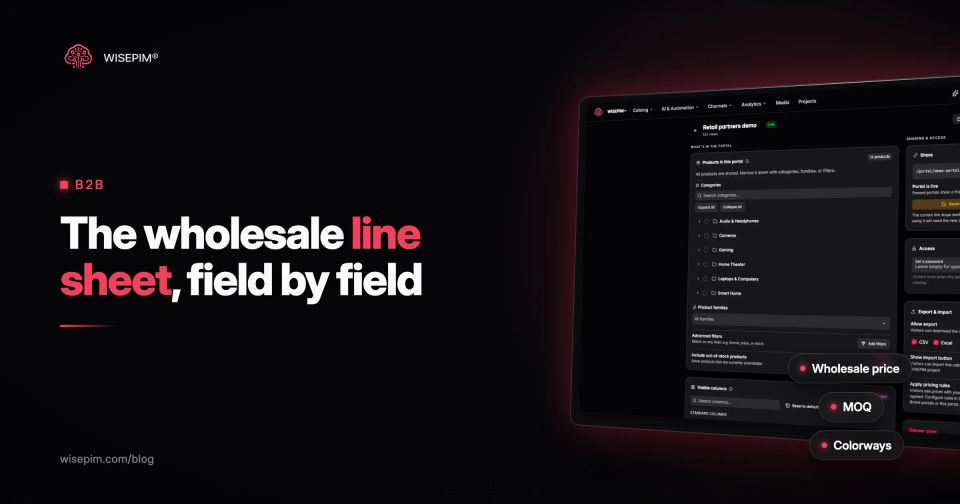
In WISEPIM, the live-catalog format comes from Brand Portals. You choose which products a portal shows (by category, product family or filter) and which columns are visible, add your logo and colors, and optionally set a password. Retailers browse and filter the current data, download it as CSV or Excel, or import it into their own WISEPIM project in one click. Pricing rules can be applied to a portal, so a wholesale portal can show prices that differ from your retail store. The portal is read-only: buyers cannot edit your data, and it does not take orders.
WISEPIM does not design PDF line sheets. Its Product Sheet PDF export produces one product per PDF, which suits a spec sheet more than a multi-style line sheet. For the PDF, export the season's products to CSV or Excel with a fixed column set and lay them out in your design or line sheet tool. If you sell to retailers and want the portal, the exports and the product data behind them in one place, see Brand Portals and how wholesalers use a PIM.
